jamesn32478
Participant
May 8, 2016
Answered

PDF Forms text field default properties

  • May 8, 2016
  • 2 replies
  • 2722 views

How do I set text field default properties?  The forms creator set font sizes that are too large.

This topic has been closed for replies.
Correct answer jane-e

Right-click the field > Use Current Properties as New Defaults.

It will keep the new settings until the next time you do this. It is not document-specific. Do it separately for each type of field (text, button, etc.)
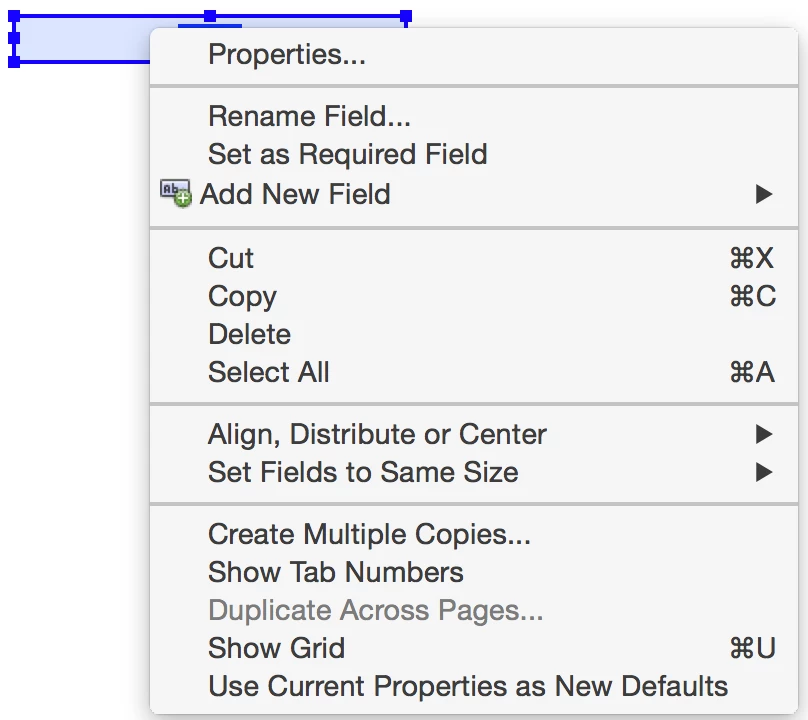
On a form that exists, you can multiple select fields. A pro tip is that you do not have to close Properties to move from field to field to field. Keep it open and work faster.

2 replies

Inspiring
May 9, 2016

You don't have any control over what Acrobat uses when it generates form fields for you, unfortunately. I never choose to have Acrobat detect and add form fields, in part because I would have to spend a lot of time making changes. I find it faster to create the fields manually and using the various JavaScript-based tools I've developed to automate the process.

jane-e
Community Expert
jane-eCommunity ExpertCorrect answer
Community Expert
May 9, 2016

Right-click the field > Use Current Properties as New Defaults.

It will keep the new settings until the next time you do this. It is not document-specific. Do it separately for each type of field (text, button, etc.)

On a form that exists, you can multiple select fields. A pro tip is that you do not have to close Properties to move from field to field to field. Keep it open and work faster.

Participant
January 7, 2022

Hi there, this works fine on fields created manually - but does not work on fields recognised automatically by Acrobat. Any idea?

try67
Community Expert
Community Expert
January 7, 2022

That can't be changed.