Participant
October 7, 2016
Question

Percentages & Equations

  • October 7, 2016
  • 1 reply
  • 308 views

Hello,

I'm trying to use percentages and equations in Acrobat Pro DC 2015.

My first question is when I make a textbox format a percentage, it multiplies it by 100. How can I stop it doing this?

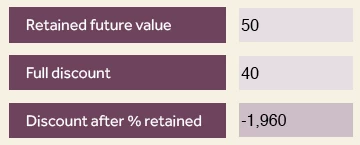
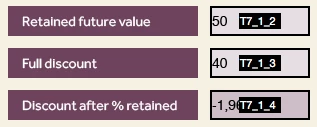
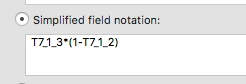
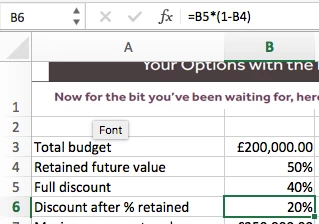
Also, I need to make an equation for the form. The sum works in Excel, however, it does not work correctly in Acrobat. I've attached screenshots of what I'm trying to achieve and how so hopefully someone can decipher these and help out!

Thank you,

Sam
This topic has been closed for replies.

1 reply

try67
Community Expert
Community Expert
October 7, 2016

1. The value of a percentage field is between 0 (0%) and 1 (100%). So if you want the field to show 50% you need to enter 0.5 into it.

If you don't want it to work like that then you can use a custom format script to add the percentage symbol, instead of the built-in Percentage format option.

2. That should work... What happens when you use it? Are there no results at all? Or are they wrong? And are there any error messages in the JS Console?