


ericnandoj
Participant
January 17, 2018
Answered

Problem with calculations fields, can you help me?

  • January 17, 2018
  • 1 reply
  • 986 views

I created the following code for the field with the number 30:

var x = this.getField("valor_col").value;

var y = this.getField("esc_col").value; // another field (dropdown) that receives only color names (strings)

if (y == "red" ) {

event.value = x + 4

}

else if (y == "blue" ) {

event.value = x + 2

}

else if (y == "green" ) {

event.value = x - 2

}

else {

event.value = x + 1

}

The code is working correctly, the problem happens when I type any value in the other fields that do not yet have javascript code. For example, when I choose the blue color, my field should add 2 to the total, this actually happens, but when I type any value in any other field it adds 2 more to the value of the field that has the code I created (for example), and this should not to happen. Can you help me?

This topic has been closed for replies.
Correct answer Thom Parker

Calculation scripts are called every time any field changes. You need to setup the calculation to work the same way every time. If the calculated value is incremented, then is x from the value of the field with the calculation on it? Otherwise, how could it increase?

1 reply

Thom Parker
Community Expert
Thom ParkerCommunity ExpertCorrect answer
Community Expert
January 17, 2018

Calculation scripts are called every time any field changes. You need to setup the calculation to work the same way every time. If the calculated value is incremented, then is x from the value of the field with the calculation on it? Otherwise, how could it increase?

Thom Parker - Software Developer at PDFScriptingUse the Acrobat JavaScript Reference early and often
ericnandoj
Participant
January 17, 2018

Thank you for your quick answer,

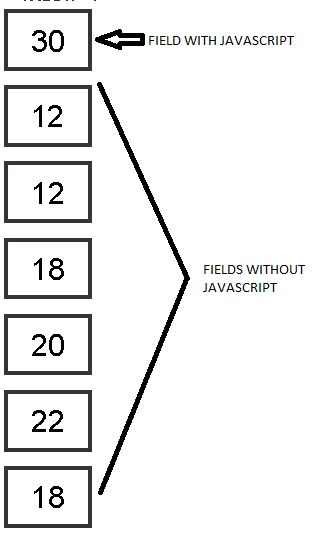
But that's the problem, I do not want this increment to happen, it should not happen. In my understanding the other fields should not influence anything in the field that I set.

See if with this image my question is clearer:

Bernd Alheit
Community Expert
Community Expert
January 17, 2018

Read the reply from Thom Parker.