


Inspiring
June 4, 2017
Answered

Query screen DPI scaling in JavaScript

  • June 4, 2017
  • 3 replies
  • 1782 views

Is there a way, with JavaScript in Acrobat, to find the DPI scaling settings of the current display?

I'm talking about the "Change the size of text, apps and other items" settings in Windows:
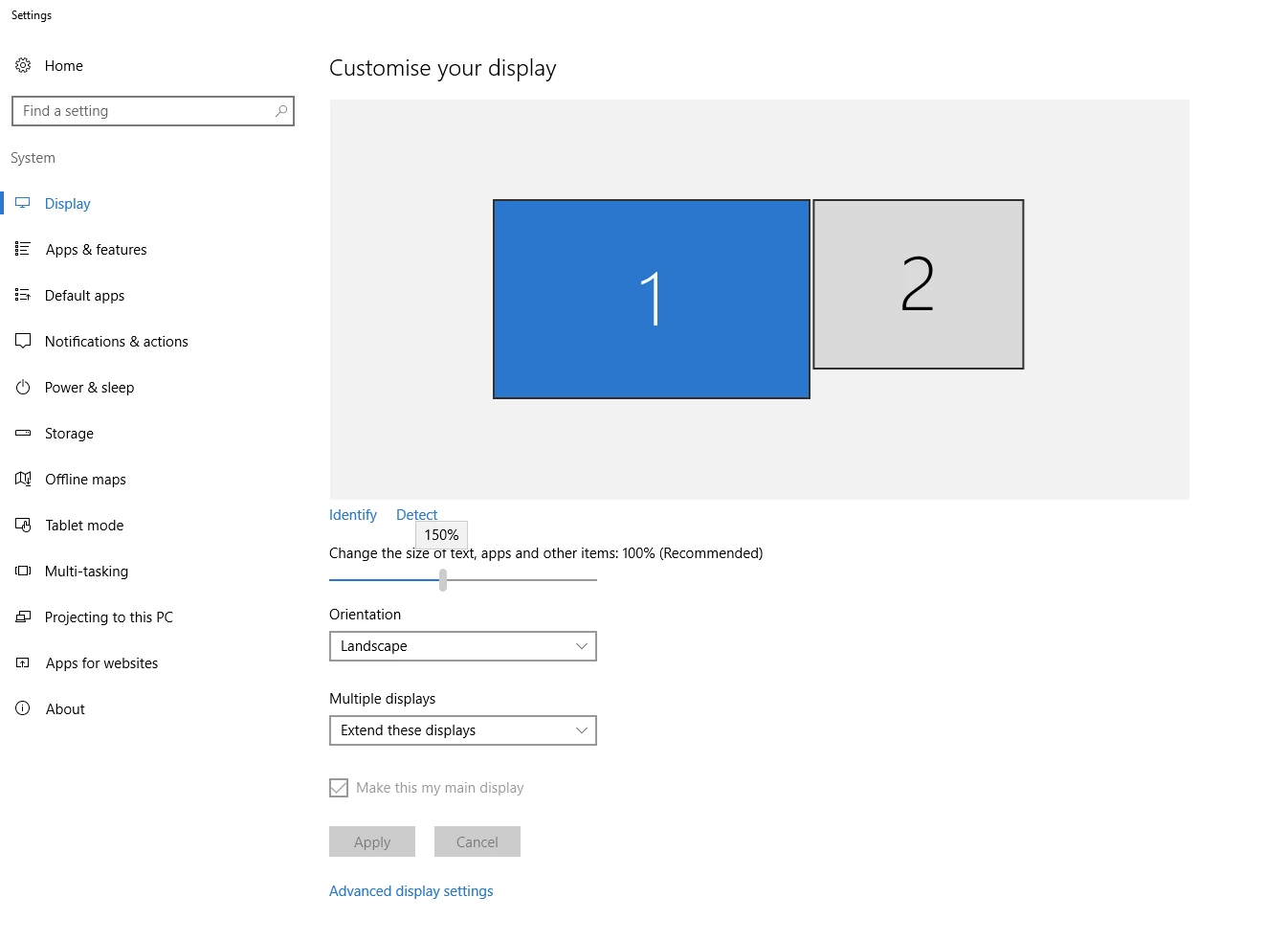
Setting this to more than 100% has adverse effects on the text displayed in dialogues I create using app.execDialog().

This topic has been closed for replies.
Correct answer ZoPaars

This might be useful for dialogues that only have single-line text boxes, but anything else will be a bit of a problem. I have a lot of dialogues with multiple lines of text. When you don't add width or height to the dialogue, the text is all displayed on a single line and your dialogue ends up being very, very wide.

Luckily I found a solution for this. There is an undocumented attribute 'wrap_name'. When that is set to 'true' a multiline text field resizes to the correct height automatically, even when the DPI setting changes.

3 replies

Joel Geraci
Community Expert
Community Expert
June 5, 2017

My best advice is to never use width or heigh except for multi-line text areas. The dialog should then resize to what it needs in order to display properly.

ZoPaarsAuthorCorrect answer
Inspiring
June 10, 2017

This might be useful for dialogues that only have single-line text boxes, but anything else will be a bit of a problem. I have a lot of dialogues with multiple lines of text. When you don't add width or height to the dialogue, the text is all displayed on a single line and your dialogue ends up being very, very wide.

Luckily I found a solution for this. There is an undocumented attribute 'wrap_name'. When that is set to 'true' a multiline text field resizes to the correct height automatically, even when the DPI setting changes.

Inspiring
June 4, 2017
ZoPaarsAuthor
Inspiring
June 5, 2017

Thank you for your response.

I found the Monitors object in the Acrobat SDK but it unfortunately doesn't have what I'm looking for. Guess it is not possible then...

Inspiring
June 5, 2017

Using the Acrobat SDK you might be able to create a plug-in to access that system information and pass it back to Acrobat/Reader. If your users need this then they will have manually install the plug-in on their system.

JavaScript is very limited on what OS information and actions it can access for security reasons.

try67
Community Expert
Community Expert
June 4, 2017

I don't think so, but look at the properties of the Monitors and Monitor objects and see if you find something similar to what you're after...