JR Boulay
Community Expert
Community Expert
June 15, 2016
Question

Reader and getTemplate

  • June 15, 2016
  • 3 replies
  • 1451 views

Hi.

I use this script to unhide a template before printing:

this.getTemplate("LIAISON").hidden = false;

this.print({bUI: false, bShrinkToFit: true, nStart: this.numPages-1});

It Works fine in Acrobat Pro but it fails in Reader.

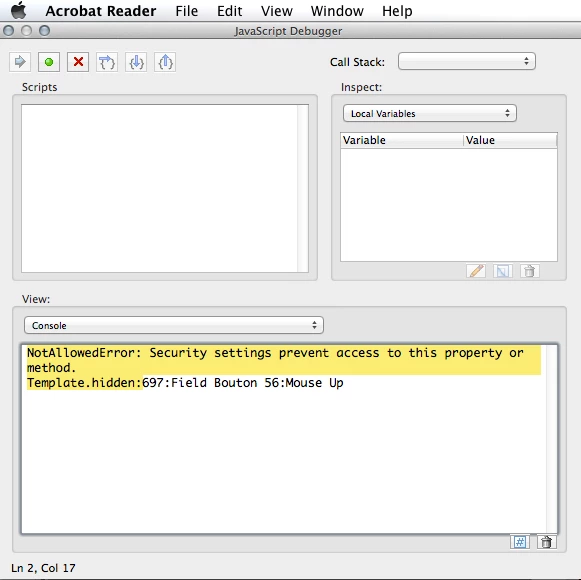
Error message from the JavaScript Console is:

NotAllowedError: Security settings prevent access to this property or method.

Template.hidden:697:Field Bouton 56:Mouse Up

(tested in Reader DC (Mac & Windows), Reader XI (Windows) and Reader 9 (Mac))

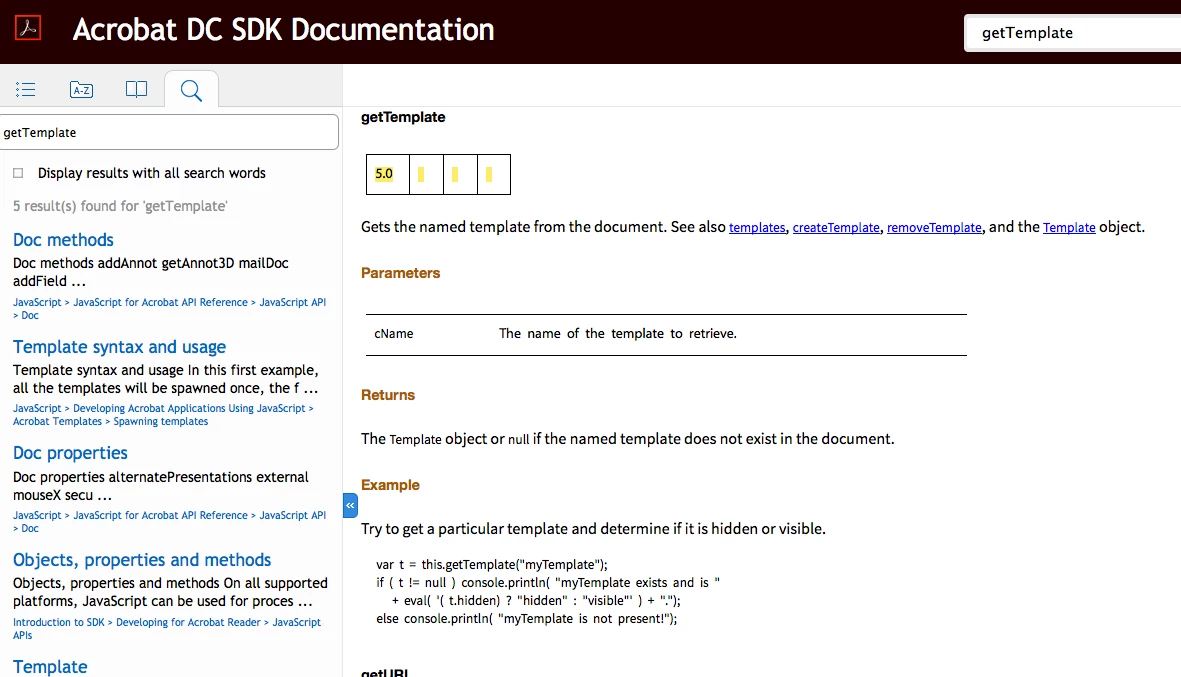
But… the JavaScript API reference shows getTemplate as available for Reader, beginning with version 5, there is not any restrictions in the quickbar.

As shown here : Acrobat DC SDK Documentation

Enable menu items JavaScript execution privileges is ticked in Preferences : JavaScript.

Enable global object security policy is unticked in Preferences : JavaScript.

And the document is trusted in Preferences : Security : Enhanced.

So what can I do to unhide this template in Reader ?

Did I mess something?
This topic has been closed for replies.

3 replies

JR Boulay
Community Expert
JR BoulayCommunity ExpertAuthor
Community Expert
June 15, 2016

Arrgggllll !

I spent so much time to (not) find it. 

Thank you too.

Acrobate du PDF, InDesigner et Photoshopographe
JR Boulay
Community Expert
JR BoulayCommunity ExpertAuthor
Community Expert
June 15, 2016

OK, I found it in the PDF doc. (there are some lacks in the online doc.)

Thank you.

Acrobate du PDF, InDesigner et Photoshopographe
Karl Heinz  Kremer
Community Expert
Community Expert
June 15, 2016

I don't see anything wrong with the online documentation. See here:

Acrobat DC SDK Documentation - Template.hidden

It clearly shows the "X" in the last column of the quick bar.

try67
Community Expert
Community Expert
June 15, 2016

The problem is not with getTemplate, but with the hidden property. It's read-only in Reader.

JR Boulay
Community Expert
JR BoulayCommunity ExpertAuthor
Community Expert
June 15, 2016

Thank you.

But I don't understand, the hidden property can be used for layers and fields in Reader…

Where can I get info about this hidden property?

Acrobate du PDF, InDesigner et Photoshopographe
try67
Community Expert
Community Expert
June 15, 2016

Templates are not the same thing as fields or layers (OCGs)... You can find out more information about it under the hidden property of the Template object. It's clearly stated there.