
Participant
April 25, 2016
Question

Resizing form fields distorts text

  • April 25, 2016
  • 2 replies
  • 2912 views

I create form fields in Acrobat DC Pro (on Windows). If the field has text typed into it and then I need to resize the box, the text will completely distort when the box size is dragged. This can be avoided by clicking in and out of the form field once before changing the field size for some reason.

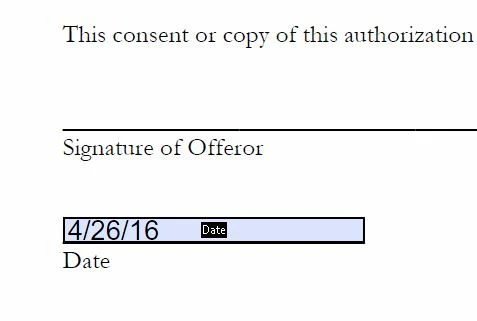
For example, I have text in a form field (does not matter if the field was auto generated or manually created). I go to make the text box taller and the text stretches up with it. The text will continue to look distorted after doing it unless I hit "ctrl-z" or type more text into the box. See images below of before and after of enlarging the box with the date.
This topic has been closed for replies.

2 replies

Inspiring
April 25, 2016

Are you using the size of "Auto"?

Set the font to a fixed size.

You can also resize the form field by using the corner handle and moving in or out on a 45 degree angle. This will retain the aspect ratio of the field as it shrinks or grows.

CAmarketAuthor
Participant
April 26, 2016

No, the fields are not using Auto. In this case, they are set to 12 point Helvetica. I don't want the text to enlarge, I just want to make the text box bigger when the auto form field tool made them too narrow or short. I want the text to stay exactly the same size, just have a bigger box to fit in.

Inspiring
April 25, 2016

You can try reporting it as a bug, but when I did they didn't consider it to be a bug. I only get that behavior when resizing the field via the Position tab of the field properties window, not via the mouse/keyboard, though I haven't tested the latest version.