
Script to save a copy of file with filename based on content on 2 specific parts of the page
Hello, all you wonderful people who know far more than I do about scripting and everything else. Completely upront, I know nothing about computer language or Javascript, but I can follow directions and figure some things out.
At work, I get a single pdf with about 500 pages of information. Each page needs to be extracted and then renamed based on the content of the file in two locations on the page, which I am currently doing manually. These two locations, the position number field and the employee name field are in a consistent location across all the pages. I was hoping that someone might have a script that I could use to automate this process, being it's so time consuming and tediuous. I tried to get the Evermap Auto-Split plug-in approved for use, but requisitions for new software won't be open until June of next year.
If anyone can help me, I'd be eternally grateful. I'm sure it's not a difficult script, I just do not speak the language, and after trying a few times to figure it out on my own, I failed. Here's what I'm trying to accomplish:
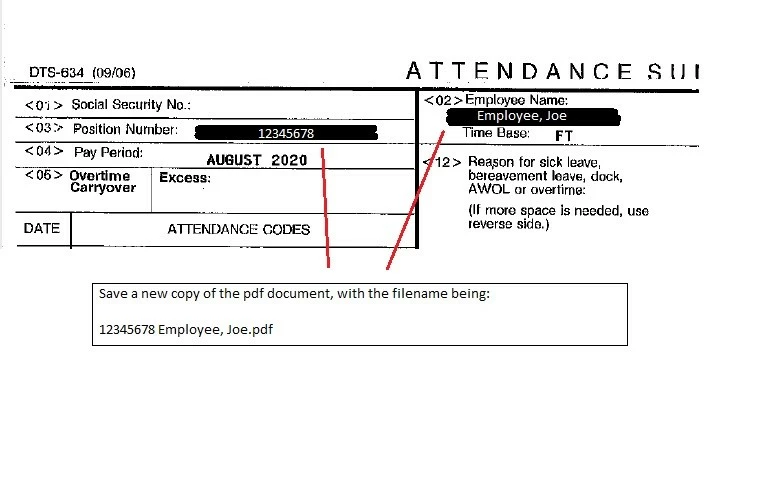
After I extract all 500 pages to individual pdfs, (which I would do myself) I need to tell Adobe to save a new copy of the pdf with the filename being the text in those two locations, and then be able to apply that script to the 500 individal pdf files in the folder. If this is at all possible, again, I would be eternally grateful to anyone who would be able to help me out.
Thank you!


 AdChoices