



Selection in combo box determines text to be displayed in another box - Any ideas?
Hello, my name is Zac. I spent a lot of time trying to figure this one out for myself, but I couldn't find what I needed. A few threads looked promising but I realized they only applied to LiveCycle. A lot of other threads link back to Thom Parker's 2006 discussion about this, but he's very advanced and I have a feeling that what I need isn't as complex as the solution he provides. I never used Adobe Acrobat until a few weeks ago, but with help from Bernd Alheit and George Johnson I've managed to create a document with fly-out help windows and scrolling lists and radio buttons that dictate choices. It's looking great and it works. The last thing I have to do is create a text-box (or some kind of box) that will display a pre-written block of text based on the user's choice in another box (a combo box). Like this:
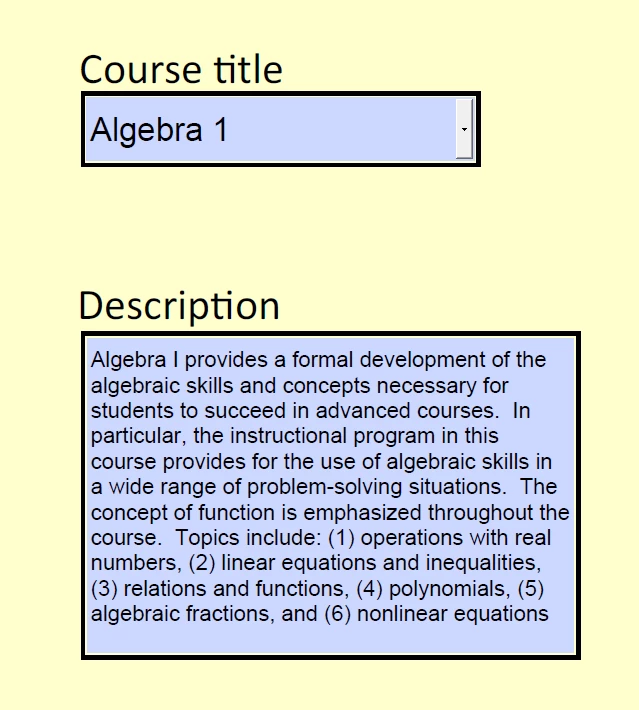
I wish it was as easy to create as it to draw a picture of it! If the user selects "Algebra 1", for example, a specific description would display below. There are lots of courses and lots of descriptions, and the descriptions are pretty long (as shown). It isn't necessary for the user to make any changes in the description -- in fact that would be terrible. But I would like for them to be able to copy text from it and paste that text into another text box on the same page.
Thank you very much, anyone who has any ideas please share them! Even wild guesses. I learn from all of it.
--Zac

 AdChoices