


Participant
Jul 5, 2021 11:18 AM UTC
Answered

Set value to radio buttons and get the sum of the selected radio buttons

Hi, 

I need help in setting values to radio buttons and getting the sum of the selected radio buttons. 

Please note that I am a novice and am excited to learn more about this. 

I am creating this form for a client and each radio button should have its value. 
For example,

Choice1 == "0"; 
Choice2 == "1";
Choice3 == "2";
Choice4 == "3";

it's the same with the rest of the radio buttons. 

Each question is grouped so in SCORE1, there are 5 groups. 
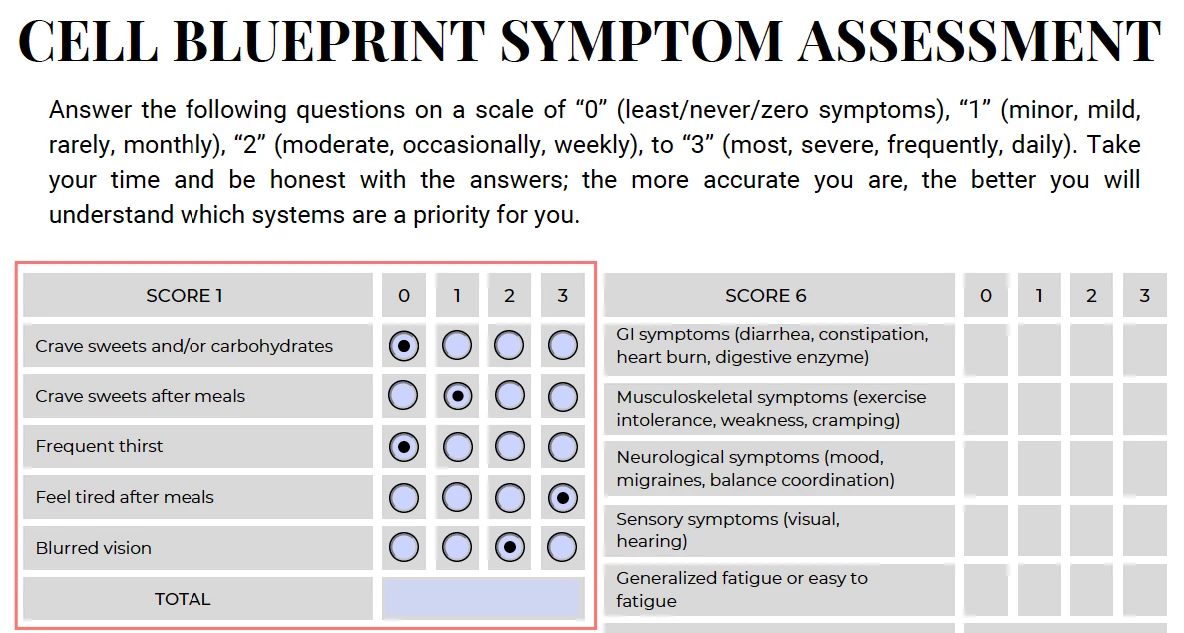


this is what I've done so far, setting a value for each radio button.. not sure if this is the best option. 
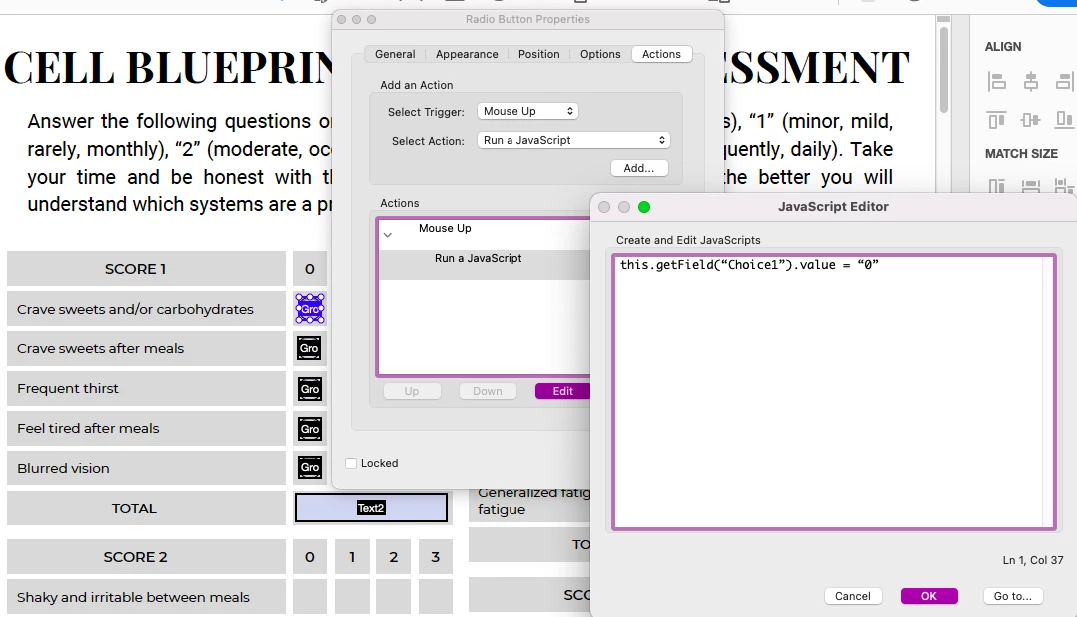
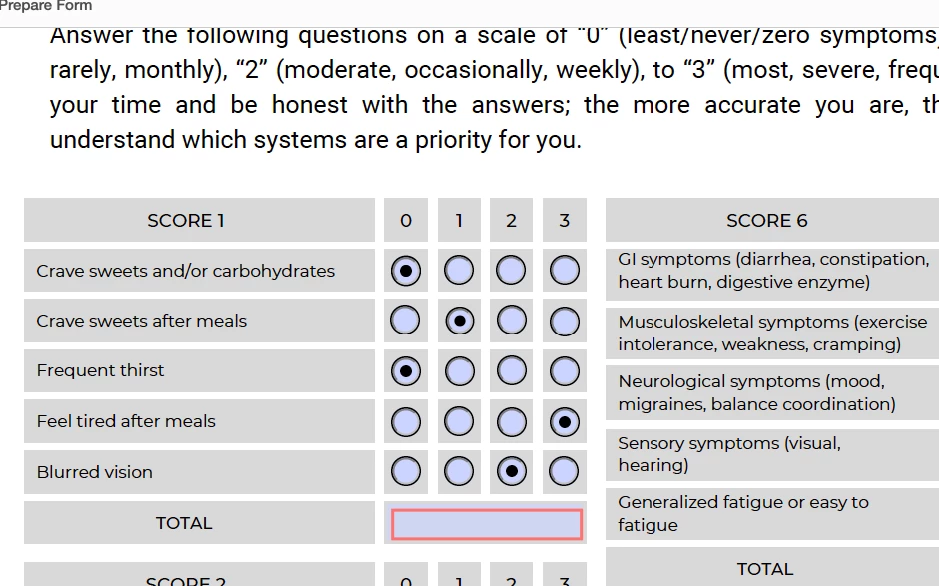
I'm really lost with the total text field where it should get the sum of the selected radio buttons only. 
So say in: 
Group1, Choice1 is selected then value is at 0;
then add the choice on group2 which is at 1 and so forth. 
Let me know how to go from here. Thank you! 
 

try67
try67Correct answer
Community Expert
Jul 5, 2021 3:24 PM UTC

Why not simply edit the Radio Button Choice values from "Choice1", "Choice2", etc. to "1", "2", etc.?

Then you could use the fields directly in the Sum option of the Calculate tab of your total text field. No scripts necessary.

13 replies

try67
Community Expert
try67Community ExpertCorrect answer
Community Expert
Jul 5, 2021 3:24 PM UTC

Why not simply edit the Radio Button Choice values from "Choice1", "Choice2", etc. to "1", "2", etc.?

Then you could use the fields directly in the Sum option of the Calculate tab of your total text field. No scripts necessary.

Translate
Participant
Jul 6, 2021 8:48 AM UTC

Hi @try67 thank you for your response. It actually worked! I never thought it could be that simple. 
I have another issue: when doing a preview of the document on Adobe Acrobat, the calculations worked but when I saved the document, closed it and re-opened it to try ==it does not automatically calculate .. it looked like the calculations are not saved. 

Let me know how to move forward. Thank you! 

Translate
try67
Community Expert
Community Expert
Jul 6, 2021 9:31 AM UTC

That should not be the case. What do you mean by "doing a preview in Acrobat", though?

Translate
