
Participant
May 10, 2016
Question

Strange overprinting display that doesn't appear on separations

  • May 10, 2016
  • 2 replies
  • 791 views

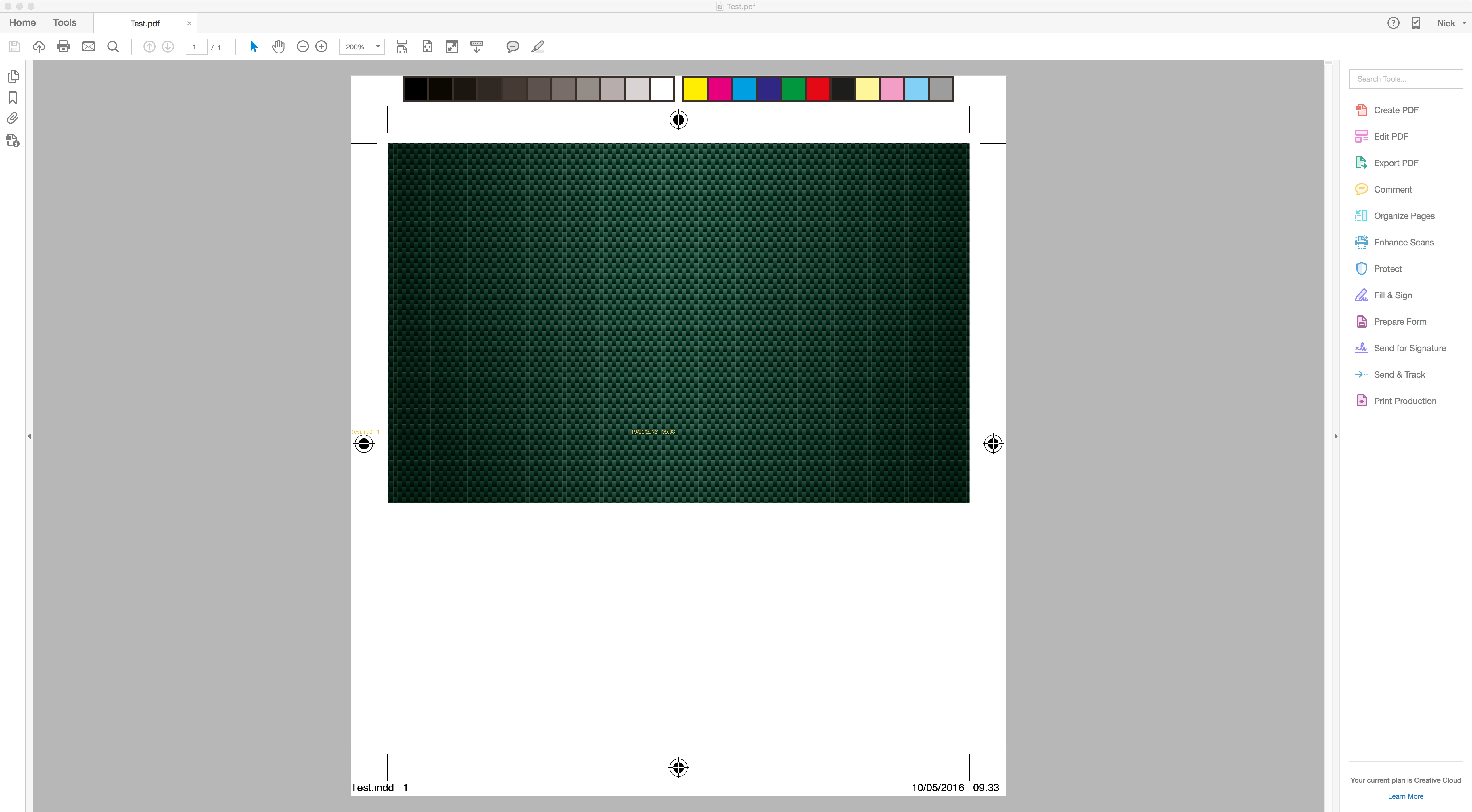
Recently upgraded to new iMac and re-installed Adobe CC. Since then every high resolution pdf i view has a strange "ghosting" effect of trim marks etc which only shows when viewing overprint - they do not appear in the separations preview nor do they appear when printing.

This appears on pdfs created by others and it does not affect anyone else in my group so is clearly a display error of some kind - any comments?
This topic has been closed for replies.

2 replies

Participant
October 10, 2019

Hi, I think I have a similar issue that the overprint cutter guides are ghosting when using Acrobat separation preview.

Images show cutter guides (strokes set to overprint) displayed and disabled. On the second image you can see ghosting. It also appears on the Magenta plate.

Mac 10.12.6 Sierra

InDesign 14.0.2

Illustrator 23.0.4

Acrobat : as per image (about won't let me copy/paste!)


Adobe Employee
May 13, 2016

Hi Nick,

Thanks for reporting the issue.

Could you please share a sample buggy file, snapshot of behavior with separation preview vs that with overprint.

Regards,

Priyanka

NickC154Author
Participant
May 13, 2016

Hi Priyanka,

I updated Indesign CC yesterday and now all pdf's produced from either Illustrator or Indesign work exactly as expected.

I cannot replicate the problems I was having previously - which is good!

Thanks for your support.

Regards,

Nick