
tagged pdf - yellow box pop up issue
Dear All
We are creating tagged pdf from InDesign file. We are doing the following activities
1. Set alternate text for images in InDesign file
2. Create pdf using Interactive tagged pdf option from inDesign
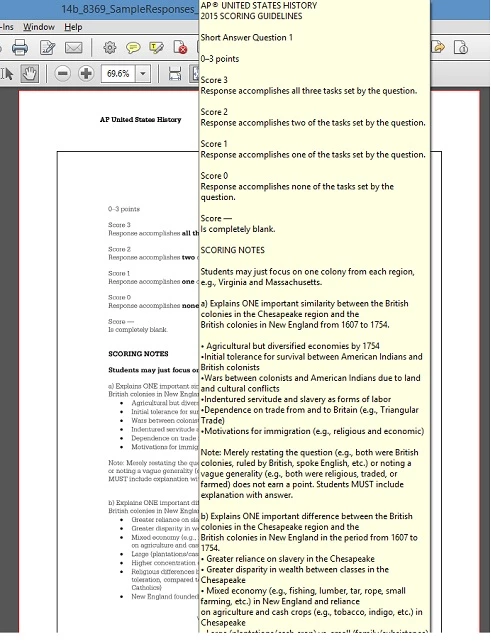
when showing the image page, it show yellow box with alternate text. I have attached screenshot for your better understanding
Our customer statement is highlighted below:
"The publisher is finding that when they hover over most of the pages, the alt-text pops up in a yellow box. Is there a setting that can change to have that not happen? Some of the text boxes are huge and would be very distracting for the reader."
"Is it Adobe Feature?"
Please advice that how to disable the yellow pop box. But alt text should be present in the pdf without pop up message.
Regards
Jayesh


 AdChoices