nickg2021
Participating Frequently
September 15, 2020
Answered

Text Callout box properties for javascript

  • September 15, 2020
  • 1 reply
  • 1649 views

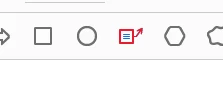
I have created several types of buttons that launch a javascript that will place a certain type of comment on the PDF. Rectangle, Circle etc.
However, I have not been able to find a reference for the Text Call out drawing object 

My script for basic rectangle
//Add a Comment/Square
var annot = this.addAnnot
({
page: this.pageNum, type: "FreeText", rect:
[487, 668, 87, 243], strokeColor: color.red
});

What should the Type be for a Text call out and how many coordinates should it have?

Thanks

This topic has been closed for replies.
Correct answer ls_rbls

You're missing a few things in your script.


You need to decalre the intent of the callout  as "FreeTextCallout". This is what will allow you to enter text. And with that said, also decalre the text size, font size, and font type.


The example below is adapted from other examples found in the Adobe Acrobat SDK JavaScript API Reference,  Annotation properties, Page 24  (callout annotations are fully covered from page 12 through 37)


var annot = this.addAnnot
({
page: this.pageNum, type: "FreeText", intent: "FreeTextCallout" , rect:
[200, 300, 200+150, 300+3*12], strokeColor: color.red, textColor: color.black, textFont: font.Helv, textSize: 10, width: 1, alignment: 1, 
});


What I do to to find the best coordinates and where to place a static annotation in the current page, I simply manually create one using the "Comment" tool. Then I resize it to how I want it and drag the annotation in that page and drop it where I want it.


Then you can open the console (CTRL+J) and run  a script to find the coordinates of that annotation and other properties.


Then you can take the coordinates output by the console and  use them and  work with them with your addAnnot script.  Adjusting the annotation position is illustarted with some examples of using Rect on pages 579-580. 

1 reply

ls_rbls
Community Expert
ls_rblsCommunity ExpertCorrect answer
Community Expert
September 15, 2020

You're missing a few things in your script.


You need to decalre the intent of the callout  as "FreeTextCallout". This is what will allow you to enter text. And with that said, also decalre the text size, font size, and font type.


The example below is adapted from other examples found in the Adobe Acrobat SDK JavaScript API Reference,  Annotation properties, Page 24  (callout annotations are fully covered from page 12 through 37)


var annot = this.addAnnot
({
page: this.pageNum, type: "FreeText", intent: "FreeTextCallout" , rect:
[200, 300, 200+150, 300+3*12], strokeColor: color.red, textColor: color.black, textFont: font.Helv, textSize: 10, width: 1, alignment: 1, 
});


What I do to to find the best coordinates and where to place a static annotation in the current page, I simply manually create one using the "Comment" tool. Then I resize it to how I want it and drag the annotation in that page and drop it where I want it.


Then you can open the console (CTRL+J) and run  a script to find the coordinates of that annotation and other properties.


Then you can take the coordinates output by the console and  use them and  work with them with your addAnnot script.  Adjusting the annotation position is illustarted with some examples of using Rect on pages 579-580. 

nickg2021
nickg2021Author
Participating Frequently
September 15, 2020

Excellent! Thank you so much!