


Text Field Font Styling Options
Hello. I am using Adobe Acrobat XI Pro (version 11.0.7) to build forms for a web site. One of the things I am trying to do is add a text field to the form that would allow for text to be a certain font size forced, but to be "narrow" instead of the full width. I am able to do this when adding text via content editing as seen below:
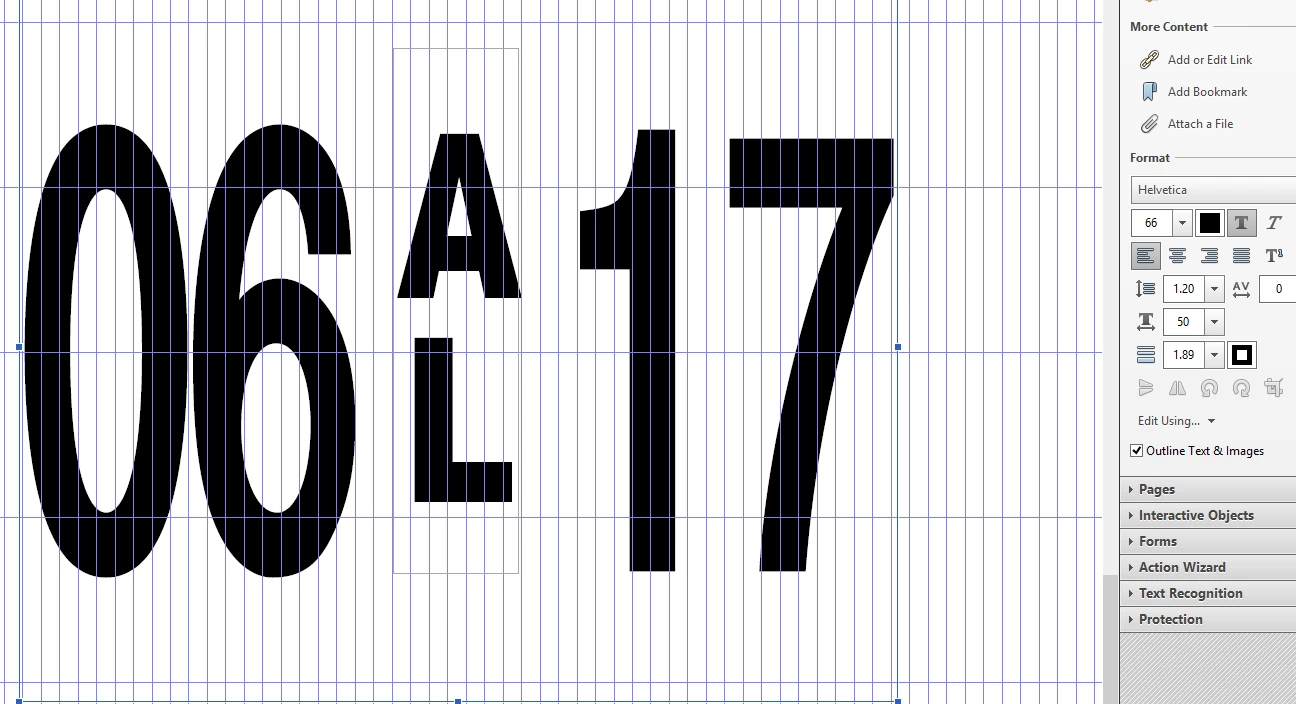
The above example is size 66 Helvetica text with 50% horizontal scaling.
When I try to do the same for a text input field I am unable to find an option to do this. I've looked through all of the available options in the properties popup menu for the text field, but I cannot find any option for horizontal scaling of the font. Is this possible to do in Adobe Acrobat? Using the above method of adding text by content editing isn't a feasible option due to the values needing to be flexible to changes based on the user.
Thanks in advance for any help!
 AdChoices