



Question
Text in a JavaScript pop-up obscured
When I open a JavaScript window in a pdf the box is so large that not only can I not see the 'Accept' and 'Cancel' buttons at the bottom but the in box text is also largely obscured by the following lines like so:
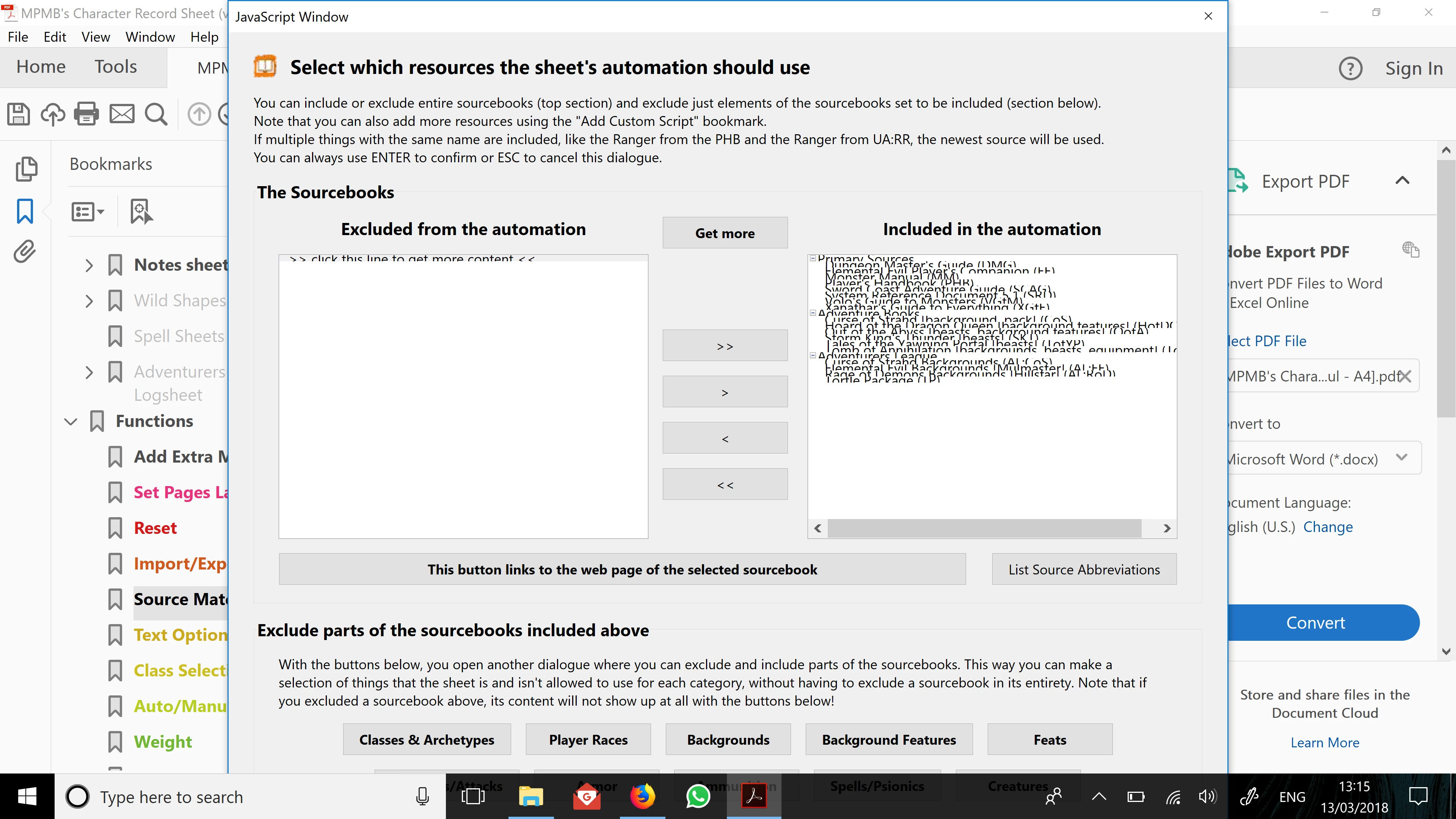
If I either play around with the text size on my laptop as a whole I can get all the text and box to display but it's so tiny it's unusable. I've tried selecting 'No-Scaling' in the Acrobat preferences but this just leads to the same issue that all the text is too tiny to read. I also changed the Acrobat pixels per inch to no avail.
Is there a way to scale things to a manual degree rather than just 'Auto-Detect' or 'No-Scaling', or another way to get all the information on screen at a readable size?
 AdChoices