


Participant
October 3, 2016
Question

Unable to Access the Registry

  • October 3, 2016
  • 2 replies
  • 1343 views

Good Morning,

We have a user with Windows 10 Pro x64 and Acrobat Standard DC getting a unusual message when trying to open PDFs in IE11.
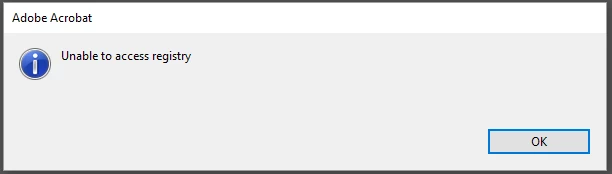
Thats all I get, nothing more. I have reinstalled it completely even using the cleaner tool from Adobe...still no luck.

Any ideas?

This topic has been closed for replies.

2 replies

Participant
January 4, 2017

Same issue, were you able to ever find a fix?

Participant
December 19, 2017

I fixed this issue by deleting all folders named adobe in my user's appdata folder, and then as the logged in user, I went into HKEY_Current_User and deleted most Adobe references (exclusing Photoshop ones).

I had to re-accept the agreement and re-configure some accessibility settings (I chose the default settings) and everything worked after that.  Be sure to export HKEY_Current_User before deleting any keys.

Hope this Helps.

John T Smith
Community Expert
Community Expert
October 3, 2016

Run as Administrator http://forums.adobe.com/thread/969395 to assign FULL Windows permissions may help... says Encore, but sometimes required for ALL Adobe programs (this is NOT the same as using an Administrator account)

Participant
October 3, 2016

Unfortunately I cant right click a link in IE and say run adobe as admin when loading.