Participating Frequently
January 28, 2016
Question

Unable to activate and run acrobat CS4 on Mac OSX

  • January 28, 2016
  • 1 reply
  • 1715 views

I've reinstalled acrobat on a new computer and cannot run the program. When I click on the program there is no prompt for a serial number and no pdf opens. I only know it's operating because the word "acrobat" is in the top left corner of my screen. Working on Mac OSX Yosemite. When I click on it I get
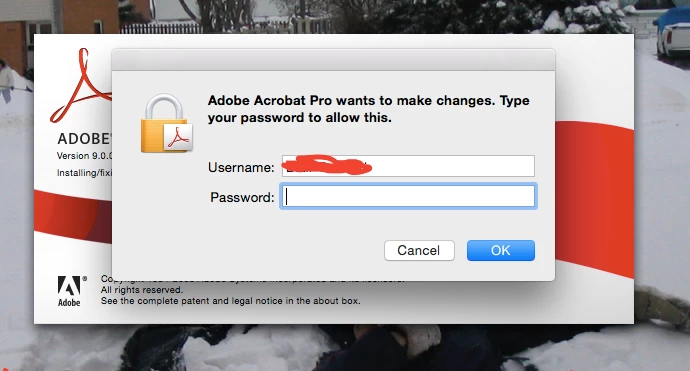
this prompt, followed by:
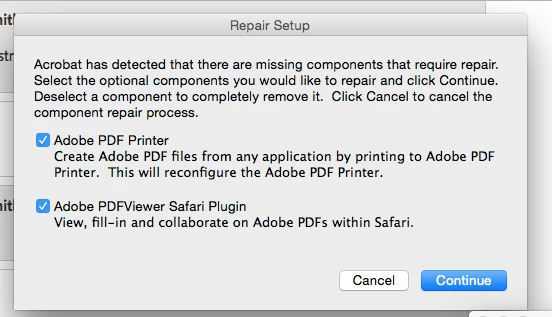
Afterwards, there is nothing on the screen but my desktop. No activication request, no pdf, nothing. Please help!

This topic has been closed for replies.

1 reply

kglad
Community Expert
Community Expert
January 28, 2016

that password is you mac's password.

in addition, you should allow installation from unidentified developers, How to Open Third-Party Apps from Unidentified Developers in Mac OS X « Mac Tips

and then you may still have some issues with printers etc because cs4 wasn't designed to work with yosemite and yosemite is not designed to work with older non-apple programs.

Participating Frequently
January 28, 2016

You misunderstand. I put in the mac password and then nothing else shows up apart from the following photo. This program was able to work on the former computer easily. Now it simply doesn't run.

AadeshSingh
Participating Frequently
January 29, 2016

Hi erics13352219,

Please check the compatibility of Acrobat with Mac OS Adobe Acrobat system requirements, make sure you are using it in a compatible environment.


Regards,
Aadesh