Answered
Uploading pictures in the form - always vertical position
Hi,
I have created a form with a possibility to upload a pictures. I don't know why, but picture is always rotated from vertical to horizontal position. How to avoid this?

Hi,
I have created a form with a possibility to upload a pictures. I don't know why, but picture is always rotated from vertical to horizontal position. How to avoid this?
Adding to what @try67 said,
You might want to check if the orientation field has been changed.
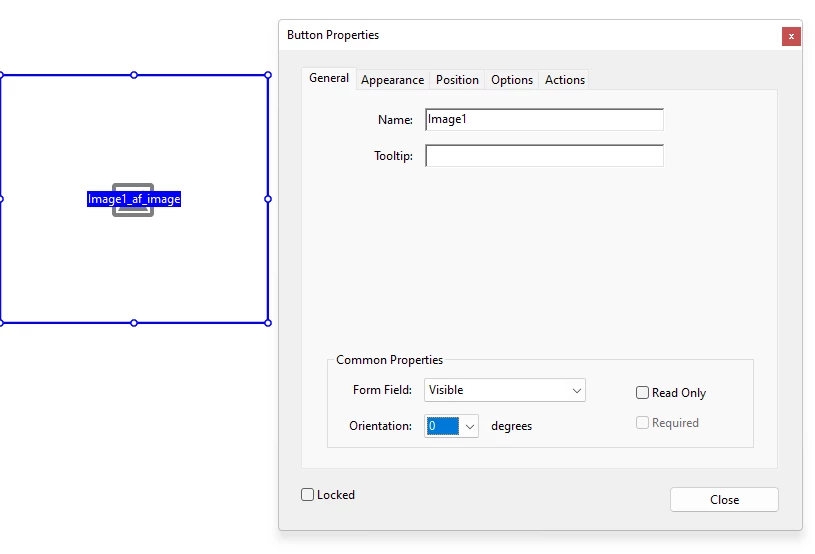
You can check if the orientation is 0 or not. If not, any picture that you upload will always show as rotated.
Let me know if this helps.
Thanks,
Souvik.
Already have an account? Login
Enter your E-mail address. We'll send you an e-mail with instructions to reset your password.


 AdChoices