
Use of completed / complex forms by people without full Acrobat
I have created complex forms in Acrobat version IX and X for my own use. However, participants in courses I teach want to use my forms and to read / print completed forms. Using Adobe Reader, participants can read and print the forms, but there are some fields where the full amount of text exceeds what you see on the screen: see sample below
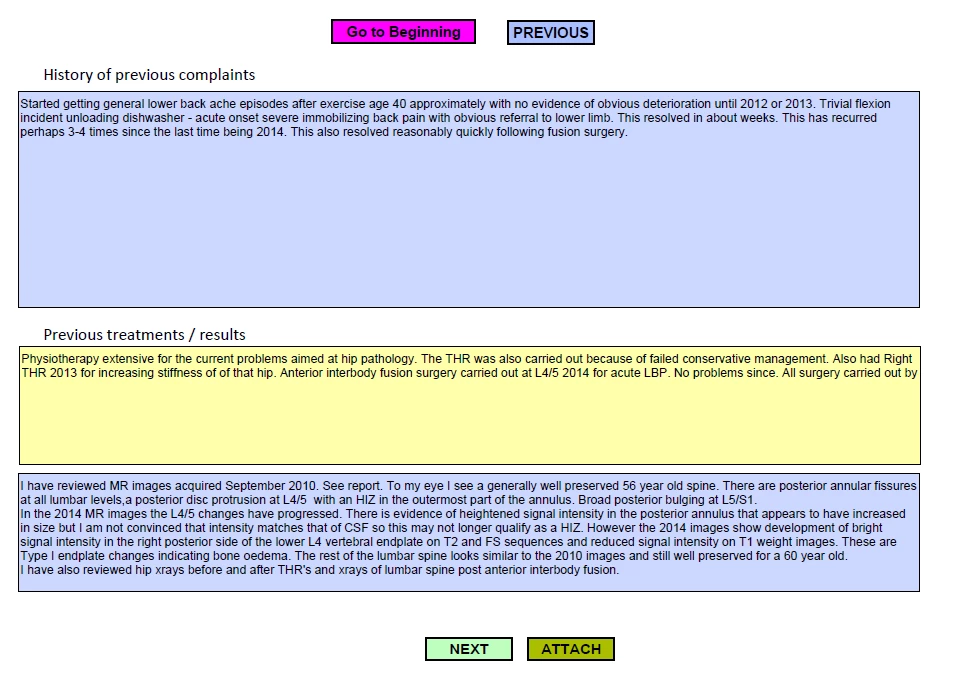
It is my desire that students are able to access the full information in a form at least.
Question 1: How can I enable people without the full version of Acrobat to access the full information contained within a form?
I know that Adobe has pricing schedules for institutions students, but these just don't fit my circumstances.
Question 2: Is there a way where a small number of students can get temporary access to the full version, or a runtime version so that they can use the completed forms and even experiment with developing their own?
Suggestions and any help welcome!
Thanks


 AdChoices