



using rect distorts text in box
I am trying to have a drop down menu resize based on the selection chosen. I am able to resize it, but the text in the box does not refresh when the box is resized. If I choose the same option twice, the text looks normal, but on first choice, the text is misshapen. It also looks different when I mark the form as read only as well.
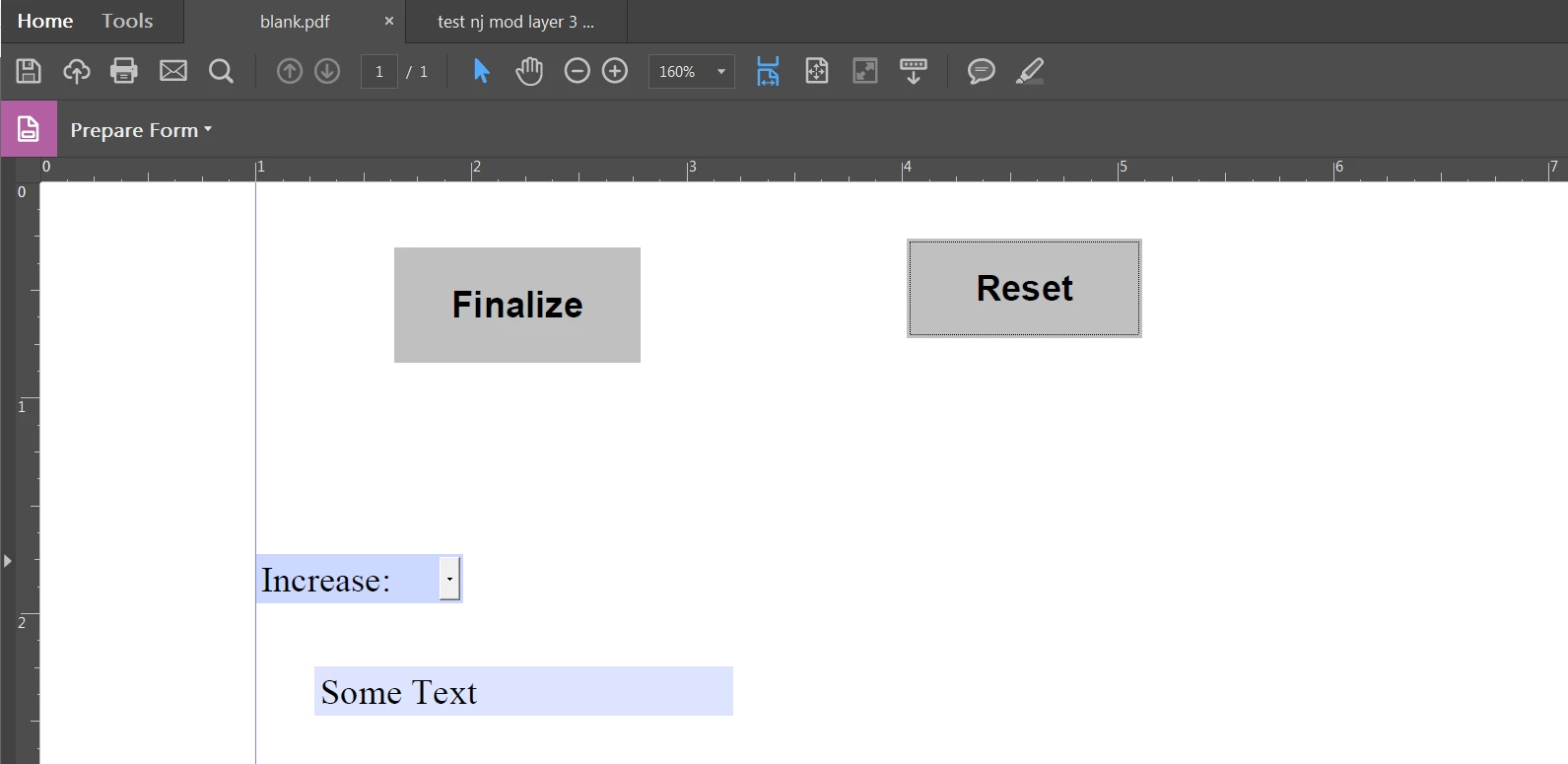
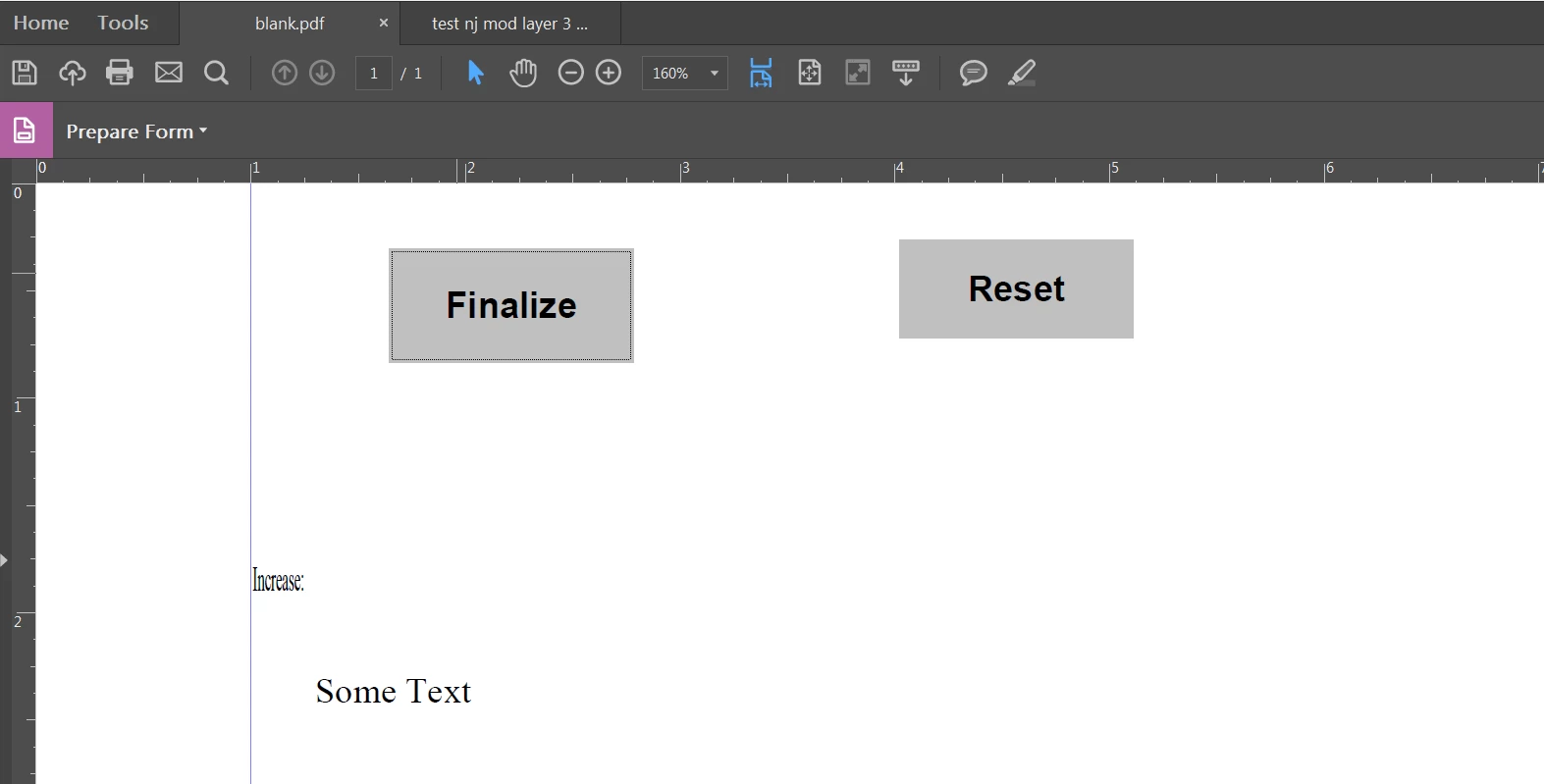
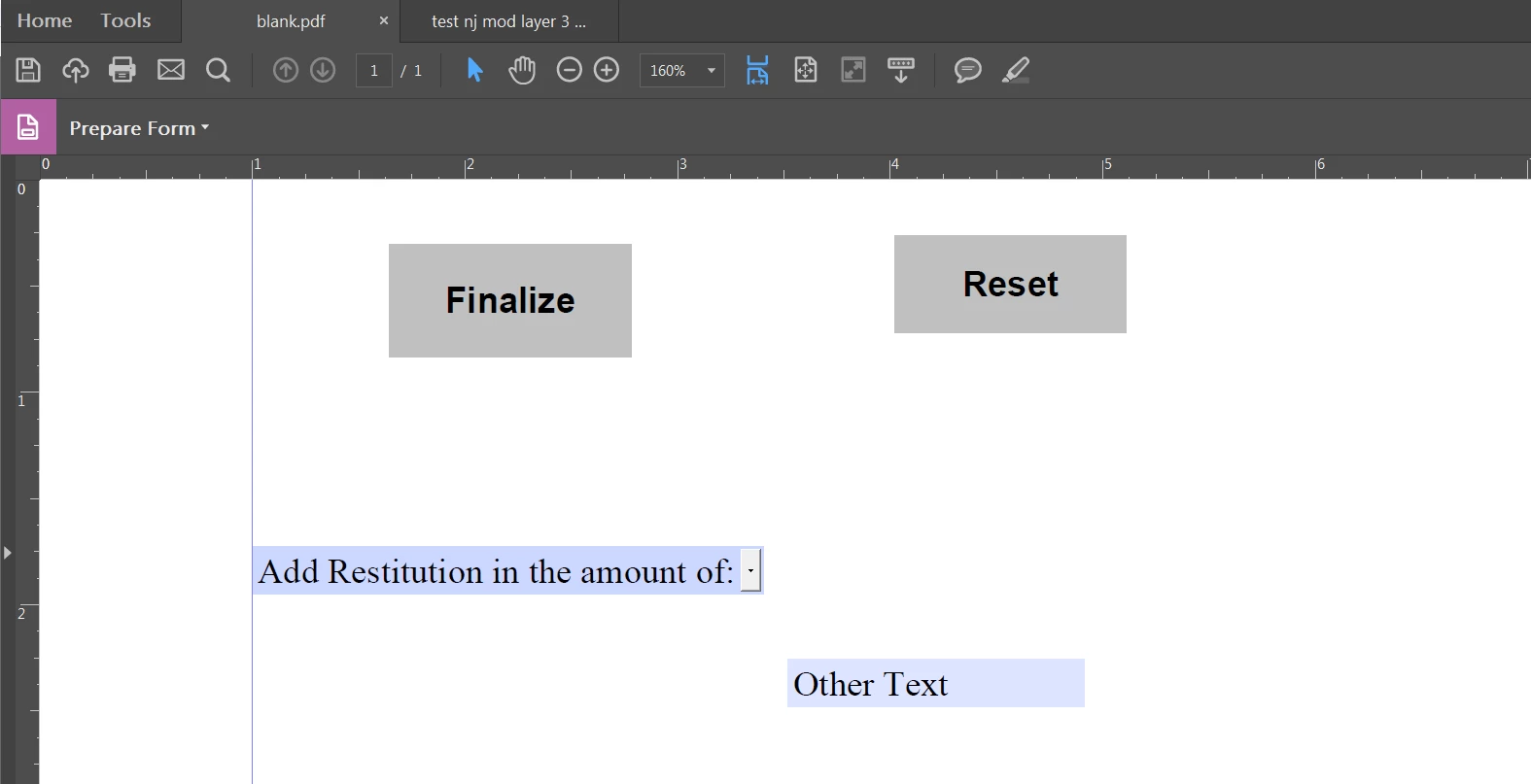
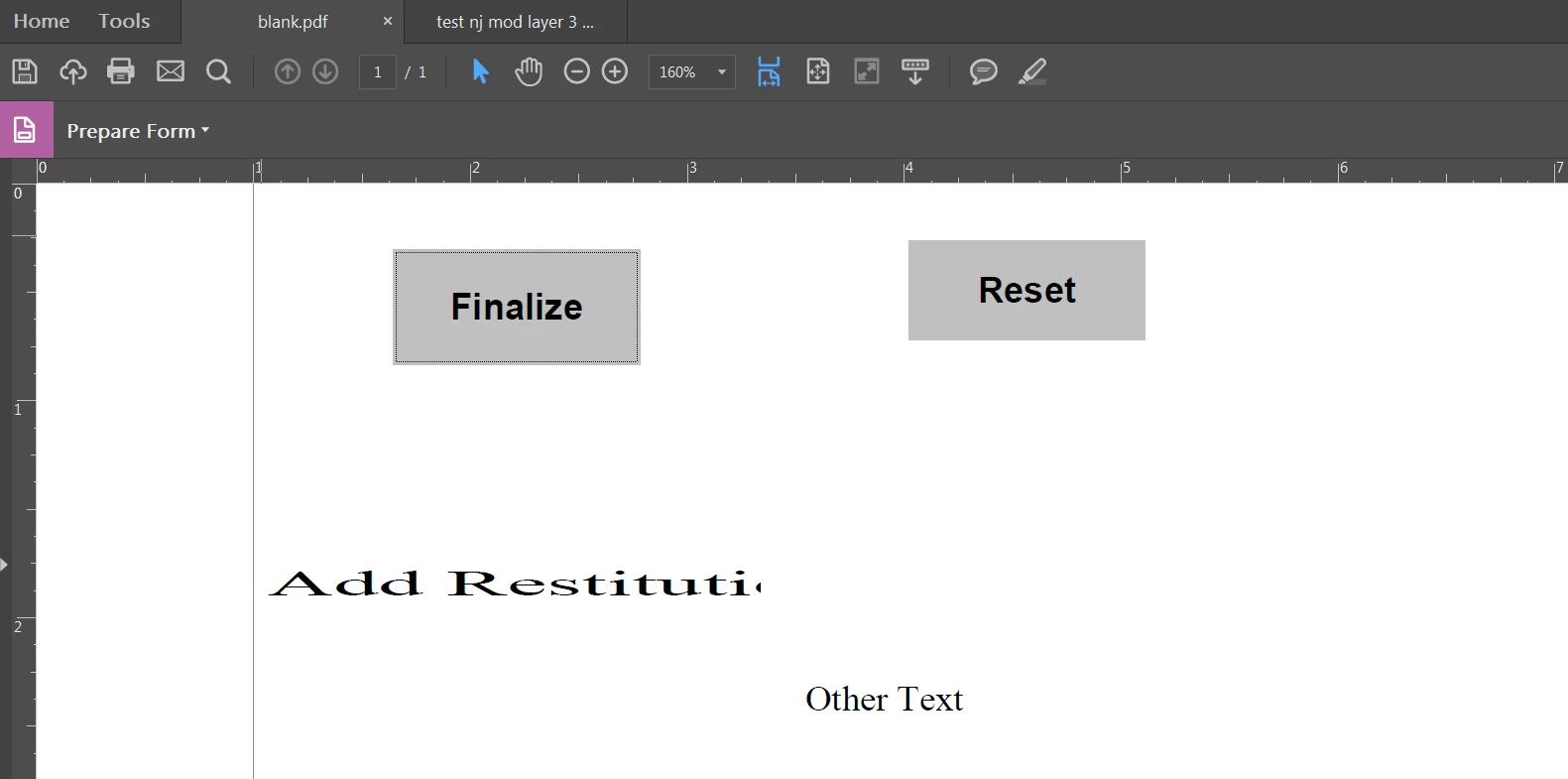
This is the code that I am using:
if (event.value == "Add Restitution in the amount of:") {
this.getField("note1").display = display.visible;
this.getField("note9").display = display.hidden;
var b = this.getField("Dropdown1");
var aRect = b.rect;
aRect [2] = 245.26;
b.rect = aRect;
}
else if (event.value == "Increase:") {
this.getField("note1").display = display.hidden;
this.getField("note9").display = display.visible;
var b = this.getField("Dropdown1");
var aRect = b.rect;
aRect [2] = 141.2;
b.rect = aRect;
}
else if (event.value == "Decrease:") {
this.getField("note1").display = display.hidden;
this.getField("note9").display = display.visible;
var b = this.getField("Dropdown1");
var aRect = b.rect;
aRect [2] = 141.2;
b.rect = aRect;
}
else if (event.value == "Other / Items:") {
this.getField("note1").display = display.hidden;
this.getField("note9").display = display.visible;
var b = this.getField("Dropdown1");
var aRect = b.rect;
aRect [2] = 141.2;
b.rect = aRect;
}
This is the file if you would like to vew it for your self. Its uploaded to google drive.
Thanks in advance!

 AdChoices