
May 3, 2016
Question

Where did the object data tool go in Acrobat DC?

  • May 3, 2016
  • 3 replies
  • 4127 views

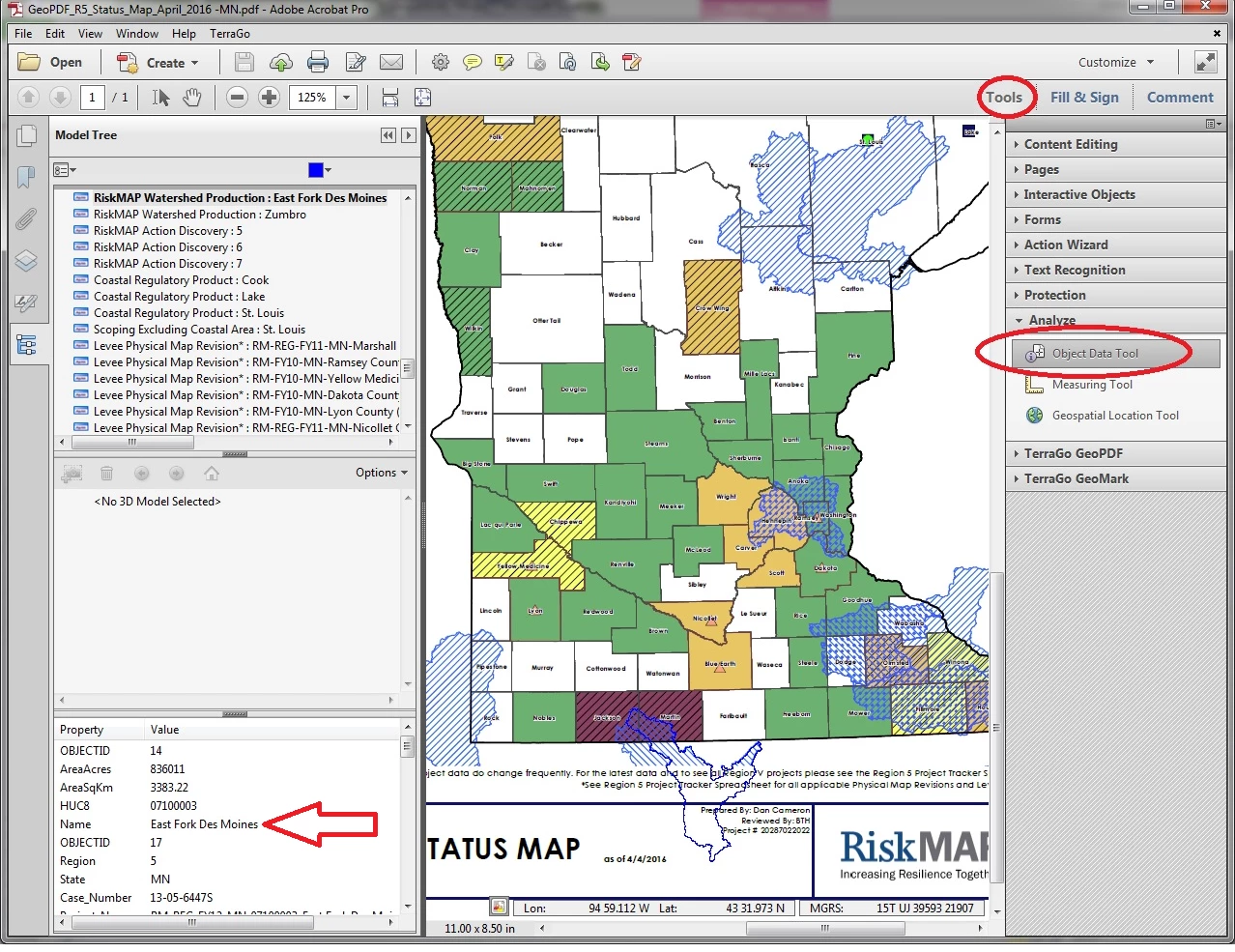
I recently upgraded to Acrobat DC and can't find where the object data tool has moved. It used to be under Tools>Analyze>Object Data Tool. This was helpful for identifying objects in a GeoPDF. Below is a screen grab from the previous version.
This topic has been closed for replies.

3 replies

Participant
June 15, 2016

I tried this but nothing pops up when searching for data.

Michael J. Hoffman
Community Expert
Community Expert
June 15, 2016

Hi Linda,

Are you using Acrobat DC, and not Reader? Here is where you'll find it without searching, just by opening the Tools tab:

Mike

Michael J. Hoffman
Community Expert
Community Expert
May 5, 2016

Hi dpcameron,

1. Go to to "Tools" tab with an open Acrobat document.

2. Type "data" to search for all tools that match the word "data."

3. Click on the Object Data Tool.

4. (Optional) click the "Add" menu and choose "Add Shortcut" to add the Measure tool item to the right side menu.

When you click "Measure," you get a new tool bar that has the Measuring tool, the Object Data tool, and the Geospatial location tool all together on the top of the document window.

Mike

Sheena Kaul
Legend
May 5, 2016

Moving to Acrobat