


emilyh87235717
Participant
September 7, 2016
Answered

Why is this happening?
  • September 7, 2016
  • 3 replies
  • 571 views

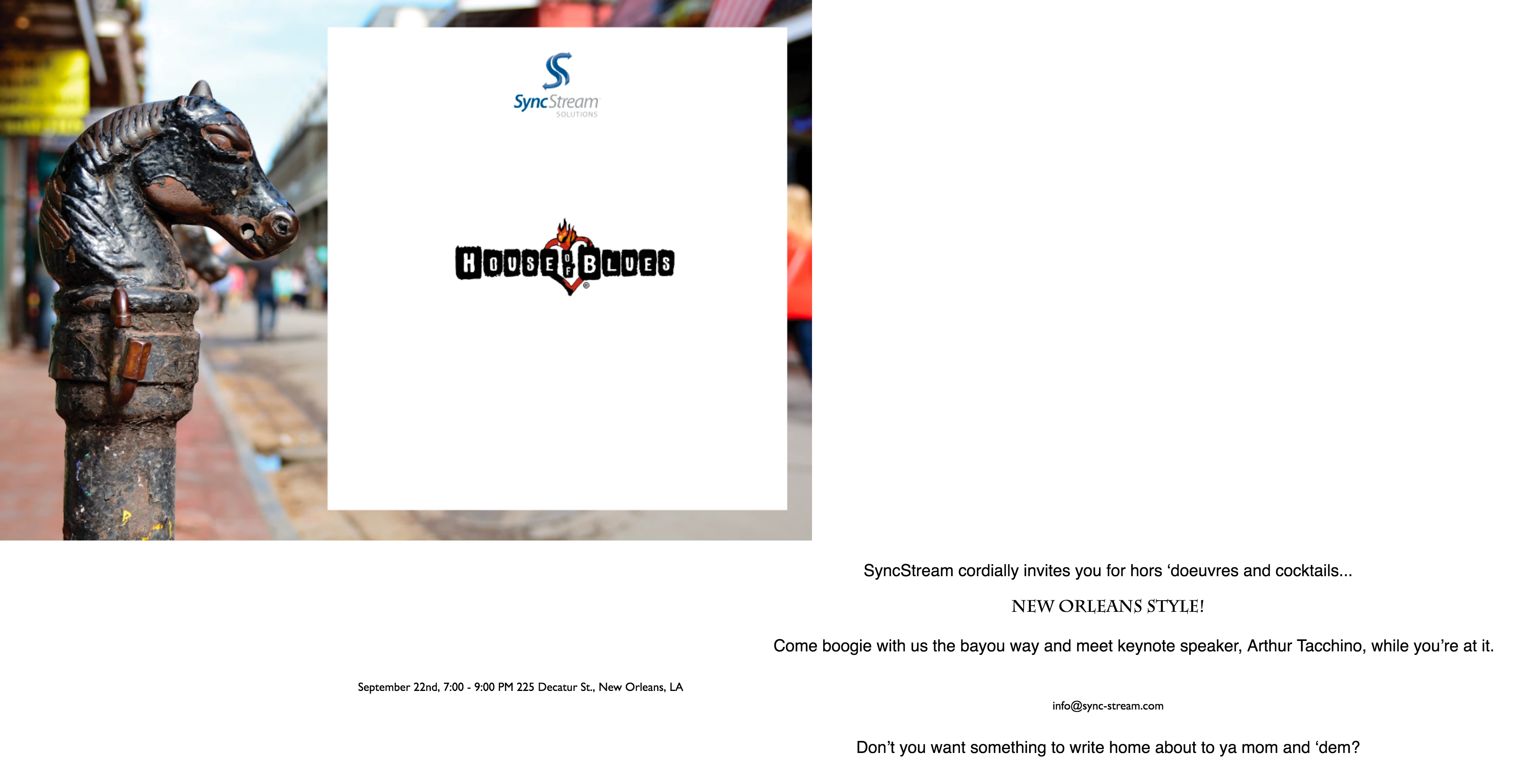
Any time I attempt to convert a PDF (created in Illustrator) to HTML via Adobe Acrobat DC, it does this. Obviously, the text is intended to be inside of the graphic flyer. Additionally, the white text box should be semi-transparent. Any help would be greatly appreciated.

This topic has been closed for replies.
Correct answer Karl Heinz Kremer

As explained by TSN, chances are you will not be able to do this directly. What you can try is to export to MS Word format first, and then use Word to export to HTML. It may still give you the same results, but there is a chance  that you will get closer to the desired output.

3 replies

Karl Heinz  Kremer
Community Expert
Karl Heinz KremerCommunity ExpertCorrect answer
Community Expert
September 9, 2016

As explained by TSN, chances are you will not be able to do this directly. What you can try is to export to MS Word format first, and then use Word to export to HTML. It may still give you the same results, but there is a chance  that you will get closer to the desired output.

Legend
September 9, 2016

I think you're asking too much. In HTML3 (still used by Acrobat) it's difficult or impossible to drop text into a graphic. You may already have found this in HTML editors. It may seem you can use the magic  of export to do impossible things, but no, it's a simple tool and gives up.

If you want fancy HTML use an HTML editor. For 20 years people have been trying to use PDF conversion to make workflows do difficult things, usually with disappointing results, sad to say.

girijaAgarwal
Adobe Employee
Adobe Employee
September 9, 2016

Hi Emily,

Could you please help us with the following information to narrow down the issue:

-> The OS platform you are working on?

-> The pdf file and the HTML output you are getting.

-> The Acrobat DC dot version you are currently using

     Go To "Help" --> "Check for Updates.." and share the version you see.

You can share the information @ agarwala@adobe.com

Thanks and Regards,

Girija