


Participant
March 19, 2018
Question

Adobe Color Printer Utility, prints TIFF target blank sheet (no ink) on Epson 7900

  • March 19, 2018
  • 1 reply
  • 2771 views

Using macOS Sierra 10.12.6; with Photoshop CC 2017.1.1; with Epson 7900; using current print-driver.  Works fine, printing files from Photoshop, using Photoshop’s color management, with generic characterization profiles.

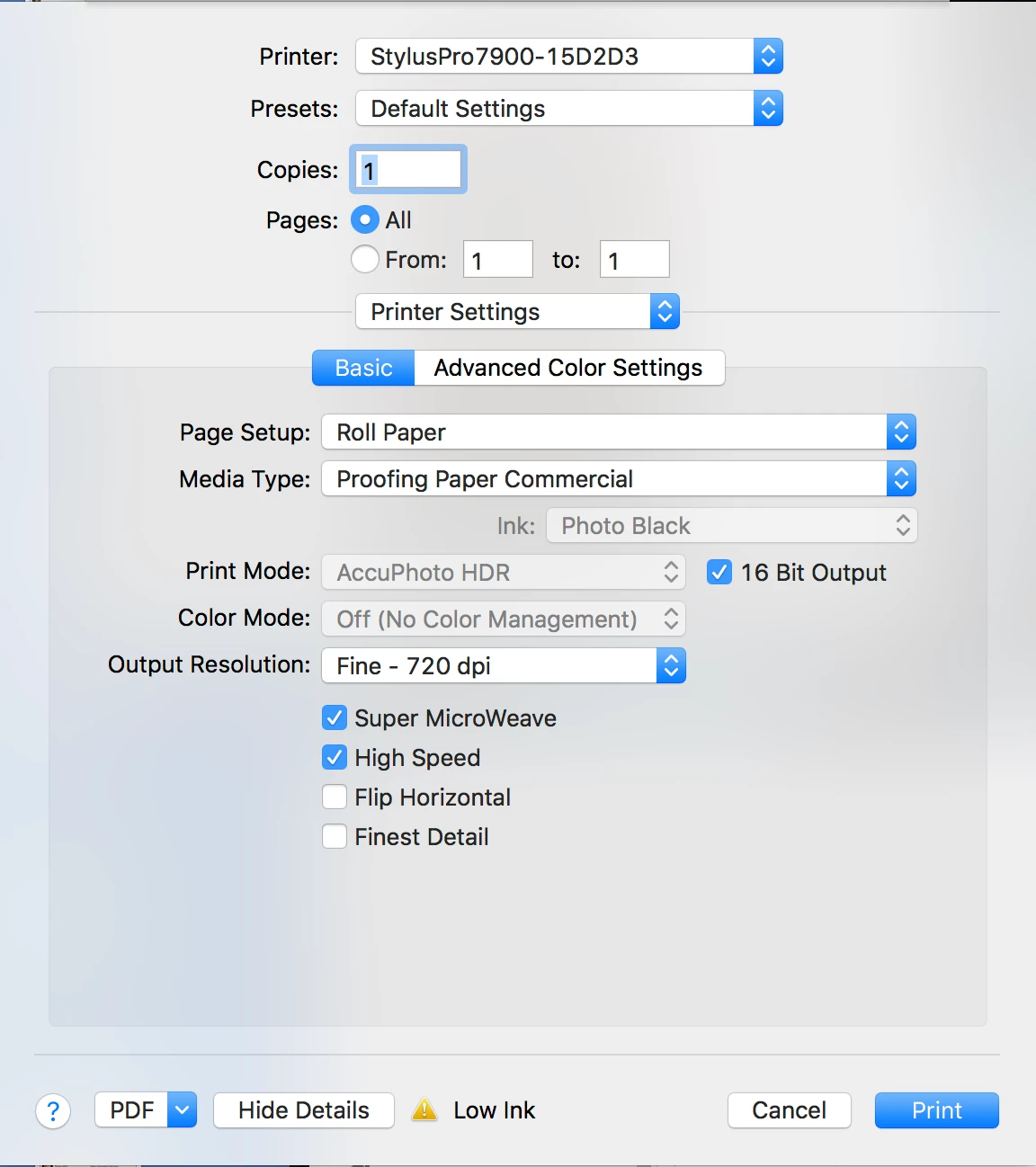
However, when trying to use “Adobe Color Printer Utility,” to print TIFF target, it only prints blank white paper (no ink-head movement).  I’ve tried every imaginable setting, but always cuts off a blank sheet.  The goal here is to print the TIFF target without color management, so that I can create a custom ICC profile of my Epson.
    This topic has been closed for replies.

    1 reply

    phred1961Author
    Participant
    March 21, 2018

    Update on problem trying to print color target with Adobe Color Printer Utility: I have discovered that the printing problem occurs only when using a TIFF that is CMYK color space.  RGB TIFFs work fine.  I also discovered that this problem only occurs on my Mac.  The PC version works perfectly fine.  Guess I'll have to move the whole operation over to the PC.  I like the Mac interface better, but ... oh well.  Hopefully Adobe will fix this problem.

    Participant
    March 26, 2018

    You can download i1 Profiler (XRite.com) for free.
    From within this profiling software you can print any test chart without having a license. But you can only measure the test chart if you own a i1 Pro.

    phred1961Author
    Participant
    March 28, 2018

    Marc,

    Thank you for your suggestion.  I have downloaded i1 Profiler, but haven't had time to try it yet.  In the mean time, I had already successfully done this on my PC (alternative to Mac).  I suppose that using i1 Profiler would be ok, as long as I can make sure that it's using the same Color Management Module as used for the Photo Shop prints, for the sake of consistent color conversions.