


Color issues
Hello,
I am using my Epson ET-2850 for sublimation printing with Hippo Sublimation Ink. I am having an issue with printing colors from Adobe Photoshop and Illustrator, I am not sure if this is due to the printer or my settings in one of these programs.
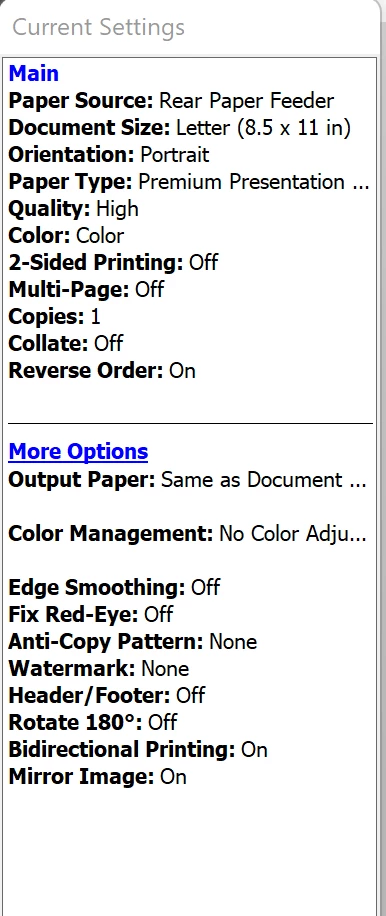
I primarily design shapes in Illustrator as CMYK and import them into Photoshop as CMYK (generally saved as PDF) for adding text or other elements, I print from Photoshop. However a lot of my colors do not come out correct and/or dull. I am using CMYK color codes when designing and I use a Hippo ICC profile, my settings are below
- Epson ET-2850
- Hippo ICC Profile and Ink
- Paper type = Premium Matte paper ( I use the Sub A4 paper)
- Color quality is set to high
- Color correction is set to custom and I have tried both "No color adjustment" and "color controls" but both provide poor results
- My printer is brand new, only ever had sub ink in it, print heads and nozzle tests come back fine and my screen has been calibrated
Does anyone have any suggestions on why I can't seem to print correct colors. I realize the colors on my screen won't be exact on print but they shouldn't be this dull or completely off.
 AdChoices