Participant
April 25, 2025
Answered

No option to download a color theme than as jpeg in Adobe Color

  • April 25, 2025
  • 1 reply
  • 204 views

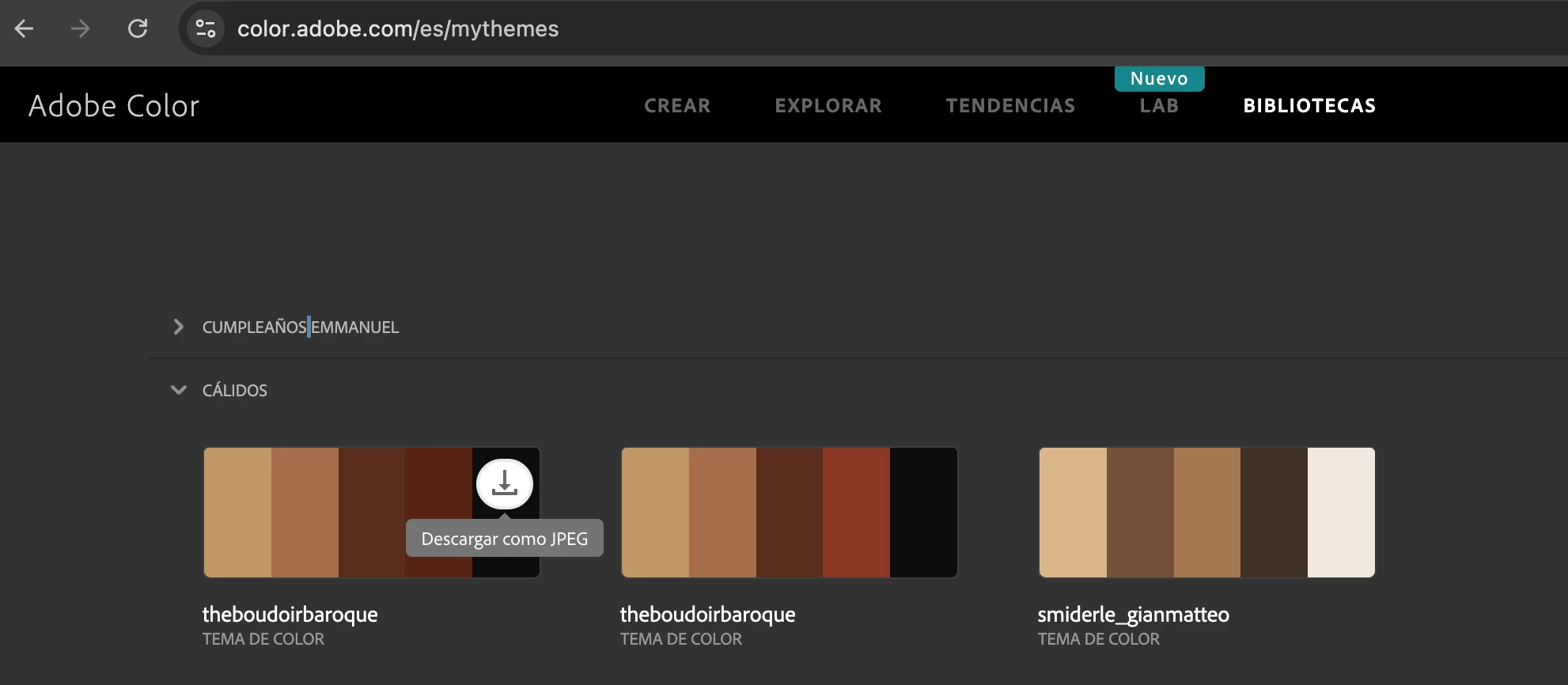
I created some color themes in Adobe Color on line, but in the libraries section I don´t have more option to download any theme than "as jpeg" and I don´t have option to delete the theme either. How do I activate them?

    Correct answer Oh.N8

    Hey @juan manuel de M�xico 


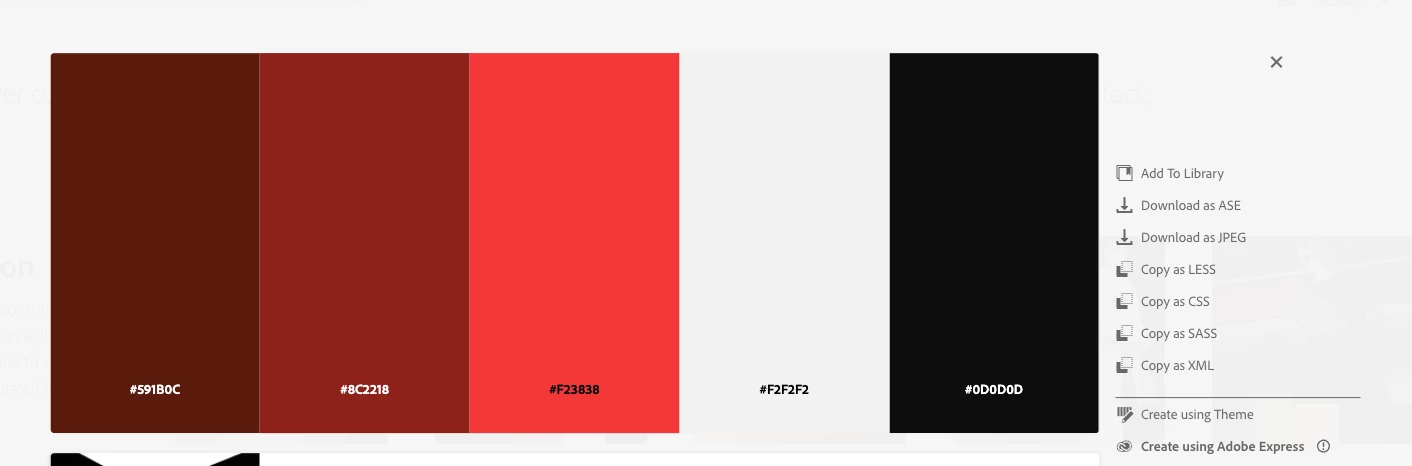
    There are several ways to download in Labs & Trends : 
    Jpeg as you mentioned. 
    ASE & Others

    One's we created only Jpeg
    In terms of activating the colour swatch:
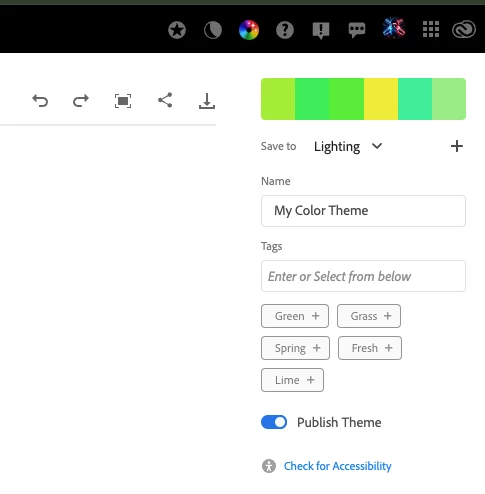
    1) Top right corner on the "homepage" under the swatch you can see
    Save to: "library name" and a  "+" symbol
    Press the "+" symbol to create a personalized library.

    2) Name the swatch as you see/ deem fit.

    3) Viewing or seeing the pretty simple in Photoshop, Illustrator, Adobe Express you will see "Libraries"

    In Libraries, a folder named "Lighting"  (as is the case in the screenshot will show).
    Open the folder and you can see the swatches you saved and named.
    Deleting Swatches
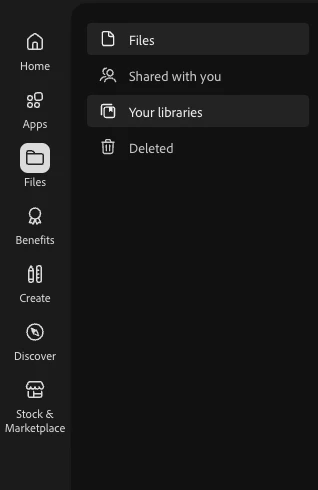
    Go into your Adobe: Creative Cloud
    Open Files 
    Files: find the folder with the swatches you want to delete.

    FAQ for Adobe Colour 

    Cheers

    O.Nate

    1 reply

    Oh.N8Community ExpertCorrect answer
    April 27, 2025

    Hey @juan manuel de M�xico 


    There are several ways to download in Labs & Trends : 
    Jpeg as you mentioned. 
    ASE & Others

    One's we created only Jpeg

    In terms of activating the colour swatch:
    1) Top right corner on the "homepage" under the swatch you can see
    Save to: "library name" and a  "+" symbol
    Press the "+" symbol to create a personalized library.

    2) Name the swatch as you see/ deem fit.

    3) Viewing or seeing the pretty simple in Photoshop, Illustrator, Adobe Express you will see "Libraries"

    In Libraries, a folder named "Lighting"  (as is the case in the screenshot will show).
    Open the folder and you can see the swatches you saved and named.

    Deleting Swatches
    Go into your Adobe: Creative Cloud
    Open Files 
    Files: find the folder with the swatches you want to delete.


    FAQ for Adobe Colour 

    Cheers

    O.Nate