


🍭 Day 9 of the 12 Days of Creativity is Sugar Coat Your Favorite Animal!
I had the most fun with this creativity project! It was so cute and the kids had so much fun designing.
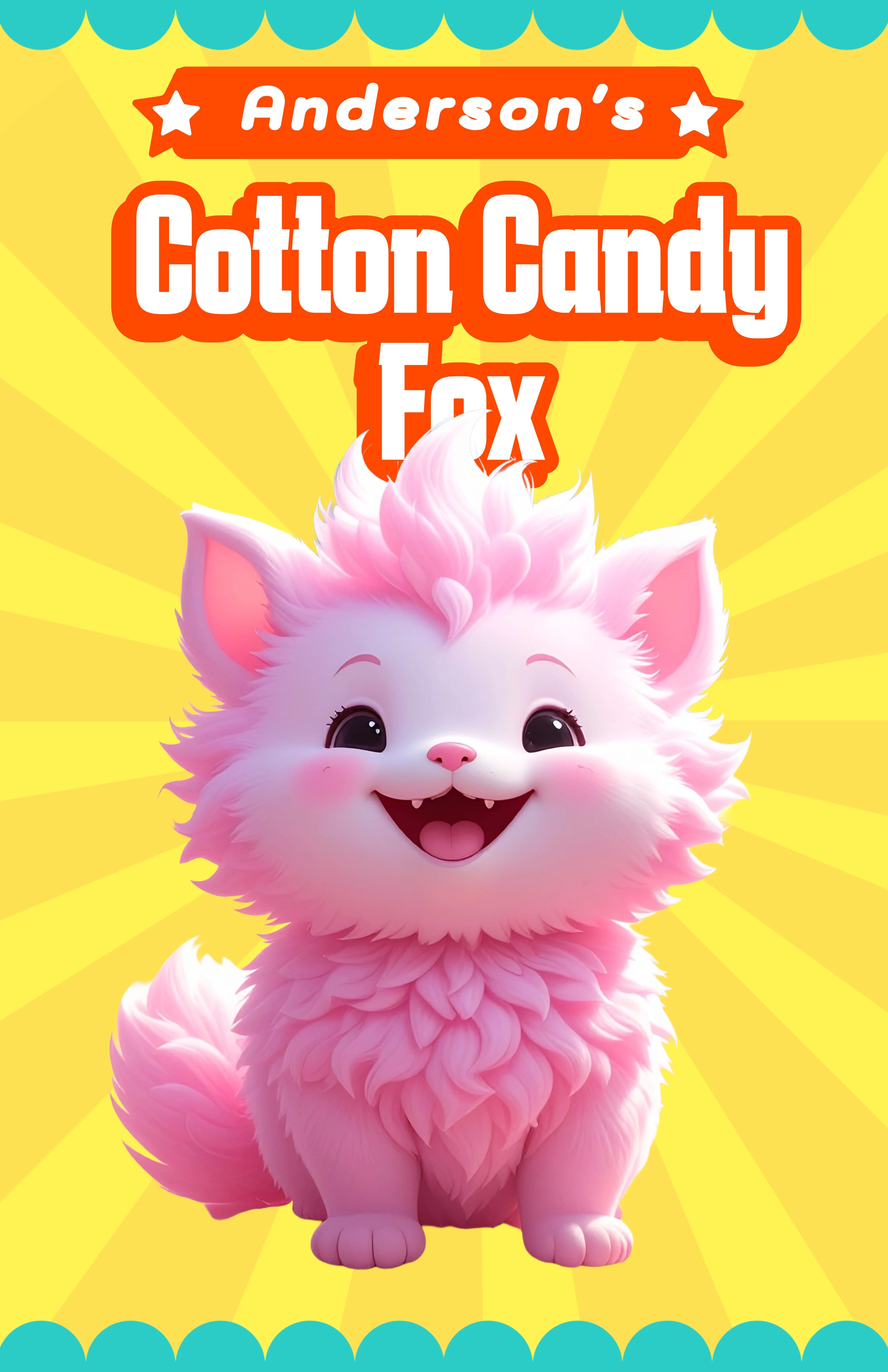
For Day 9 of the 12 Days of Creativity, we sugar coated our favorite animal. Our kids had such a blast creating candy animals that I had to take advantage of the excitement. We added all of our animals to a classroom story and created a movie in Adobe Express.
Check out my post and my kids' projects!
Other fun classroom ideas:
-Create a collaborative movie by importing each animal into another project.
-Write a story about the animal
-Create a marketing plan or store front to sell your animals.
-Explore possible biomes for your animal or create new biomes and explain their adaptations.
How to do it:
1. Visit the 12 Days of Creativity bar in your Adobe Express dashboard and choose "Sugar Coat Your Favorite Animal". [CLICK HERE for a direct link]
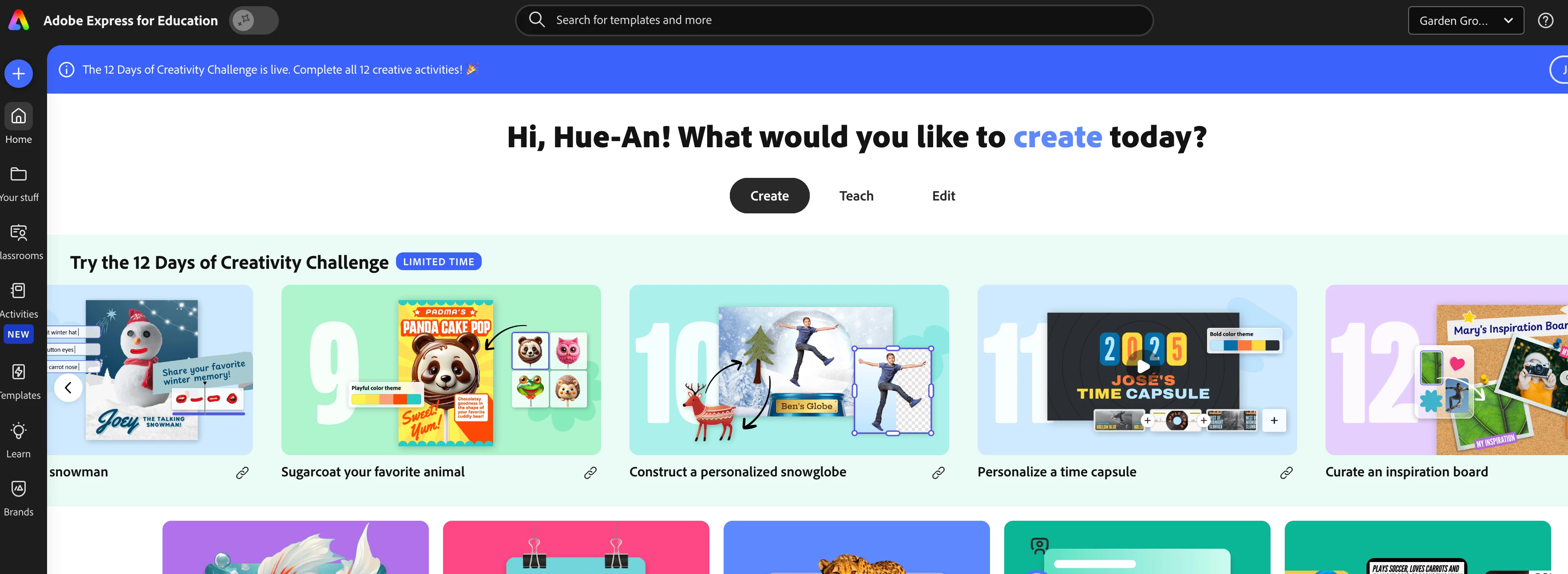
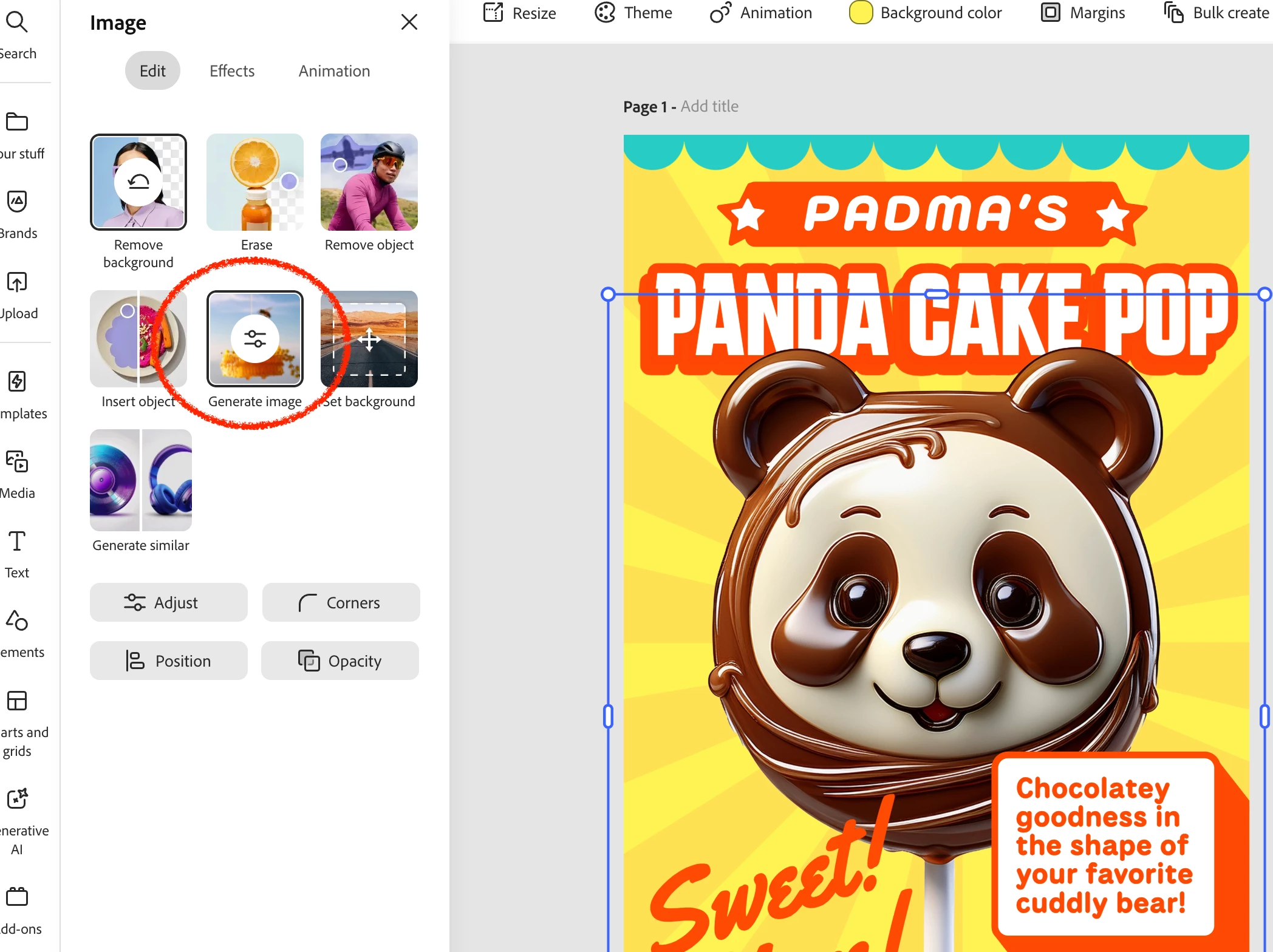
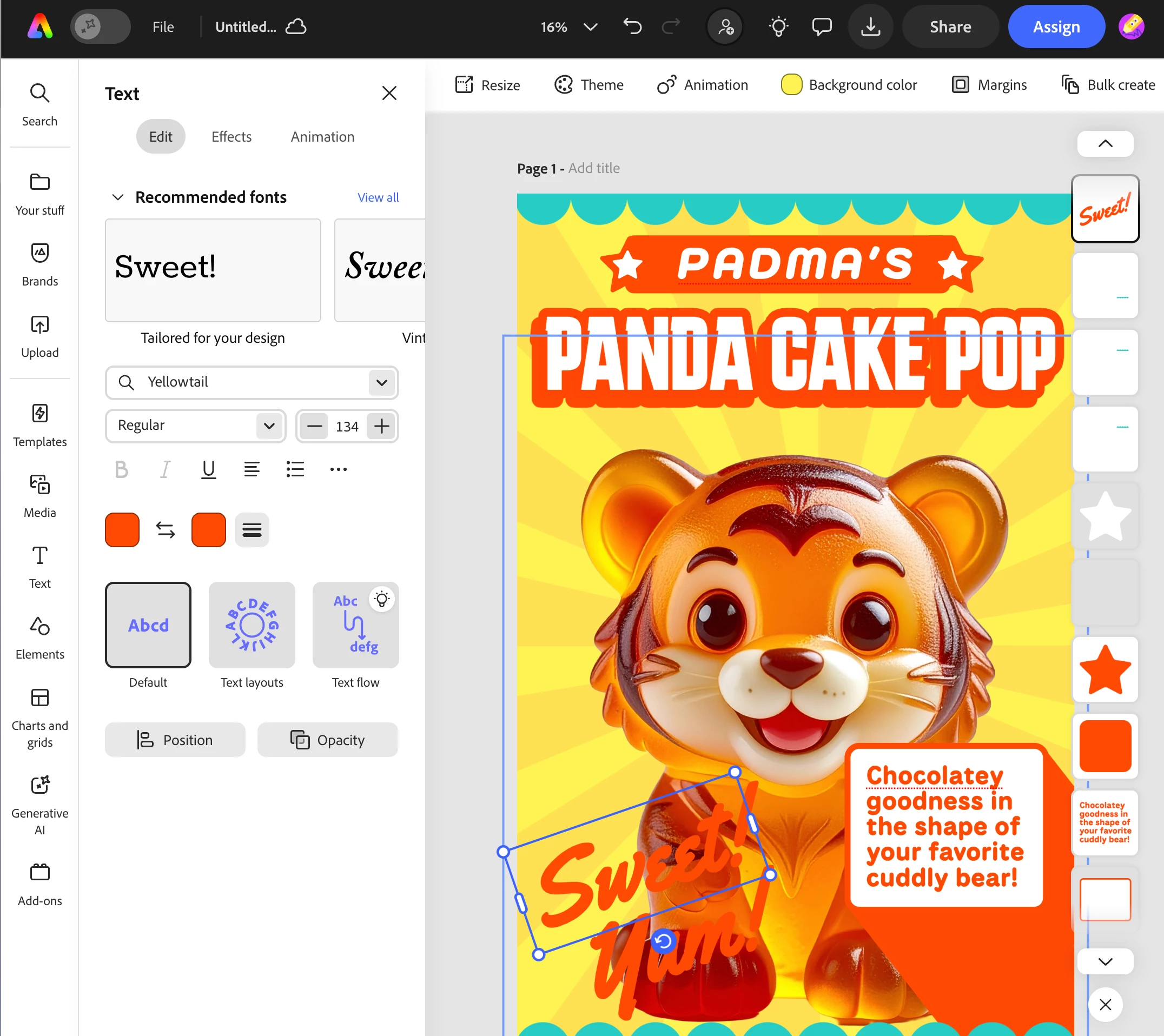
2. Click on the animal in the middle to reveal the editing menu. Click on "Generate Image" to see the AI prompt that was already loaded.
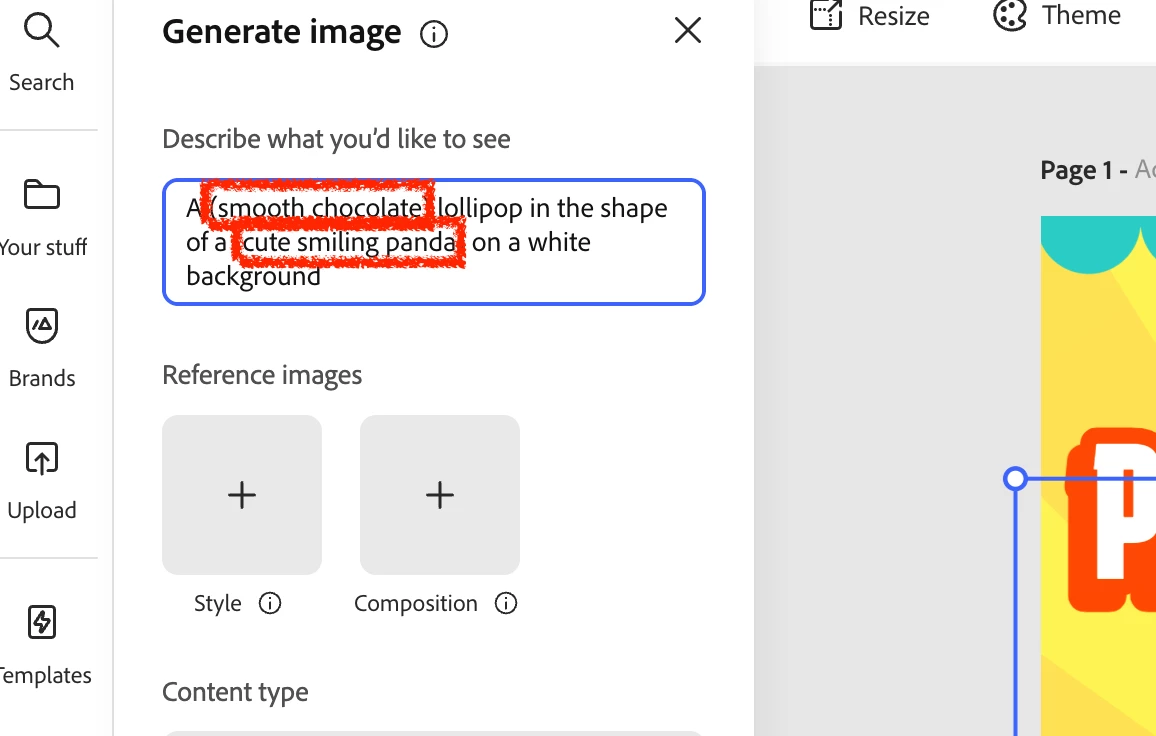
3. Use your creative skills to change the animal to your favorite animal. Don't forget to explore other types of candy! Click "Submit"
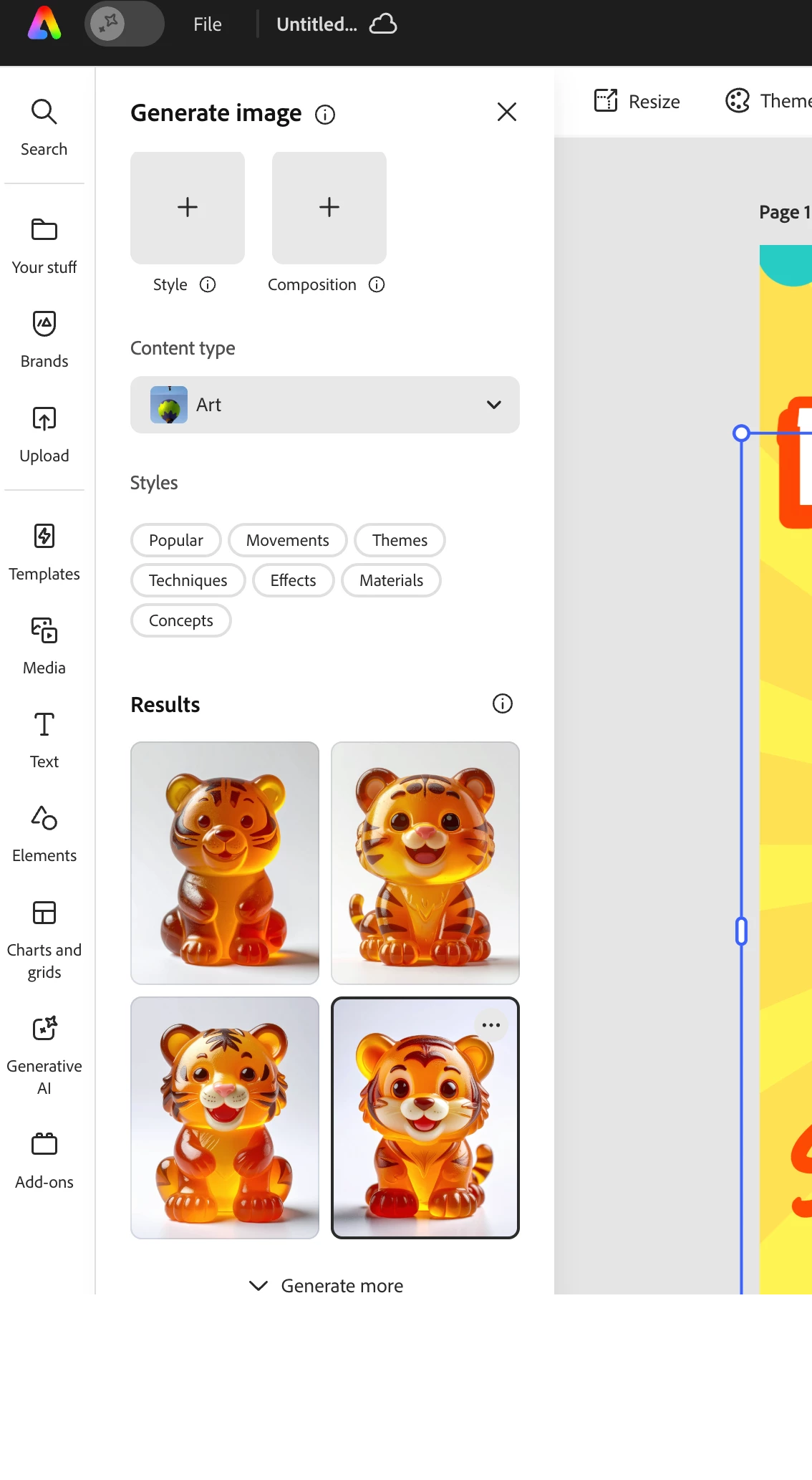
4. Choose the image you like from the generated samples or click "Generate more" to see more.
5. Edit the other parts of your image by clicking on it and create some marketing that matches your character. Don't forget to change the name!
Perfect Chef's Kiss!
 AdChoices