


Pro Imaging LFP
Participant
November 15, 2024
Question

createWithTemplate() : Doc not found, or no access

  • November 15, 2024
  • 1 reply
  • 450 views

I'm trying out the createWithTemplate() editor workflow. The goal is to present a bunch of premade templates on our page and have users instantiate a new copy of that template and start editing. So I think this is the correct workflow to use (instead of create(), createWithAsset(), or edit() However, whether I use a public template link or a library template link, the id that I'm extracting from the link (ex: urn:aaid:sc:US:654d068c-442d-4cea-aa93-7c748ec42f40) produces the not found or no access error.
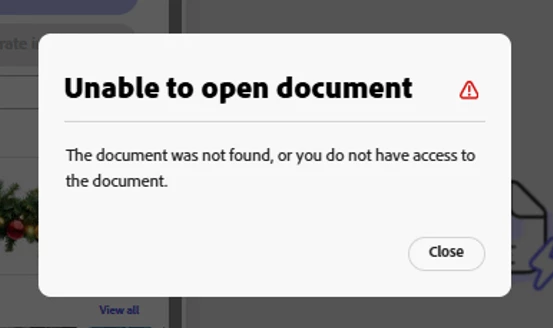


In all locations I'm logged in under the same account, so I'm doubting the no access error. I could be using the wrong string for the templateId. I've adjusted the docConfig in the sample to look like this:

 

1 reply

Adobe Employee
November 25, 2024

Hi there,

I just tried with the sample code from this tutorial, and editing the code as follows:

  let docConfig = {
    templateId: "urn:aaid:sc:VA6C2:67e8c8d8-f5d0-5277-94a5-17c9b2b9bf25",
  };
  editor.createWithTemplate(docConfig, appConfig, exportConfig);

Produces the expected result:

Would you be able to try with it and report back? Thank you.


Davide Barranca | Sr. Developer Relations Engineer @Adobe
Pro Imaging LFP
Participant
November 26, 2024

Thank you, Davide.


I substituted the template id you provided into my code and it does work as expected.  BTW I am using the same sample code that you've referenced.


Does this mean I'm improperly obtaining the template id?  Where did you source yours?  What is the proper way to obtain a template id?  I am creating a public sharing link and taking the id from the generated url.

Adobe Employee
November 27, 2024

Hello,

my process has been:

  1. Click the Templates on the left launchpad
  2. Select one, the modal pops up
  3. Click the "Customize template" button
    I'm redirected to a document, whose URL is something like:
https://new.express.adobe.com/design/template/urn:aaid:sc:VA6C2:67e8c8d8-f5d0-5277-94a5-17c9b2b9bf25?category=text&taskID=instagram-square-post

I've then extracted just the relevant bit:

urn:aaid:sc:VA6C2:67e8c8d8-f5d0-5277-94a5-17c9b2b9bf25

and passed it as the parameter.

Hope this helps!


Davide Barranca | Sr. Developer Relations Engineer @Adobe