
Inspiring
March 14, 2024
Answered

504 ERROR accessing Favorites/Web projects

  • March 14, 2024
  • 3 replies
  • 675 views

hola,

guardo mi selección de tipos en “Favoritas”, y también tengo bastantes bibliotecas de proyectos (con muchas fuentes) guardadas en “Proyectos web”.

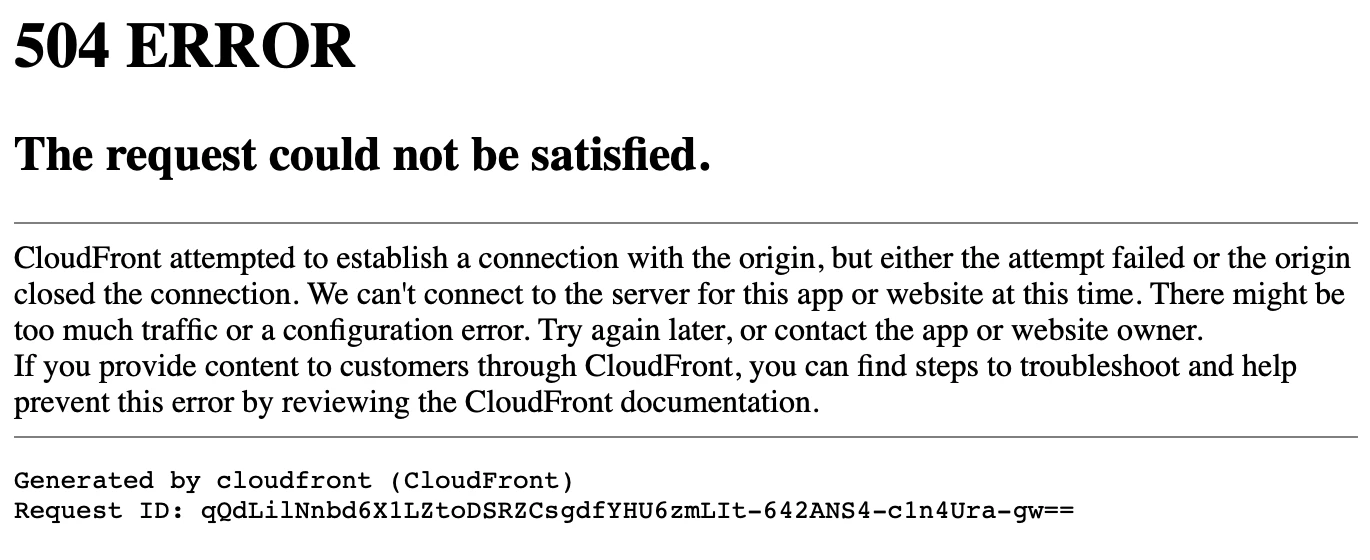
Desde hace unos días no puedo acceder en fonts.adobe.com a estas listas, sale un mensaje de 504 ERROR (ver captura). Me pasa con varios navegadores, en Ventura y en iOS.

¿Hay alguna solución?

¡Gracias!


PS: ¿Cuándo se podrán guardar “Desktop projects”?
 

”?


    Correct answer maestravida

    Ya he solucionado el problema gracias a la usuaria adrienne.

    Por si a alguien más le ocurre, la forma de eliminar Proyectos Web la explica aquí:

    https://community.adobe.com/t5/adobe-fonts-discussions/how-do-i-delete-an-adobe-fonts-web-project-when-clicking-quot-edit-project-quot-won-t-load-on-any/m-p/13431814?profile.language=es

    3 replies

    maestravidaAuthorCorrect answer
    Inspiring
    May 7, 2025

    Ya he solucionado el problema gracias a la usuaria adrienne.

    Por si a alguien más le ocurre, la forma de eliminar Proyectos Web la explica aquí:

    https://community.adobe.com/t5/adobe-fonts-discussions/how-do-i-delete-an-adobe-fonts-web-project-when-clicking-quot-edit-project-quot-won-t-load-on-any/m-p/13431814?profile.language=es

    Inspiring
    May 8, 2024

    Hola de nuevo,

    ¿alguna solución a esto?

    y si no hay solución, ¿es posible eliminar todos los "Proyectos web" y "Favoritas" y empezar de nuevo?

    Gracias.

    _________

    Hello again,
    any solution to this?
    and if there is no solution, is it possible to delete all "Web Projects" and "Favorites" and start again?
    Thank you.
    Tarun Saini
    Community Manager
    Community Manager
    May 17, 2024

    hi 

    @maestravida

    ,


    We're sorry for the delay. Are you saying you're not getting this list, as shown in the screenshot below? 


    If so, could you please share the Adobe ID you use to sign in to Adobe Fonts?


    Regards,

    Tarun

    Inspiring
    May 20, 2024

    Hola, Tarun:

    sí, se muestra igual. Es al acceder a “Web projects” o a “Favorites” cuando me devuelve el 504 ERROR.

    Mi ID de Adobe es ANGELOLMOSMATA@GMAIL.COM


    Saludos,

    Ángel

    Tarun Saini
    Community Manager
    Community Manager
    March 19, 2024

    Hi 

    @maestravida

    ,


    We're sorry to hear about this. Did you try clearing the browser's cache and cookies to check if that helps? Have you tried switching to another internet connection to see if that makes any difference? Have you tried restarting the device? Sometimes restarting the device resolves the connection issue.


    Let us know if that helps.


    Regards,

    Tarun

    Inspiring
    March 22, 2024

    Hola, Tarun, gracias por responder.


    Sí, he probado todo lo que dices (varios navegadores, borrar caché, sesión privada, reiniciar, cambiar la conexión), tanto en un Mac con OS Ventura como en un iPad con iOS 17.3. 

    Puedo acceder a la web de Adobe Fonts sin problema, instalar y desintalar fuentes y añadirlas a Favoritas o a Proyectos web. Lo que me da ERROR 504 es acceder a las Favoritas o a los Proyectos web, o intentar editar un Proyecto web cuando añado una fuente. 


    Saludos,

    ángel