
Question
Adding own fonts to the Creative Cloud
Hello everyone,
I am currently working on something at Adobe XD and I would like to import my own font there via the Creative Cloud.
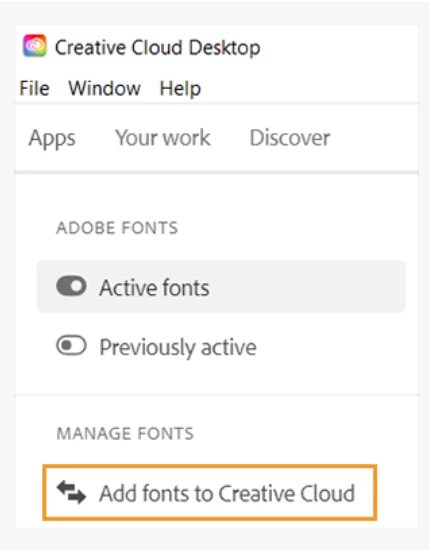
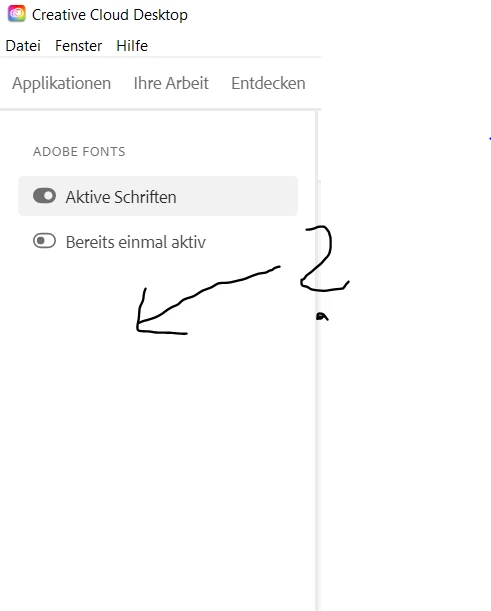
But unfortunately, I do not have the button at the left sidebar where I can import the fonts as indicated at the Adobe website.
So I can only select fonts from the website.
I am on a free plan, but according to the Adobe User Guide a paid subscription is not required to import own fonts.
Thank you for your help!
sidebar at the Adobe website:
my own sidebar without such a button:


 AdChoices