


Participant
November 14, 2025
Question

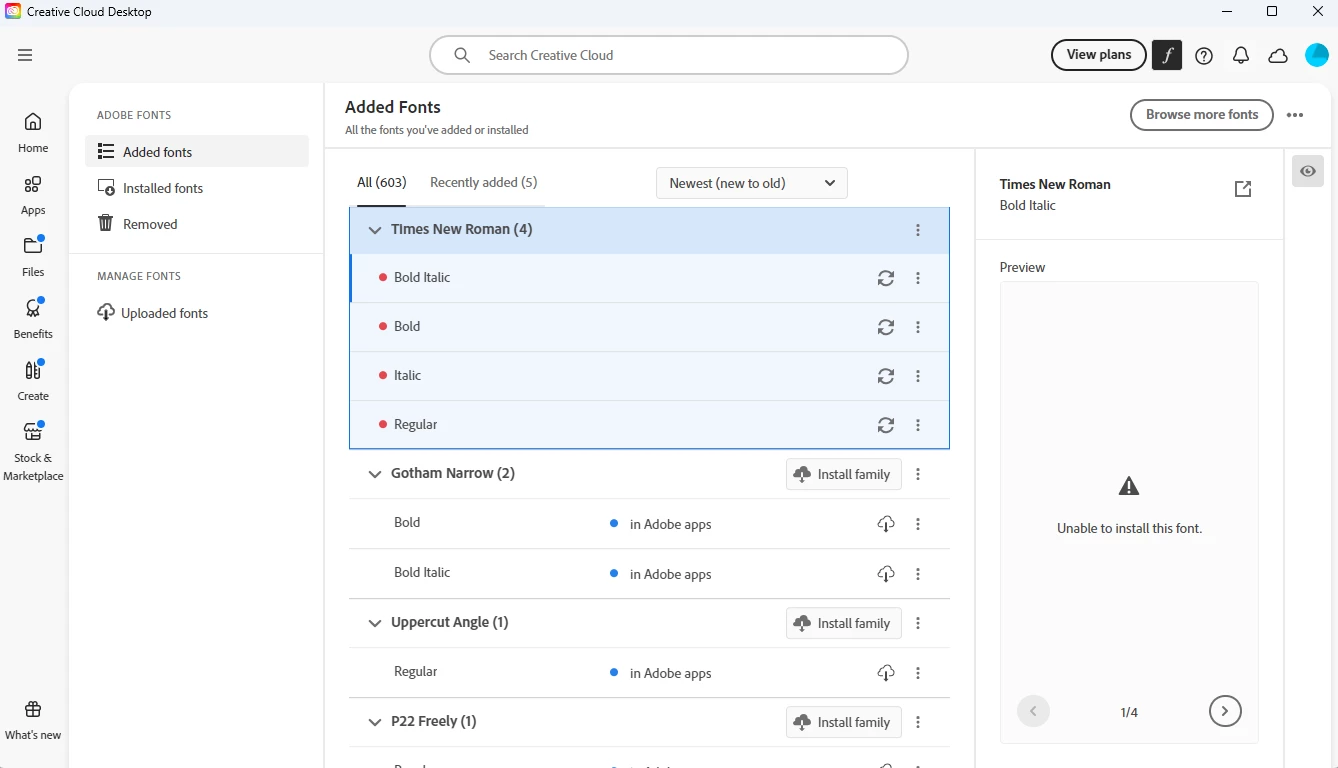
Adobe Creative Cloud unable to intsll Times New Roman (OTF)

  • November 14, 2025
  • 2 replies
  • 90 views

Times New Roman (OTF) is suddenly unavailable, and unable to intall vie ACC or Chrome browser. I have restarted, deactivated and reactivated the font, turned on and off sync settings etc, etc to no avail. Please advise. WIndows 11.

Thank you,

Carol
    2 replies

    SniderIT
    Participant
    January 30, 2026

    I am also having this issue on Windows 11. I have reached out to Adobe chat support and the following occurred. They used the Creative Cloud Cleaner tool, used Acrocleaner, rebooted, installed the Enterprise version (because I have a Adobe Team license), then rebooted for a final time. That seemed to have fixed the issue for a few hours, but it somehow returned. 

    Windows 11 24H2 26100.4061
    Adobe Acrobat 64-bit 25.00.1.21111

    Community Expert
    November 17, 2025

    If your computer is running Windows 11 does it not already have Times New Roman installed? The same four styles of Times New Roman carried at Adobe Fonts are already system fonts in Microsoft Windows. It's possible the fonts are failing to add themselves because the existing system fonts are creating a conflict.