


Question
Adobe Font myriad-arabic not rendering the correctly
I'm using a WordPress site but have also replicated this on pure HTML. I have the generated URL that contains the link to the font (https://use.typekit.net/UNIQUEKEY?ver=1.0). I have included included the stylesheet...simple code:
<!DOCTYPE html>
<html lang="en">
<head>
    <meta charset="UTF-8">
    <title>Title</title>
    <link rel="stylesheet" href="https://use.typekit.net/jum0udr.css?ver=1.0" media="screen">
</head>
<style>
  body {
    font-family: "myriad-arabic", sans-serif;
    font-weight: 400;
    font-style: normal;
  }
</style>

<body>

<h1>لنعمل معًا لجعل الحمل أكثر أمانا</h1>
<p>
  هذه المعلومات تتحدث عن طرق تقليل الاملاص. نتحدث مع الجميع عن طرق تقليل تلك المشاكل.
  نتحدث مع الجميع عن طرق تقليل تلك المشاكل كجزءا طبيعيا من رعاية الحمل – تماما كما التحدث عن طرق المساعدة في الحفاظ على صحة الام هو جزء طبيعي من رعاية الحمل.
  انه ليس شائعا. ولكن في بعض الاحيان تفقد حياة الجنين قبل الولادة .عندما يحدث هذا بعد 20 اسبوعا من الحمل يطلق عليه {الاملاص} ولادة جنين ميت.
</p>

</body>
</html>
The page displays the arabic text as if no font was loaded, there no error on the console: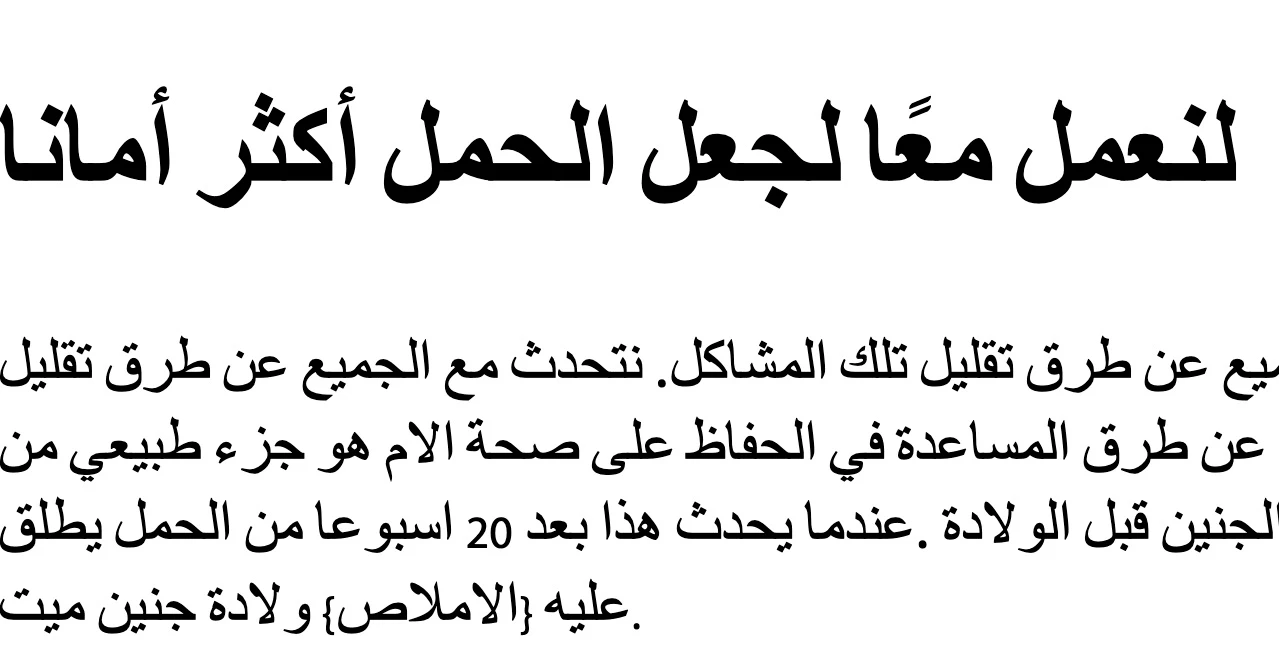
Just for reference, this is what it displays in Adobbe's site (https://fonts.adobe.com/fonts/myriad-arabic) versus my site (pointed a few discrepancies), but the text looks just not right: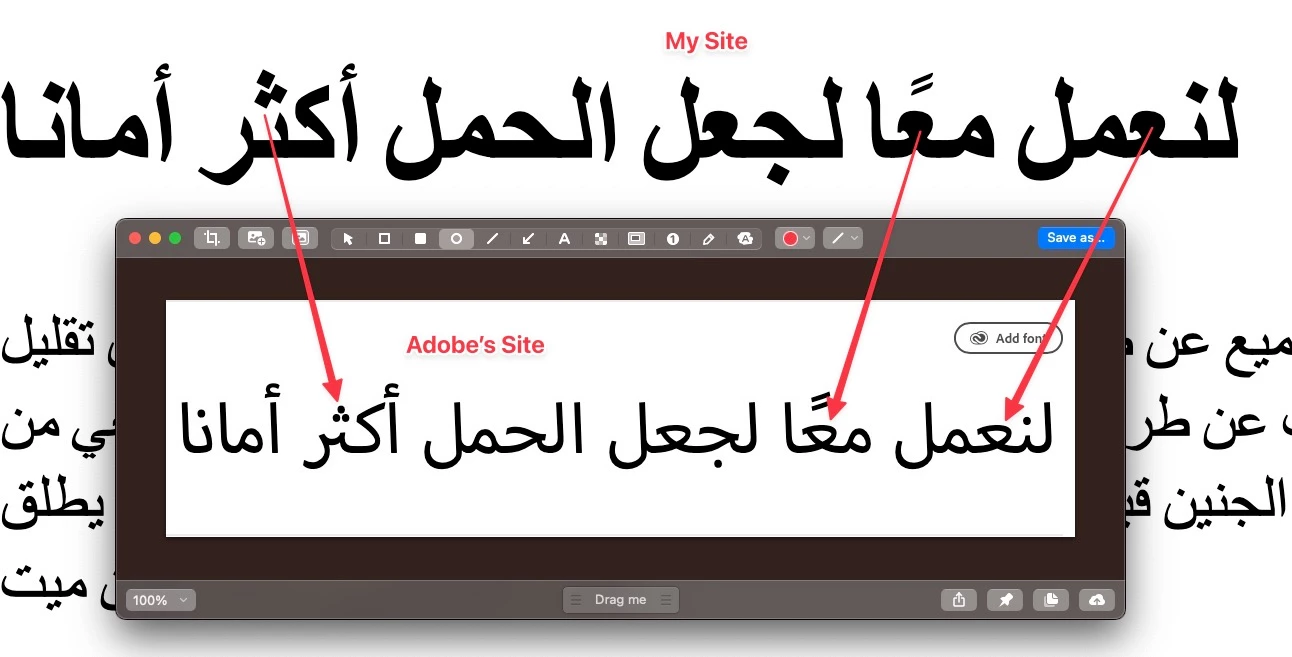
If I remove the styling from the HTML tags, it really changes nothing, which means the Adobe font is not being loaded for some reason.
Any guidance would be appreciated 👍
 AdChoices