yash-lucid
Inspiring
June 3, 2025
Answered

Adobe Font showing in Illustrator but not After Effects

  • June 3, 2025
  • 3 replies
  • 497 views

I've installed Mixta Sharp Bold

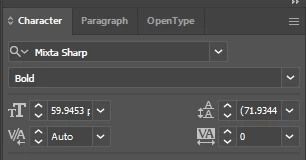
It shows up in Illustrator
 

But it breaks in After Effects
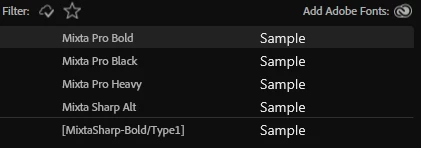
 

I've rebooted and restarted and cleared cache and reinstalled the font to no avail.

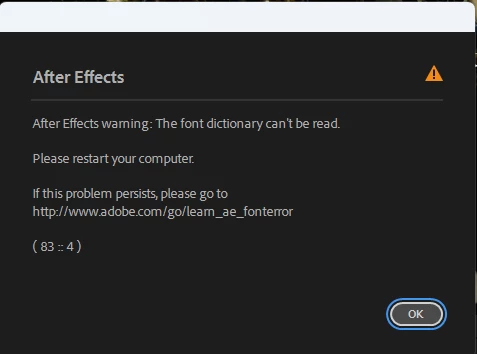
I uninstalled it from Adobe Cloud and reinstalled it then get this error
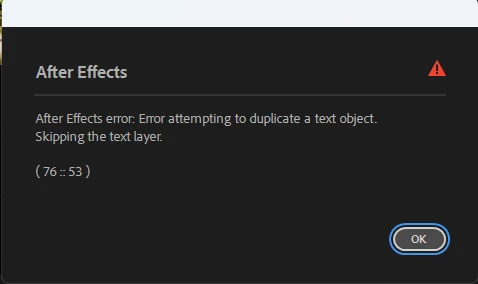
It is a major issue


Update: What is bigger than major? Gigantic? It is a gigantic issue now, as I cannot save because the popup is infinite, close and it pops up again immediately.

Correct answer David__B

In addition to the solutions recommended by @Bobby Henderson the error message references this article
https://helpx.adobe.com/after-effects/kb/error-font-dictionary-cant-read.html

which may be help too

3 replies

David__B
Adobe Employee
David__BCorrect answer
Adobe Employee
June 20, 2025

In addition to the solutions recommended by @Bobby Henderson the error message references this article
https://helpx.adobe.com/after-effects/kb/error-font-dictionary-cant-read.html

which may be help too

Community Expert
June 3, 2025

Try signing out of your Creative Cloud account, rebooting the computer and then signing back into the creative cloud account. If that step doesn't work it might be necessary to delete the font data cache to force the computer to re-build it.
https://helpx.adobe.com/fonts/kb/troubleshoot-fonts-illustrator-indesign.html


It's possible for other applications running in the background to cause problems with fonts.

yash-lucid
Inspiring
June 3, 2025

Every style works except the one I need