


Participant
May 23, 2022
Answered

Adobe Font "Sol/Sol Pro" doesn't show polish special characters on my web project

  • May 23, 2022
  • 1 reply
  • 561 views

Hi,

I have used font named SOL for one of my web projects.
https://fonts.adobe.com/fonts/sol

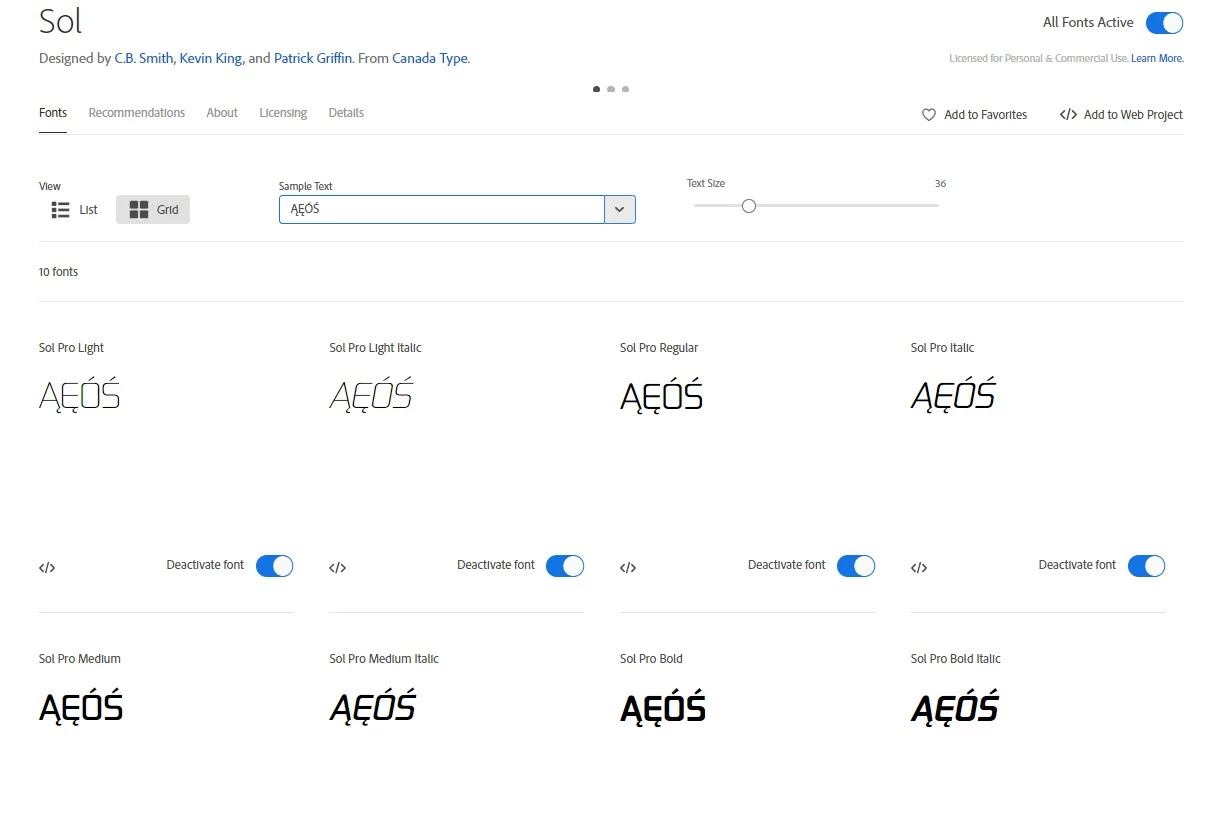
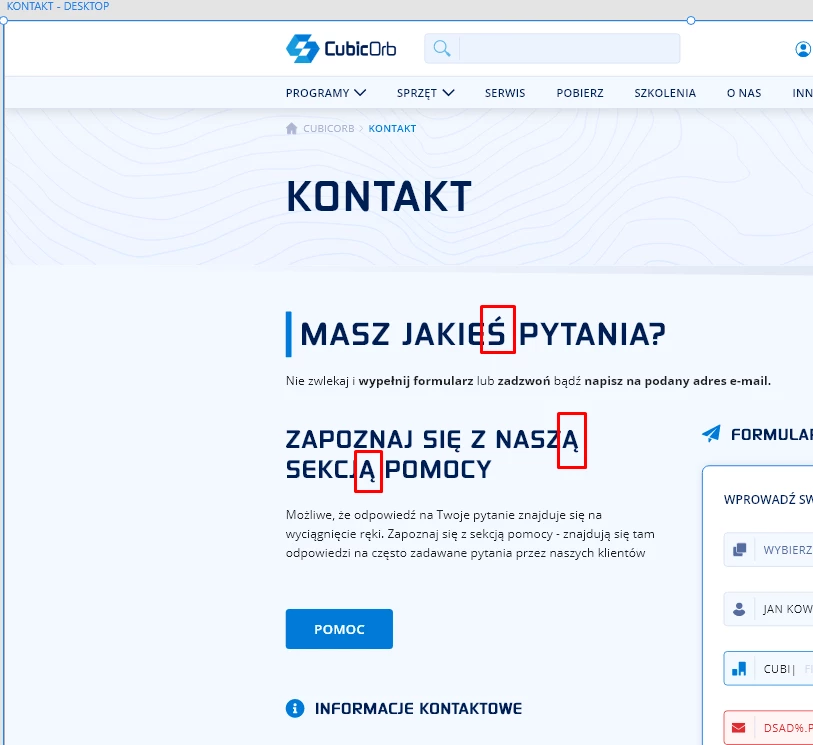
I have extracted font implamentation code via "Add to web project" button, but when I type polish letters for sample text on my web project it doesn't show it properly even tough on Adobe Fonts site and in my Adobe XD file the polish letters are aviable for that font.

Pictures:
Adobe fonts:
Adobe XD file:

My web project:
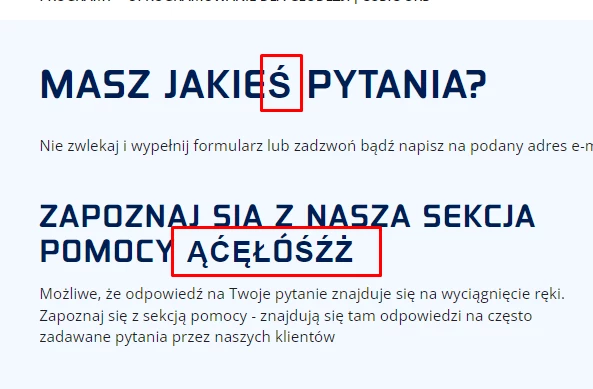

As you can see, the font Sol/Sol Pro is not displaeyd correctly here... 

Is there something I can do about it?

    This topic has been closed for replies.
    Correct answer Neelamk

    Hi Norbert,


    We understand how you feel. I'd like to know if it's happening with this specific font? I would suggest going to the Edit project>and then selecting all Characters, instead of Default


    Let me know if this works. I would be happy to help.


    Regards,

    Neelam


    1 reply

    Neelamk
    NeelamkCorrect answer
    Legend
    May 23, 2022

    Hi Norbert,


    We understand how you feel. I'd like to know if it's happening with this specific font? I would suggest going to the Edit project>and then selecting all Characters, instead of Default


    Let me know if this works. I would be happy to help.


    Regards,

    Neelam


    Participant
    May 23, 2022

    Hey!
    Thank you, it worked :).