
Cj.amn
Known Participant
February 18, 2026
Question

Adobe Fonts Aren’t Syncing, Primarily Variable Fonts

  • February 18, 2026
  • 2 replies
  • 148 views

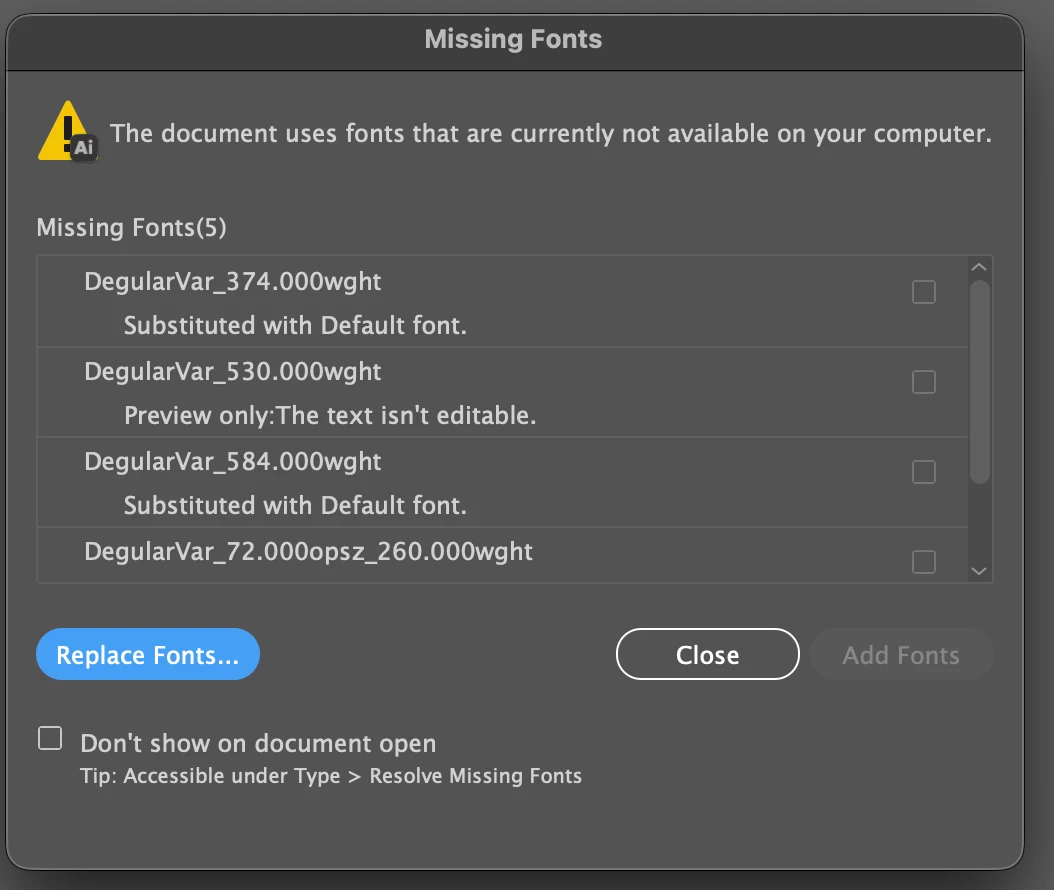
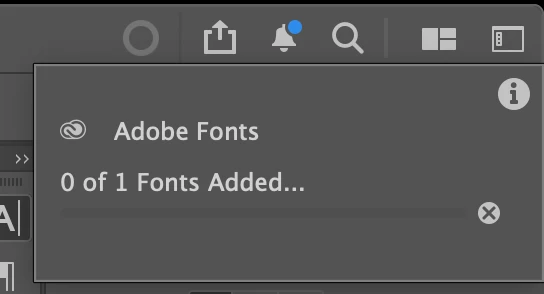
The installed fonts from Adobe Fonts are not syncing properly. The issue is more persistent with variable fonts. I need to restart the computer and log in and out of Creative Cloud to temporarily resolve the problem. Additionally, the circle icon that indicates font loading progress does not advance and remains stuck at “0 fonts loading.”
 

    2 replies

    Community Expert
    February 19, 2026

    Have you tried deleting the Font Data Cache file to make the computer re-build it? That’s the next trouble shooting step I’ll try if signing out of the CC account, rebooting the computer and then signing back in doesn’t solve the problem.

    Cj.amn
    Cj.amnAuthor
    Known Participant
    February 19, 2026

    This happens across the apps I use most: Illustrator, InDesign, and Photoshop. I tried logging in/out, restarting the computer, and toggling the Adobe font on/off. Sometimes I have to do this process several times to make it work.

    Community Expert
    February 19, 2026

    If the processing of logging out of CC, rebooting and logging into the CC account again doesn’t work I’ll delete the font data cache as the next trouble shooting step. The process is explained on this page:
    https://helpx.adobe.com/fonts/kb/troubleshoot-fonts-illustrator-indesign.html

    Tarun Saini
    Community Manager
    Community Manager
    February 19, 2026

    Hi ​@Cj.amn,


    Thanks for reporting this. Could you please let us know the version of the Creative Cloud Desktop app you are using? Is this happening across all Adobe apps, or just in a specific one? 


    Please make sure the Creative Cloud desktop app is open and you’re signed in—Adobe Fonts sync through the CC desktop app. In Creative Cloud desktop, go to Preferences → Services, toggle Adobe Fonts off, wait a moment, then toggle it back on. This often kickstarts font syncing.


    Also, try signing out of the Creative Cloud desktop → Quit CC desktop → Restart the computer → Open CC desktop → Sign in again, and see if that helps.


    Regards,

    Tarun

    Cj.amn
    Cj.amnAuthor
    Known Participant
    February 19, 2026

    Adobe Creative Cloud: 6.8.1.865

    Illustrator: 30.2.1
    InDesign: 21.2

    Photoshop: 27.3.1

    Hi – This happens across apps that I use mostly; Illutrator, InDesign, and Photoshop. I tried logging in/out, restarting the computer, and toggling the Adobe font on/off. Sometimes I have to do this process several times to make it work.