
Participating Frequently
December 14, 2019
Question

Adobe Fonts Sync Issue

  • December 14, 2019
  • 4 replies
  • 1188 views

Hi!

As some other users have already reported, my Adobe Creative Cloud Desktop is not syncing the Adobe Fonts to any Adobe app or any app at all such as a third party video editor.

I use Windows 10, freshly updated. Already performed the troubleshooting steps at:

https://helpx.adobe.com/creative-cloud/kb/creative-cloud-app-doesnt-open.html

The Adobe Fonts icon just shows a never ending spinning progress wheel:
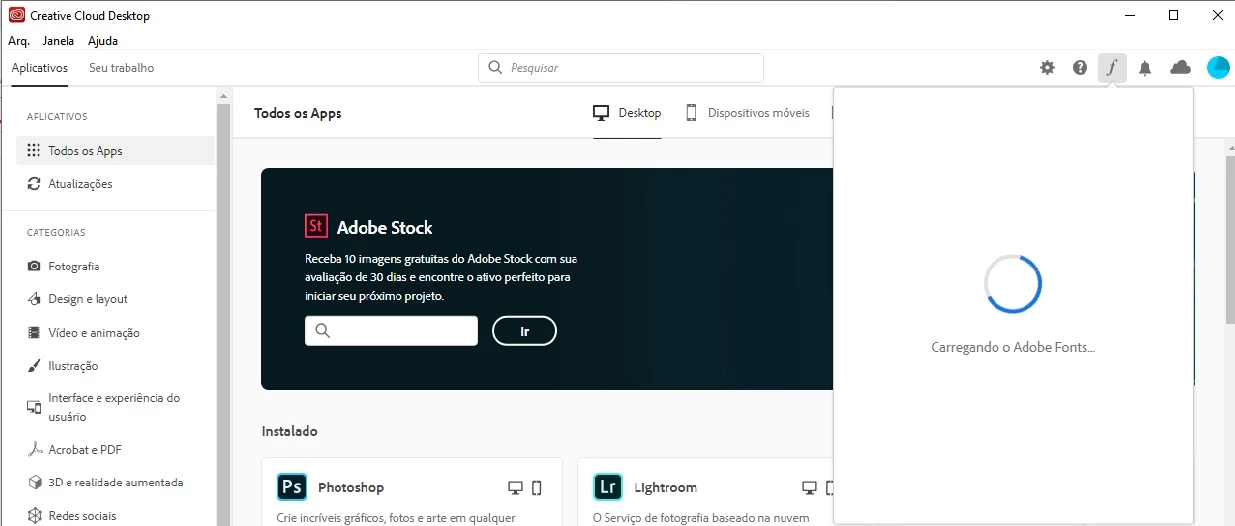


Please verify this issue as I have projects that I am working on that require some Adobe Fonts, especially Acumin.

Thank you.

This topic has been closed for replies.

4 replies

Andre_PAuthor
Participating Frequently
December 16, 2019

I did contact Adobe Support and after troubleshooting within my PC with no success, they ended up saying that this is an issue that adobe is already aware of and that it will be solved within the next creative cloud update.

Andre_PAuthor
Participating Frequently
December 16, 2019

Also, hours later I received an e-mail that sugests me to try the following:


Please go in the C drive>Program Files X86 >Common Files>Adobe>Adobe Sync. Please rename this " Adobe Sync " folder to  " Adobe Sync.old " and then restart your system and your issue should get resolve.


Will try this later and see if it works.

Participant
December 16, 2019

It works!

Participant
December 16, 2019

same problem, win 10 1909

Participant
December 16, 2019

Try to create a new Windows user and install the adobe cloud on it.

Andre_PAuthor
Participating Frequently
December 16, 2019

Thanks metaborg.


However, I really don't want to create a new user.

Participant
December 15, 2019

Same problema here =(