rlndsznt
Participating Frequently
October 20, 2018
Answered

All the double-acute accented characters disappeared

  • October 20, 2018
  • 1 reply
  • 863 views

Hi,

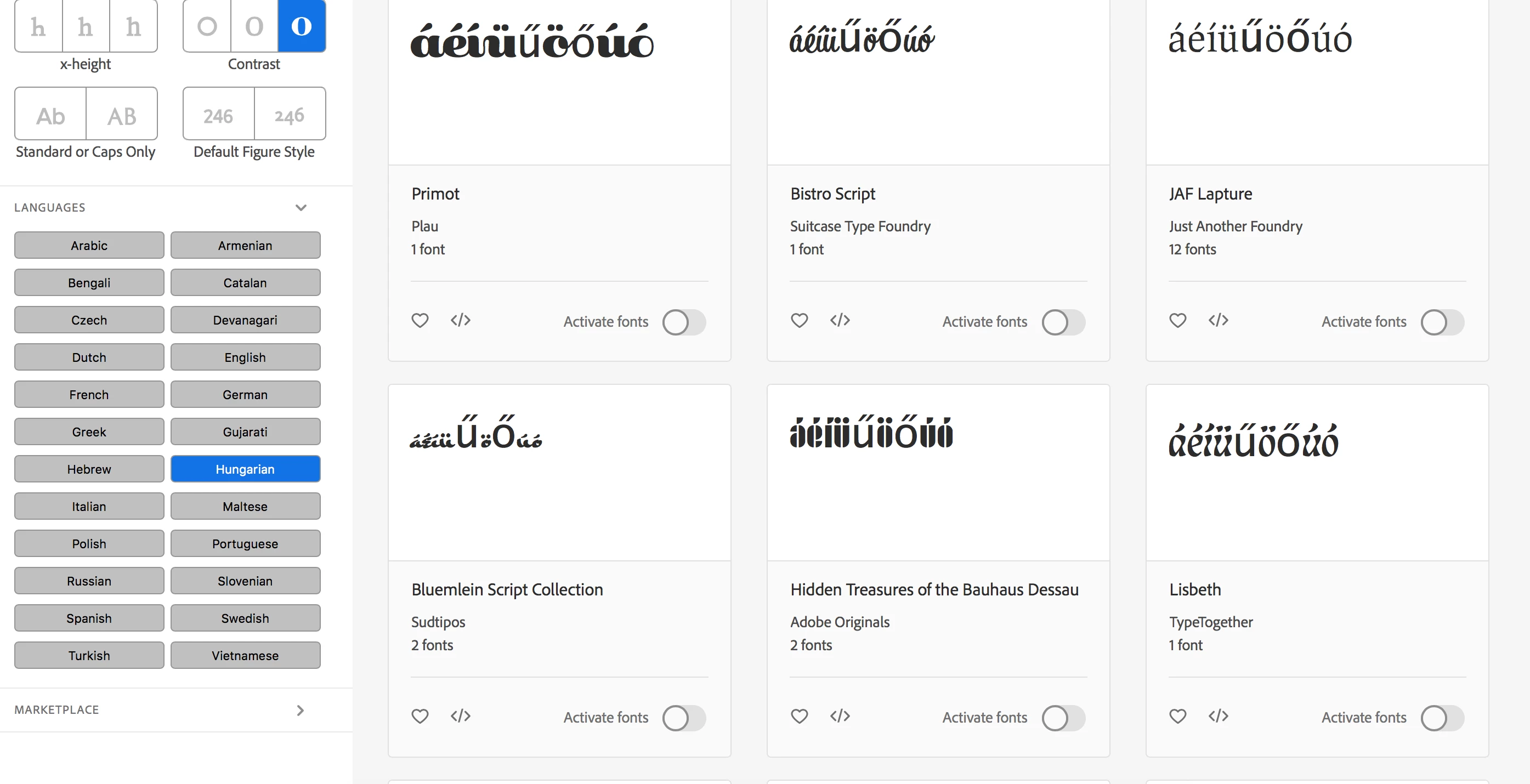
All the double-acute accented characters disappeared (ő and ű) from fonts that I synced from adobe fonts. It worked yesterday, it doesn't work anymore... It doesn't show up on fonts.adobe.com either. Checking in the "Hungarian language" in the search filters should only show fonts that have "ő" and "ű", but none of those show up correctly anymore.
This topic has been closed for replies.
Correct answer liz, Adobe Type

I'm sorry that you ran into trouble with this. I've asked the team to investigate why the accented characters aren't displayed correctly on the browse page.

Any fonts in the Hungarian filter will include the full language support you need. This help page has a list of the characters included in the subset:

https://helpx.adobe.com/fonts/using/language-support-subsetting.html#Hungarian

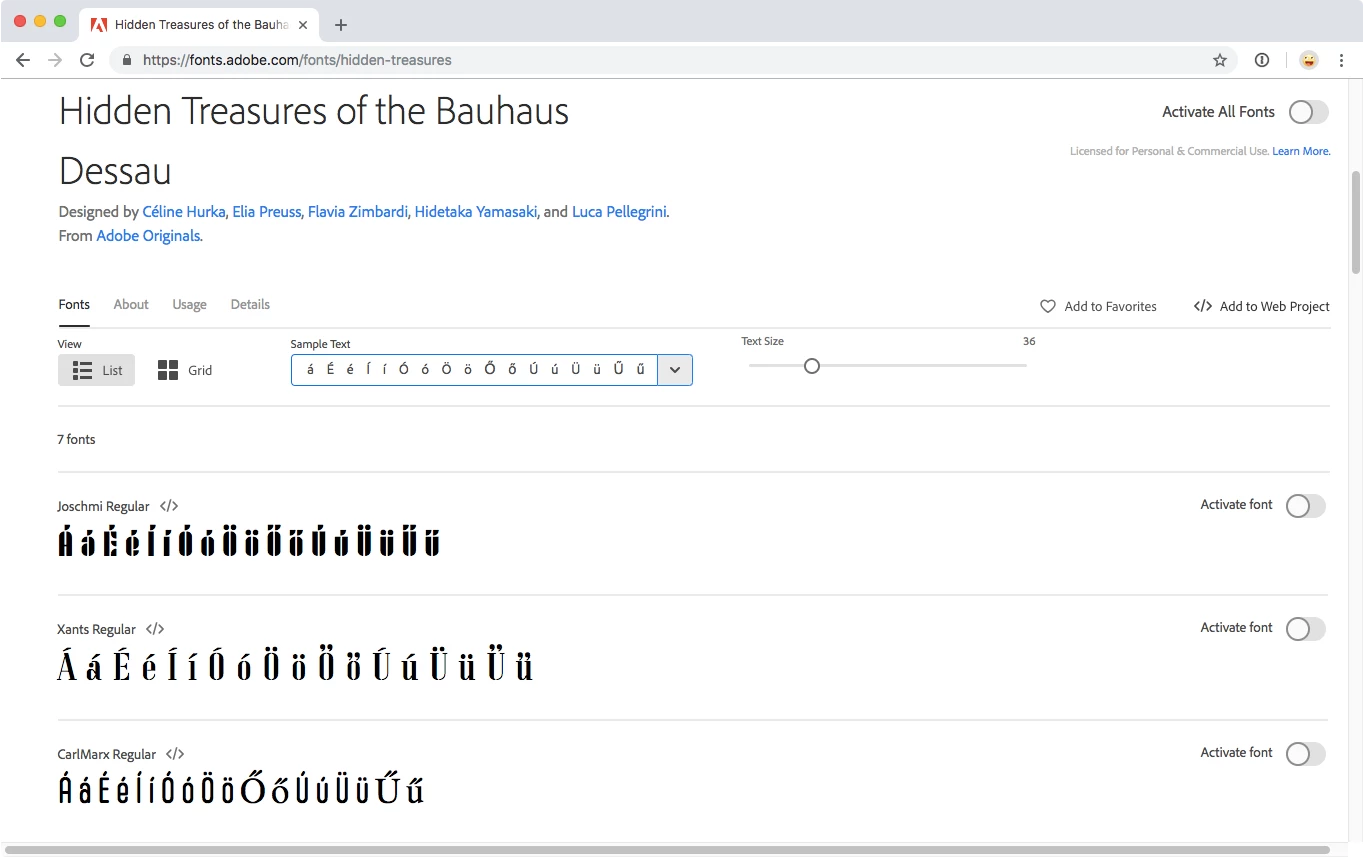
And the individual font pages display all of the characters correctly. For example:

https://fonts.adobe.com/fonts/hidden-treasures

I hope that this helps for now. Please lets us know if you have any other questions,

-- liz

1 reply

liz, Adobe Type
Community Manager
liz, Adobe TypeCommunity ManagerCorrect answer
Community Manager
October 22, 2018

I'm sorry that you ran into trouble with this. I've asked the team to investigate why the accented characters aren't displayed correctly on the browse page.

Any fonts in the Hungarian filter will include the full language support you need. This help page has a list of the characters included in the subset:

https://helpx.adobe.com/fonts/using/language-support-subsetting.html#Hungarian

And the individual font pages display all of the characters correctly. For example:

https://fonts.adobe.com/fonts/hidden-treasures

I hope that this helps for now. Please lets us know if you have any other questions,

-- liz

rlndsznt
rlndszntAuthor
Participating Frequently
October 24, 2018

Hi Liz,

Thank you for your help. It looks like in Photoshop and Illustrator all the characters displaying again correctly for now.

I can live without the characters only not showing up in the browse page, but it would be good if it would work there too.