
Supernaut63
Known Participant
April 3, 2025
Question

Can't figure out how to turn on fonts in Creative Cloud...

  • April 3, 2025
  • 4 replies
  • 1689 views

I recently upgraded my Mac OS to Sequoia 15.3.2.

And I also updated my Adobe Creative Cloud to 6.5.0.348.

And I also updated a Font Management app (from the Apple app store) called Typeface 3.15.3.


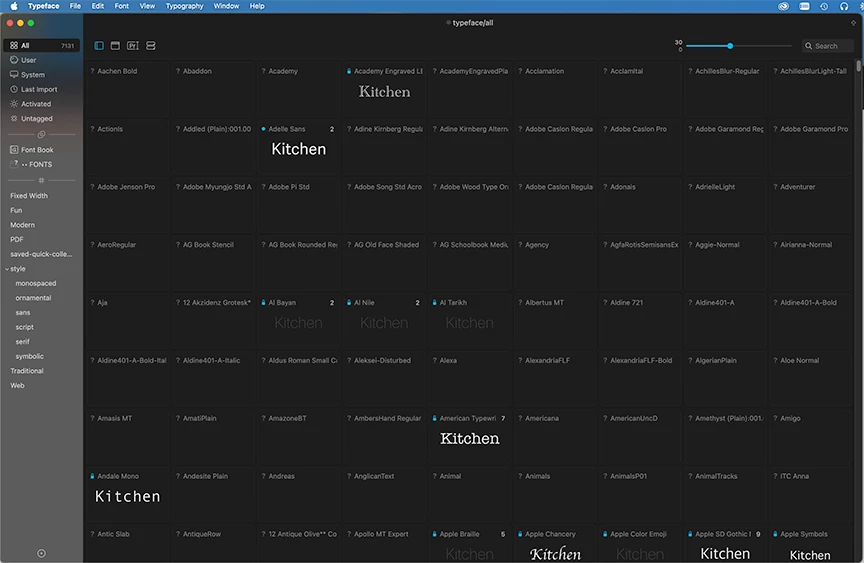
And after doing this, I have come to discover that ALL of my fonts have been turned off for usage. I launched an Adobe Illustrator file tonight, only to find out none of the fonts within it are loading. So, Typeface and Creative Clouds Fonts are not loading or, it appears, turning on. I have no idea why this has happened, nor do I know how to turn them back on.


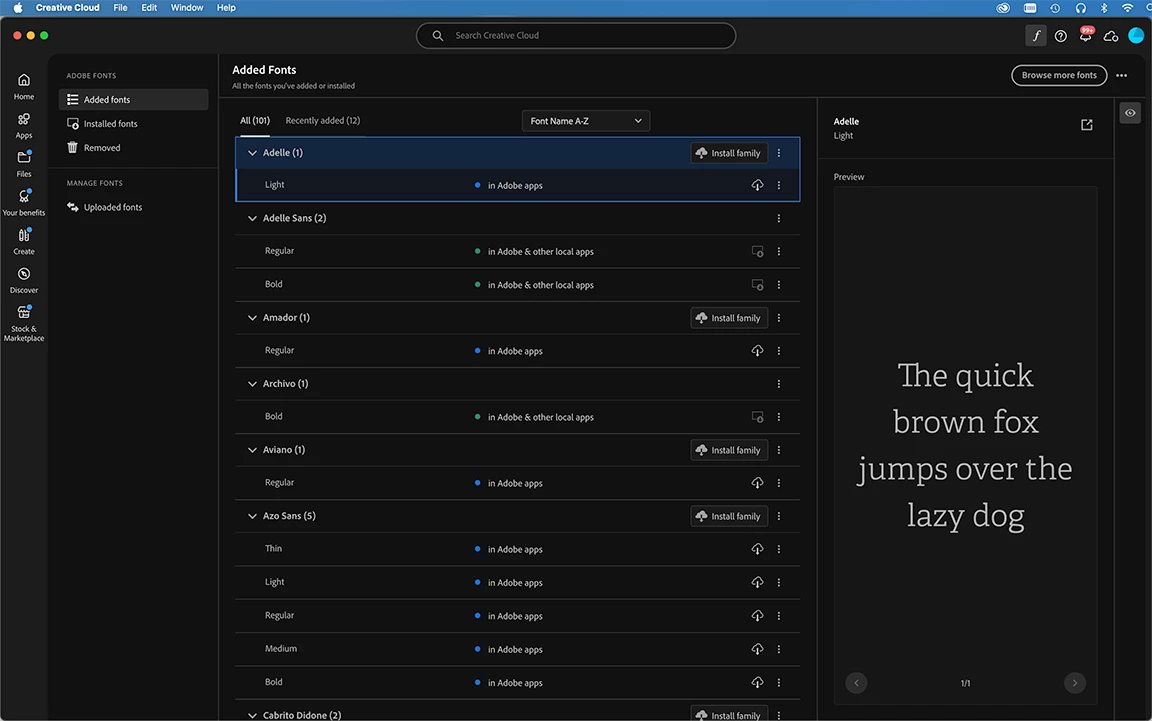
My CC window looks like this and I cannot find where to turn fonts on:
 

My Typeface app looks like this...everything's blank and off:
 

HELP!!!!

I have work to do....


4 replies

Supernaut63
Known Participant
April 3, 2025

UPDATE:

So, I found my own fonts folder buried on my HD, and I have my Typeface app recognizing my fonts again. All square there!


Now I need to figure out how to use this latest version of CC's font interphase. I'm use to the 2018 version of CC and I'm lost. My version of Futura on my computer is old, so I don't want to use it, and would prefer to use the Futura font through Adobe CC's fonts. So I launched CC, clicked on fonts in the upper right corner and this is what I'm seeing. I don't think these Futura's have been added because I went into Illustrator, typed something, went to style the font, and I'm only seeing 5 versions of Futura, which makes me think it's still accessing my version of Futura, and not the CC version. How do I turn CC's Futura on and off? I'm not seeing on/off buttons anywhere. Any advice would be appreciated.


kglad
Community Expert
Community Expert
April 3, 2025

can you remove and then re-add them?

Supernaut63
Known Participant
April 3, 2025

I'm not sure what you mean?

Like I said, I'm not familiar with this new CC interphase/update and its font function.

I need instructions for "dummies", LOL.

Supernaut63
Known Participant
April 3, 2025

Okay, so I found my original ••FONTS folder.

Evidently, when I upgraded to Sequoia it moved my 3 missing folders.

Why did it do this??? And what should I do?

kglad
Community Expert
Community Expert
April 3, 2025

is you library/fonts folder intact?

Supernaut63
Known Participant
April 3, 2025

I think this might be an Apple issue, more than an Adobe issue, but I'm still trying to figure that out.

It turns out that when I upgraded my OS to Sequoia it moved my fonts folder to a Relocated Items folder (buried deep in my hard drive). I originally had my fonts folder sitting in the hard drive, but for some reason it moved it, and I'm still trying to figure out why, as it has always been in the same place for years and years. Why did it move that folder? I don't know, but my guess is because the fonts folder got moved, it lost it's connection to font management in CC and Typeface.

Supernaut63
Known Participant
April 3, 2025

So, I've discovered something while trying to figure this out...

I can't find my own original Font folder on my hard drive. It's gone! After upgrading my Mac OS system, it has disappeared. Poof! Here is a screen shot of my current hard drive (top) and a Time Machine backup before I upgraded to Sequoia (bottom). Luckily, I have the Time Machine backup, and was able to copy my old Font folder to my desktop, but for some weird reason when I try to move the ••FONTS folder you see into Smittyboy's hard drive, it WILL NOT allow me to move it there...it just bounces back...won't let me move the folder into Smittyboy...no messages, no nothing. I'm also wondering where my •WORK and •PLAY folders have disappeared to as well on my hard drive (top). Their aliases are on my desktop and they are available for use, but where did the original folders go? To the same place my ••FONTS folder went? HELP!!!!


kglad
Community Expert
Community Expert
April 3, 2025

in the future, to find the best place to post your message, use the list here, https://community.adobe.com/

p.s. i don't think the adobe website, and forums in particular, are easy to navigate, so don't spend a lot of time searching that forum list. do your best and we'll move the post (like this one has already been moved) if it helps you get responses.


<"moved from cc services">
Supernaut63
Known Participant
April 3, 2025

I was on the link you placed above, but I wasn't sure where to post this, as this is mostly a Creative Cloud/Fonts question, so I just picked Creative Cloud Services (???). Although, I did just see "Adobe Fonts" which is where this should probably be? What forum did you move this to? Help!

kglad
Community Expert
Community Expert
April 3, 2025

it's a toss up, but i think this is a better place to start.