



Difference between "Added Fonts" and "Installed Fonts" and "Expiring Soon"?
I seldom look at the Fonts panel in the CC app, but I received an alert from Adobe that one of my fonts was going to expire ... what? Not that it was going to be removed from the Fonts.adobe.com library, but that it was going to "expire." So I looked at the Fonts panel in my CC app and saw a different interface that I remembered. There's a panel for "Expiring Fonts" and it said that one of the 100+ synced Adobe fonts I have, Elza, is going to "expire in 2 days." There was a Renew button, that I clicked, and it said "Congratulations! This font is renewed." and was remove from my Expiring Soon list.
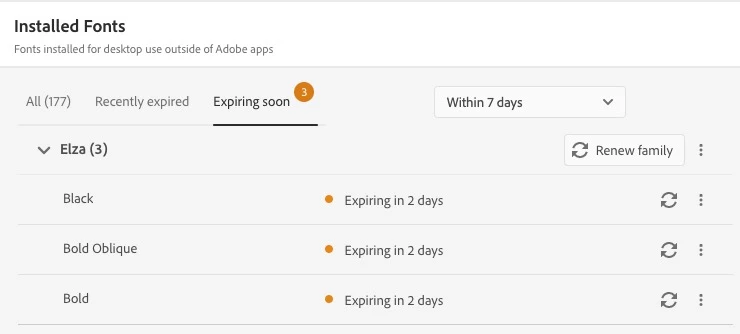
What the heck is this about?
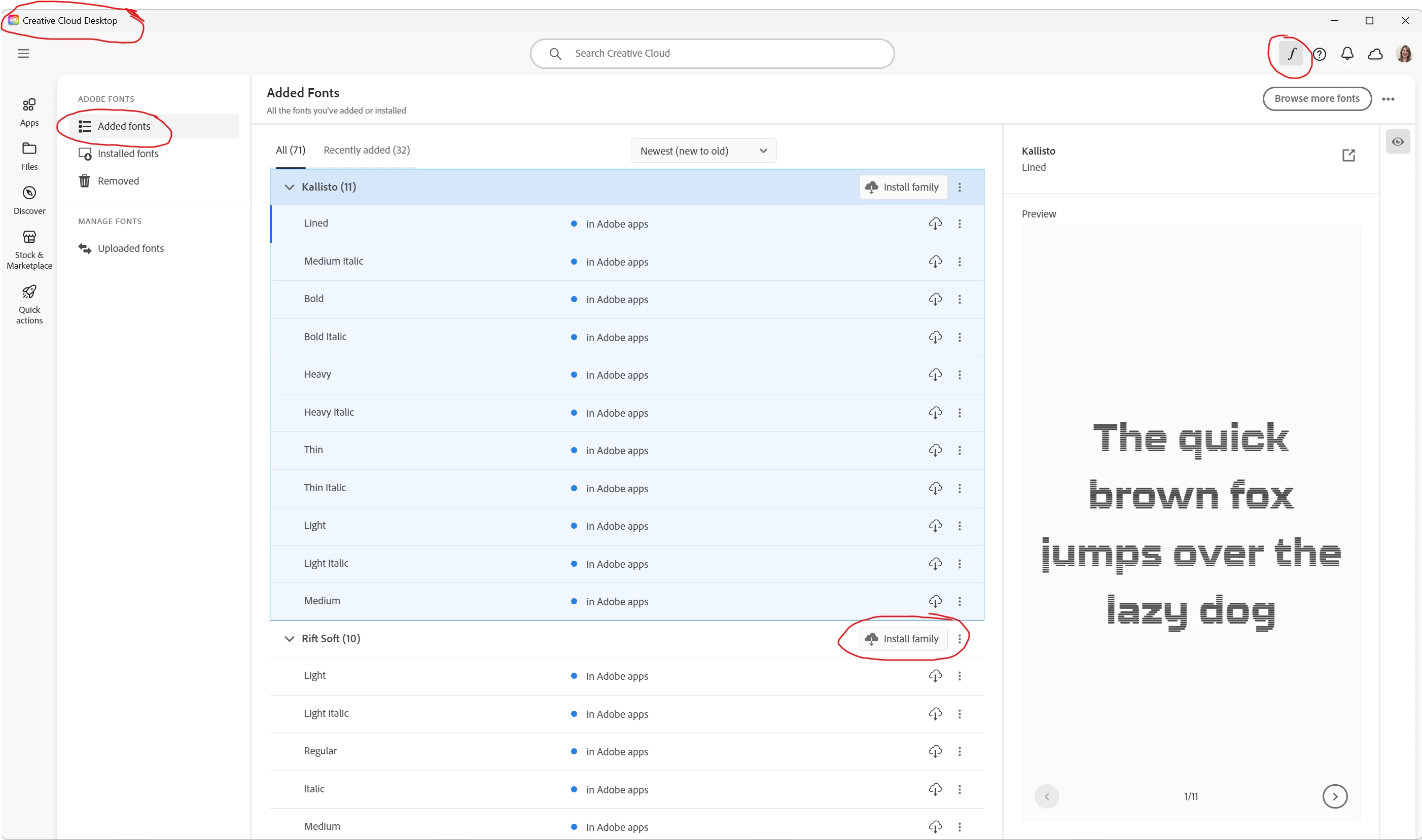
Also, on the left of this window, there are two categories, "Added Fonts" and "Installed Fonts." The category "Added Fonts" shows, I think, all the fonts I've ever synced, including those are currently synced. The "Installed Fonts" ... I think they're the ones that are currently synced.
Is there a discussion or a knowledge base article about these changes?
thanks


 AdChoices