Participant
May 1, 2025
Answered

DUNKEL SANS working for you?

  • May 1, 2025
  • 1 reply
  • 583 views

I've tried to install Dunkel Sans multiple times (enable/disable/enable) and it doesn't seem to work. 
Does it work for others?

    Correct answer Tarun Saini

    log link:
    https://drive.google.com/file/d/112KOlr64cTqK-V33BfHPGhD2R0CD0JPu/view?usp=sharing


    Hi @Philip35455378t5a5,


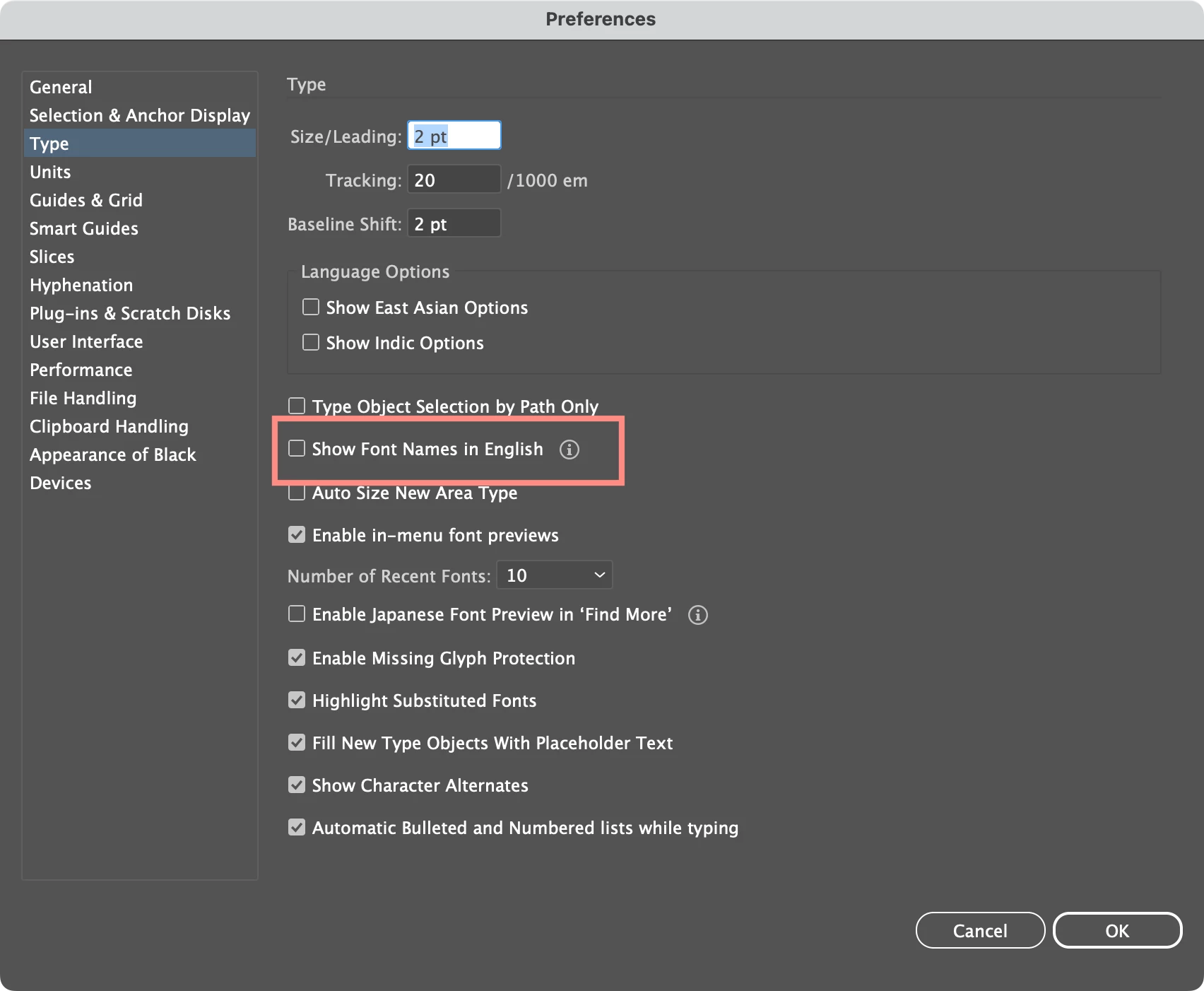
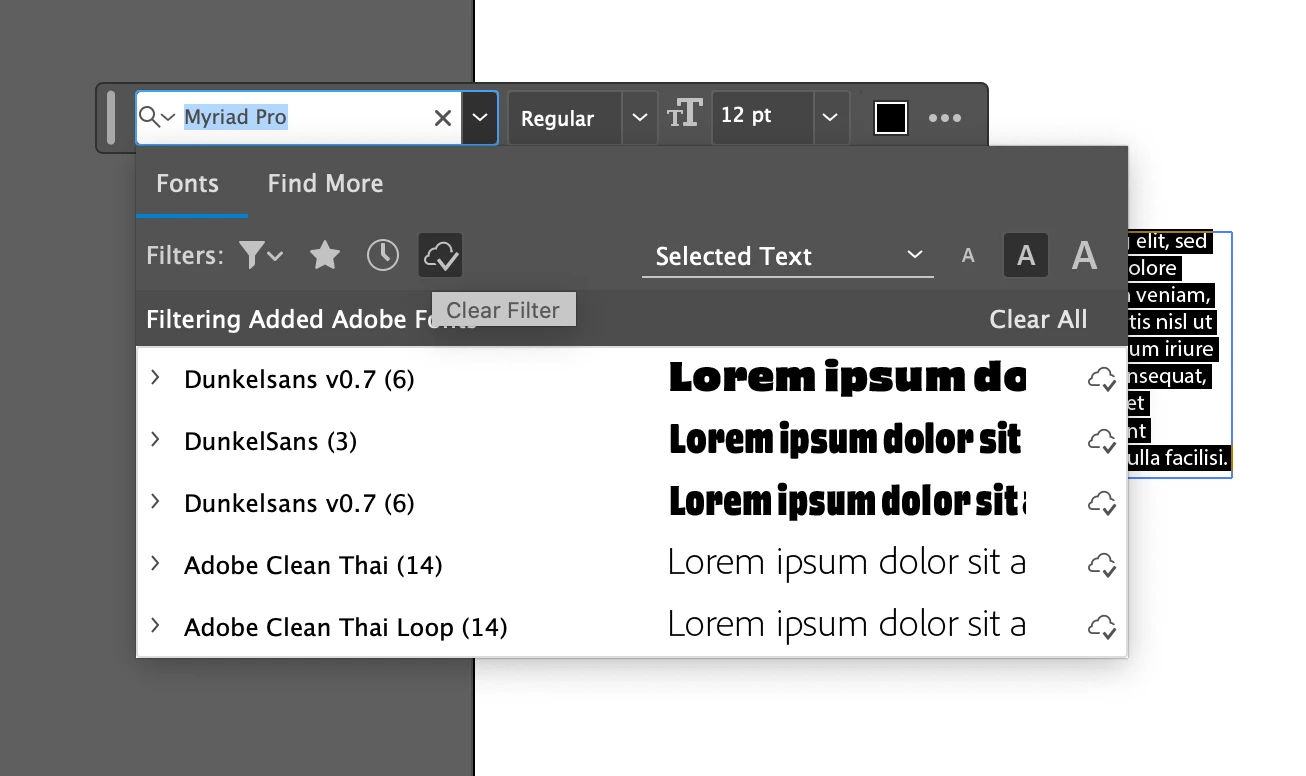
    Thanks for your response. It could be because Dunkel Sans is a Korean font, and Illustrator uses the primary font language for the name in the menu by default.
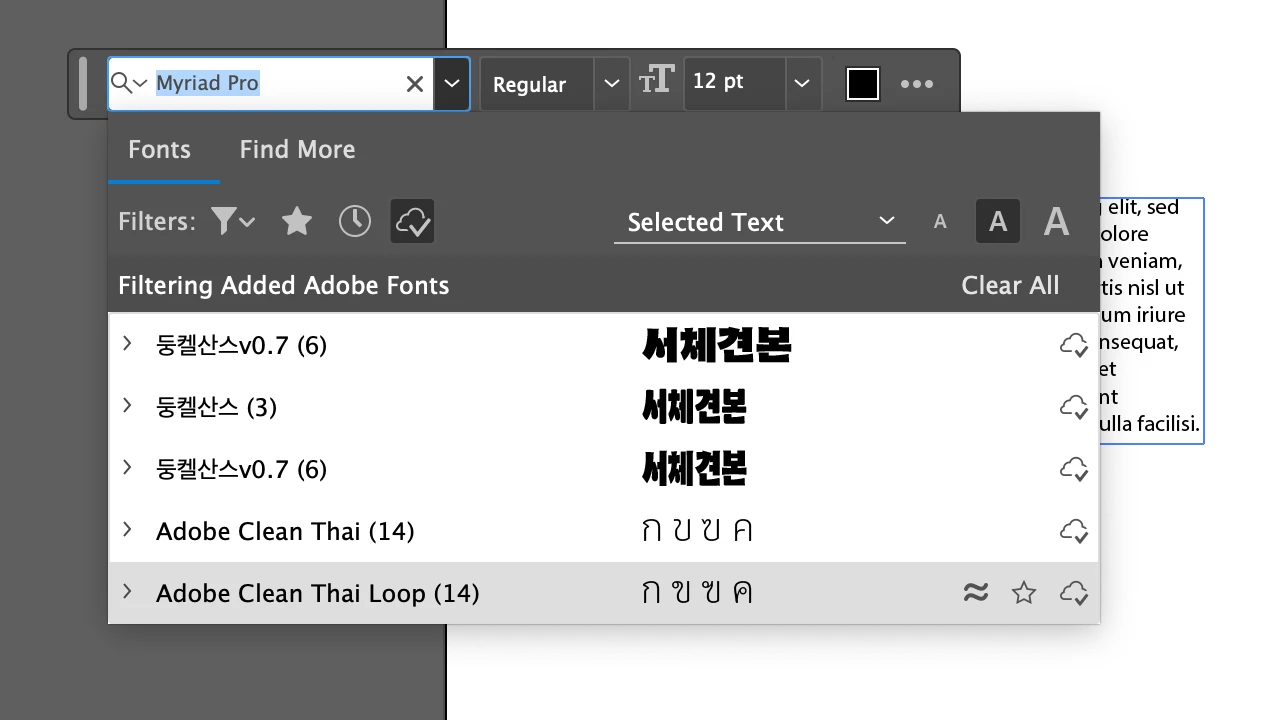


    Under Settings > Type, you can change it to always show the names in English


    Let us know if that helps.
     
    Regards,
    Tarun

    1 reply

    Tarun Saini
    Community Manager
    Community Manager
    May 1, 2025

    Hi 

    @Philip35455378t5a5

    ,

    Welcome to the community! We're sorry to hear about this. Are you getting any error messages? If so, can you share the screenshot of the error? Please ensure you're on the latest version of the Creative Cloud Desktop app. 

    Did you try activating the font from here- https://adobe.ly/3ENwfjo? Also, check this article and let us know if that helps- https://adobe.ly/44PRlYZ


    Regards,

    Tarun

    Participant
    May 1, 2025

    Thanks Tarun,
    No error messages, and I am activating the font from that link.
    I'm using Adobe Illustrator. After 'activating' the font it does not appear
    available for use.
    The font Dunkel does not appear in other apps as well.

    Thanks

    --
    *Philip Hepler*
    Advanced Artist
    {Mod Note- Personal information has been removed by the Moderator}

    Community Manager
    May 2, 2025

    Hello @Philip35455378t5a5,

    Would you mind trying the following steps and checking if it helps:


    • Close all Adobe applications
    • Remove the Creative Cloud Desktop application, CCLibrary, and CoreSync using the Creative Cloud Cleaner Tool (https://adobe.ly/44metOO)
    • Reinstall the Creative Cloud Desktop application (https://adobe.ly/42YquY2)
    • Relaunch Illustrator


    Looking forward to hearing from you.


    Anubhav