
Participant
September 9, 2024
Answered

Font library reactivating and reactivating multiple times per day, AE cannot read database error

  • September 9, 2024
  • 1 reply
  • 670 views

Hello, I'm on Windows 11 and I'm having major issues with my font library. 


Multiple times per day my entire library will deactivate, then reactivate. I can't seem to identify a trigger for this. If I happen to be in AE at the time, I get an error saying something like "After Effects cannot read font database"  and tells me to restart my machine. It mentions to go to a "http://www.adobe.com/go/learn_ae_fonterror" to learn more but the link is dead. 
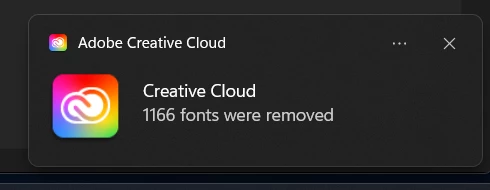


I've tried restarting, I've manually reset the Creative Cloud application. I've logged out and in. I've purged every CC login session. No luck, can anyone help?

This topic has been closed for replies.
Correct answer Lewis34419149xq7o

The issue seems to be a font database corruption affecting Windows and Adobe software. Try these steps:

  1. Update Windows and Adobe apps
  2. Run SFC and DISM system file checks
  3. Clear font cache and restart
  4. Backup, uninstall, and reinstall fonts
  5. Check for font conflicts with a management tool
  6. Reinstall Creative Cloud completely

If problems persist, check Windows Event Viewer for relevant errors and contact Adobe Support for specific guidance. The recurring nature of this issue suggests it might be a known problem they can address.


quote

Hello, I'm on Windows 11 and I'm having major issues with my font library. 


Multiple times per day my entire library will deactivate, then reactivate. I can't seem to identify a trigger for this. If I happen to be in AE at the time, I get an error saying something like "After Effects cannot read font database"  and tells me to restart my machine. It mentions to go to a "http://www.adobe.com/go/learn_ae_fonterror"  to learn more but the link is dead. 


I've tried restarting, I've manually reset the Creative Cloud application. I've logged out and in. I've purged every CC login session. No luck, can anyone help?


By @nrostance7275667


1 reply

Lewis34419149xq7oCorrect answer
Participant
September 13, 2024

The issue seems to be a font database corruption affecting Windows and Adobe software. Try these steps:

  1. Update Windows and Adobe apps
  2. Run SFC and DISM system file checks
  3. Clear font cache and restart
  4. Backup, uninstall, and reinstall fonts
  5. Check for font conflicts with a management tool
  6. Reinstall Creative Cloud completely

If problems persist, check Windows Event Viewer for relevant errors and contact Adobe Support for specific guidance. The recurring nature of this issue suggests it might be a known problem they can address.


quote

Hello, I'm on Windows 11 and I'm having major issues with my font library. 


Multiple times per day my entire library will deactivate, then reactivate. I can't seem to identify a trigger for this. If I happen to be in AE at the time, I get an error saying something like "After Effects cannot read font database"  and tells me to restart my machine. It mentions to go to a "http://www.adobe.com/go/learn_ae_fonterror"  to learn more but the link is dead. 


I've tried restarting, I've manually reset the Creative Cloud application. I've logged out and in. I've purged every CC login session. No luck, can anyone help?


By @nrostance7275667


Participant
September 13, 2024

Thanks Lewis, that's very helpful info.