
Participant
October 29, 2021
Answered

Font Search not geared for professional work

  • October 29, 2021
  • 1 reply
  • 424 views

When searching for a simple Serif font for the body text of a book, there are no Tags for the most common professional uses. Most of the tags seem to apply to Display fonts. Also, I would think a Sort function that allows sorting by Popularity would be useful. I realize you don't want to over saturate the market with the same fonts over and over. But at least provide the option to sort by the most isntalled / popular fonts. Thanks.

    This topic has been closed for replies.
    Correct answer Molly Doane

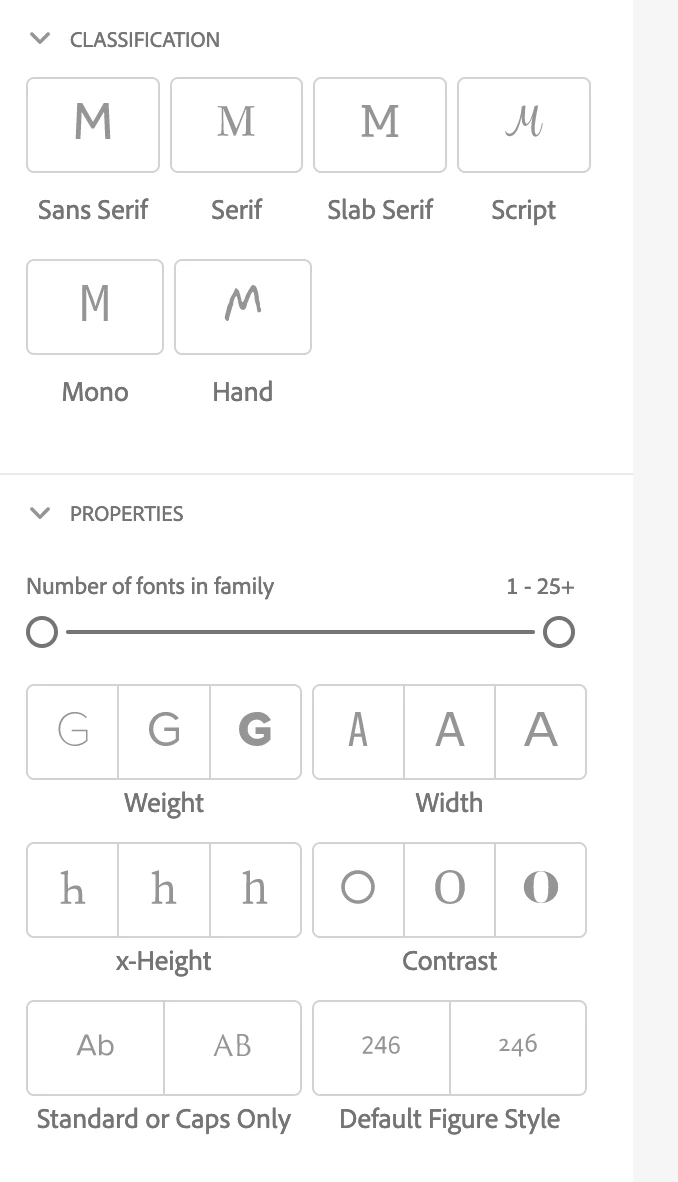
    We offer many classifications in addition to the browse by tag feature. Are you on the website in a desktop browser? If you scroll beneath the tags you'll see Classifications and Properties as shown in this screenshot.

    1 reply

    Molly Doane
    Molly DoaneCorrect answer
    Participating Frequently
    November 1, 2021

    We offer many classifications in addition to the browse by tag feature. Are you on the website in a desktop browser? If you scroll beneath the tags you'll see Classifications and Properties as shown in this screenshot.

    Participant
    November 2, 2021

    I've used this tool for years. I'm very aware of those Classifications and Properties. I'm just suggesting two things: 1) That you have Tags for some things like "Book text" or "UI Text"... and that you allow sorting by popularity (based on installations or ?). Thanks.

    Molly Doane
    Participating Frequently
    November 2, 2021

    Thanks for clarifying! I'll definitely let the team know that use case related tags would be helpful to you, as well as additional sort options.


    I know this isn't a solution for sorting by popularity, but if you're curious which fonts in the library are getting used the most right now check out the Trending tab on our new Recommendations page:


    https://fonts.adobe.com/recommendations/trending