
Participant
October 7, 2024
Question

Fonts don´t work

  • October 7, 2024
  • 3 replies
  • 188 views
When trying to install Adobe fonts my account has the following problem:

Select the source to install from the Creative Cloud website and activate it, I get a lucky installation message.

The font does not appear in the Adobe software installed on the PC.

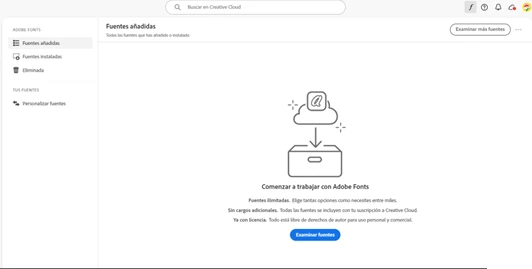
When you open the Creative Cloud software, the fonts do not appear.
Verify that the account is the same in the software and on the web, in addition to restarting the computer several times and reinstalling the applications.



This topic has been closed for replies.

3 replies

kglad
Community Expert
Community Expert
October 7, 2024

you can try a reset.  reset the cc desktop app by making sure it's in the foreground, then press:

Win: Ctrl + Alt + R
Mac: Cmd + Opt + R


jane-e
Community Expert
Community Expert
October 7, 2024

@alfredo_0234 

I've moved your post from Creative Cloud Desktop to the Adobe Fonts forum for you.


I can't make out the words in your screenshots because they are blurry. Are you using these steps to install Adobe Fonts?

https://helpx.adobe.com/fonts/kb/add-fonts-desktop.html


Jane


Participant
October 7, 2024

Al intentar instalar las fuentes de Adobe mi cuenta presenta el siguiente problema:

Selecciono la fuente a instalar desde la web de Creative Cloud y la activo, me aparece mensaje afortunado de instalación.

En los softwares de Adobe instalados en la pc no aparece la fuente.

Al abrir el software de Creative Cloud las fuentes no aparecen.

Verifiqué que la cuenta fuera la misma en el software y en web, además de reiniciar varias veces el equipo y reinstalar las aplicaciones.


jane-e
Community Expert
Community Expert
October 7, 2024

@alfredo_0234 

Duplicate posts merged. Please post once, then reply to your current thread.

Jane