Participant
March 12, 2019
Answered

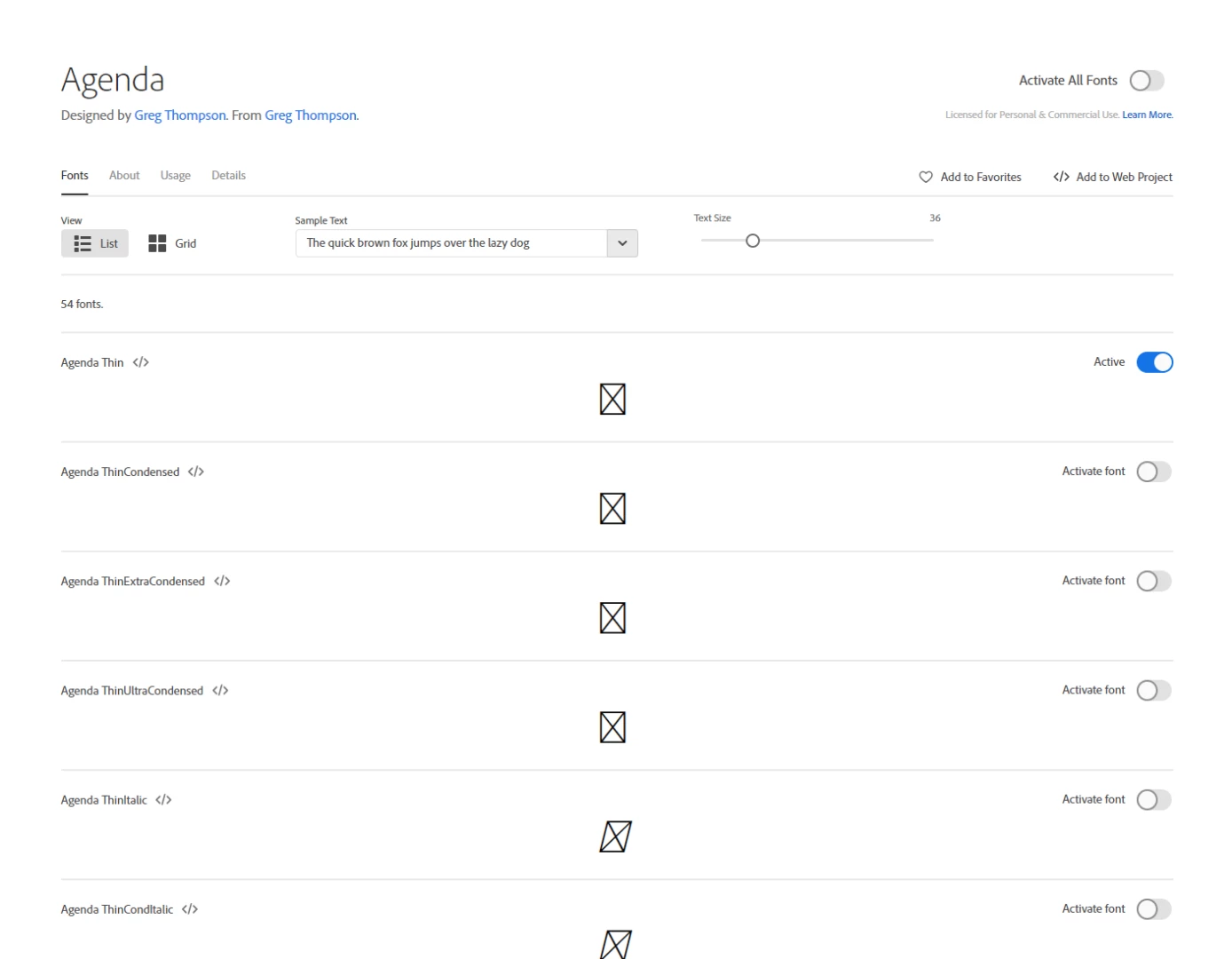
Fonts not displaying on Adobe Fonts

  • March 12, 2019
  • 1 reply
  • 1594 views

When browsing individual fonts the sample does not show. See screen capture below.

This topic has been closed for replies.
Correct answer liz, Adobe Type

This usually means that a browser setting or something in your network setup is blocking the web font files that our website uses.  Combined with the activation problems you mentioned in the other forum post, Issue activating fonts., I'd suspect it's network, perhaps a proxy.

When you email the support team, please include a traceroute to use.typekit.net, so we can check that for you as well. This will tell us if your computer is able to connect out to the font network:

* On a Mac, open the System Information and choose Network Utility from the Window menu. Select the Traceroute option and enter the domain name in the network address box. Click Trace.

* On Windows, open a Dos prompt and type "tracert use.typekit.net", without the quotes. Press Enter.

thanks again,

-- liz
1 reply

liz, Adobe Type
Community Manager
liz, Adobe TypeCommunity ManagerCorrect answer
Community Manager
March 12, 2019

This usually means that a browser setting or something in your network setup is blocking the web font files that our website uses.  Combined with the activation problems you mentioned in the other forum post, Issue activating fonts., I'd suspect it's network, perhaps a proxy.

When you email the support team, please include a traceroute to use.typekit.net, so we can check that for you as well. This will tell us if your computer is able to connect out to the font network:

* On a Mac, open the System Information and choose Network Utility from the Window menu. Select the Traceroute option and enter the domain name in the network address box. Click Trace.

* On Windows, open a Dos prompt and type "tracert use.typekit.net", without the quotes. Press Enter.

thanks again,

-- liz

Participant
March 12, 2019

Resolved. Our firewall was blocking the file types. It didn't like how they were labeled.