
Fonts still not available after trying suggestions in Community Forum
Windows 10 latest Updates, Standalone PC, 32 GB Ram, no recent changes except Windows and Adobe (about one-two weeks ago each).
Had no issues with FONTS prior to 16 December 2019 – but have since. A Project last accessed 16 DEC that was completed/finalised without issue around that date – now has missing FONTS when opened.
- Creative Cloud APP appears to “loop” when click on FONT,
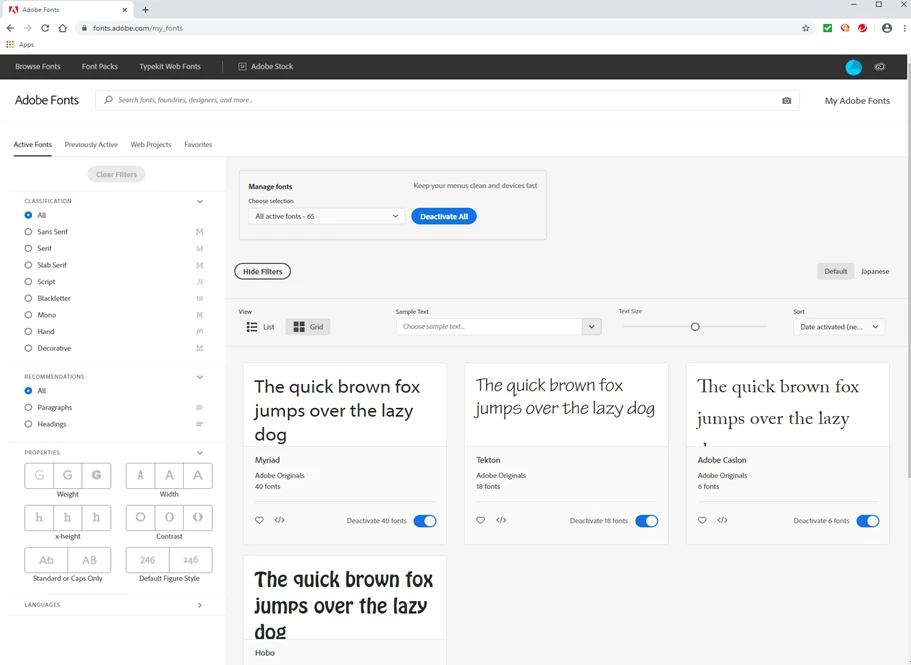
- Clicking FONTS via Creative Cloud APP Resource menu (expected My Adobe Fonts displayed).
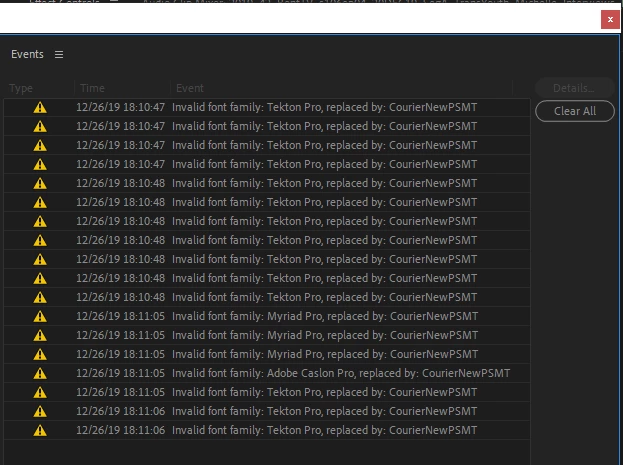
- When open a recent Project (dated 16 December 2019) that worked fine at the time, now advises missing Fonts.
Anti-Virus is Trend Micro Maximum which was installed two/three months ago.
Scanned entries in Community Forums and tried a few suggestions (for example Fonts no longer available, richt34854803, Dec 09, 2019) and others including signing out of CC, deactivating then reactivating FONTS in My Adobe Fonts, removing files in directory from ..\AppData\Local\Adobe\OOBE and others but problem persists.
Is there a specific log file that might contain something useful or is there a recognised issue that was introduced recently (say 16 DEC 2019) or later?
My Adobe Fonts
Premiere PRO Errors when opening a previously no issue Project dated 16 DEC.


 AdChoices