


Participant
December 15, 2019
Question

i can't activate fonts on Adobe Portfolio
  • December 15, 2019
  • 8 replies
  • 1716 views


Hello.
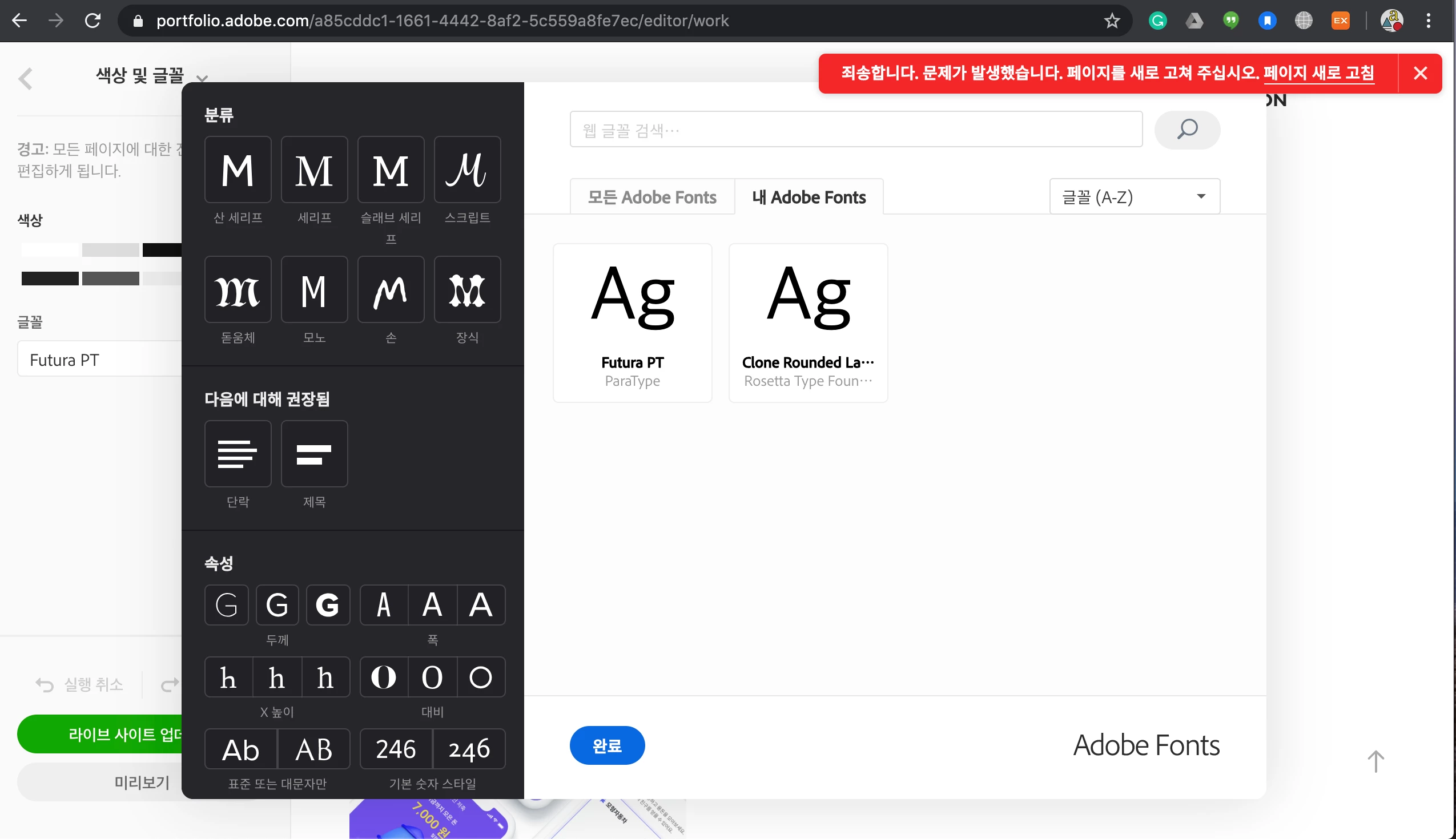
When I click on the font to apply Adobe Ponts to every page, that red warning message pops up and says, "Sorry. Problem occurred. Refresh the page."
The same issue is repeated when I refresh it.
Also, the font I activated does not appear, and only Futura PT and Clone Rounded Latin are visible.


This topic has been closed for replies.

8 replies

April 21, 2024

Try deactivating any adblock / cookie-blocker extension on the browser - also: try chaning the region to US in the settings 

:::alan:::
Participant
June 28, 2023

My solution was to switch the interface to English (instead of using my local language) and then it worked.

Participant
August 16, 2020

I also have the problem, tried all suggestions.Please fix the porblem asap.

Participant
August 28, 2020

I have the same issue. Are there any solution?


Nancy OShea
Community Expert
Community Expert
August 28, 2020

See using Adobe Fonts in Portfolio

https://help.myportfolio.com/hc/en-us/articles/360036649274-Managing-your-Adobe-Fonts


If you continue to have problems with Portfolio, submit a help request to the Adobe Portfolio support team.


Nancy O'Shea— Product User & Community Expert
Carefree_ZephyrB839
Participant
August 1, 2020

I am also having this issue. The fonts don't show correctly on my Mac but do show correctly on my android phone.

Participant
June 16, 2020

I've had this same issue for a while now and I can't seem to fix it. Today, the fonts on my personal site were removed from the Adobe Fonts catalog and I can't even find a suitable replacement because of this recurring problem. It's very frustrating and points to a larger problem, which is my opinion that the updates made to this portfolio builder recently have only made its usability increasingly difficult and more restrictive. I'd love an actual fix to this problem that extends past restarting my machine. 

Participant
May 31, 2020

I also got the same issue.

It doesn't be solved after I restarted my computer.

ucwww
Participant
May 26, 2020

Got the same issue, and I want to know why!!!

HARSHIKA_VERMA
Community Manager
Community Manager
May 27, 2020

Hi there,


We are sorry for the trouble. There was an outage that might have caused this issue. The outage is resolved now. Please restart the machine and let us know if you are still experiencing issue.


We will be happy to help.


Thanks,

Harshika

Participant
April 22, 2020

Any know how to fix it?