
Participant
May 6, 2025
Question

Issues on the adbove devnagari font

  • May 6, 2025
  • 1 reply
  • 130 views

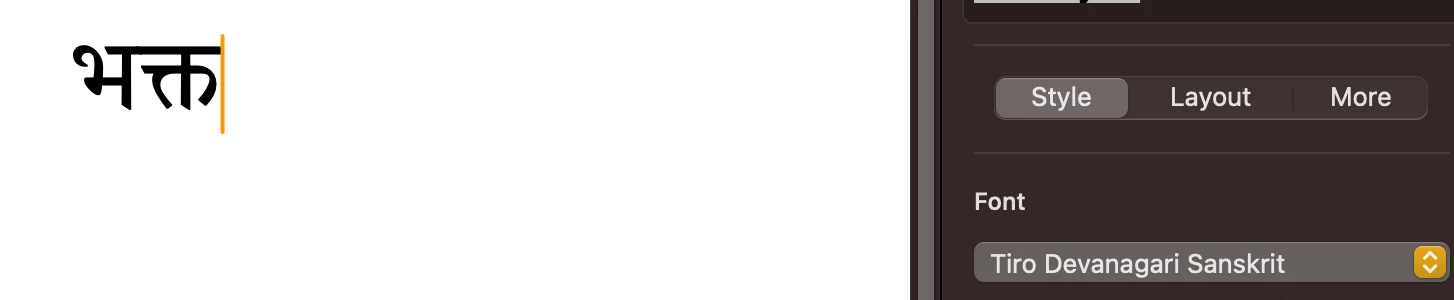
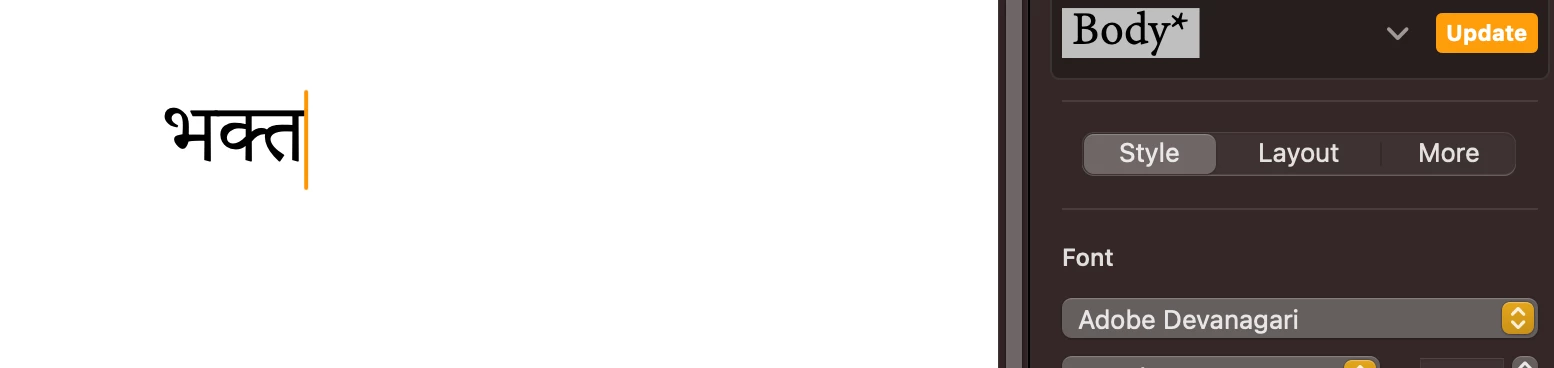
I like th texure and ligatures of the font, adobe devnagari, but however I am sad to report that much characters do not appear correctly. For example, the  character does not appear even if it is the the reportire,

For example the character in Tiro Devnagari Sanskrit


The same character is Adobe Devnagari


It amazes me that the it is in the font reportire of the Adove devnagari but still does not appear in the document or anywhere.
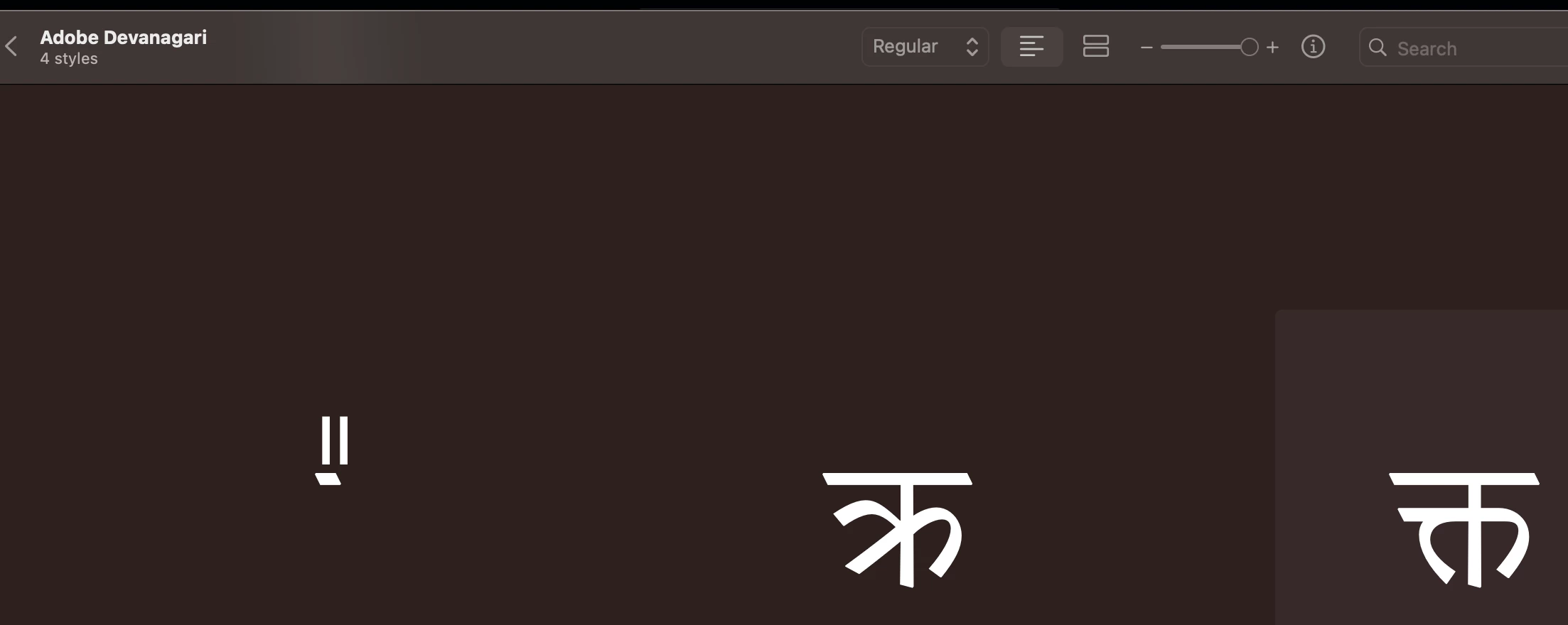

Could some one help me figure out this. Not having this character in a paid font worries me a little bit.


1 reply

Frank Grießhammer
Adobe Employee
Adobe Employee
May 9, 2025

Hi, I am not a reader of Hindi or a Devanagari specialist, but I can help figure out your problem:

It seems like what you’re asking is not just the support of a single character, but of a combination of characters:


When I click on “Copy” and paste it into InDesign (World Ready Composer active), I get this:


Judging by the glyph name I see in Font Book, I assumed that the glyph is not default, but an alternate. So, I tried applying Stylistic Set 1:

 voilà.


I can see from your screenshots that you’re using Pages – you can access OpenType features in Pages like this:

https://discussions.apple.com/thread/7287121?sortBy=rank