


Participant
July 21, 2023
Question

japanese font unavailable for webproject

  • July 21, 2023
  • 1 reply
  • 349 views

Hi, I really need to translate my client's website to japanese and have been using adobe fonts for the latin part. Now we selected a few fonts from adobe font to add to the project and I can't seem to be able to add any of them. All my projects are greyed out. Any solution, please?
    This topic has been closed for replies.

    1 reply

    Neelamk
    Legend
    July 21, 2023

    Hi @Lucie290934995qme ,


    We are sorry for your difficulties. Could you please confirm if you are able to translate to Japanese for your Client's website. To reslove the issue you encountered while adding fonts to website, please refer the below article link and let me know if this helps:

    https://helpx.adobe.com/fonts/kb/troubleshoot-adding-fonts-website.html


    Also to get more details on the how to add fonts in website please refer:https://helpx.adobe.com/fonts/using/add-fonts-website.html


    Please share how it goes.


    Thank you,

    Neelam

    Participant
    July 21, 2023

    Hello Neelam,

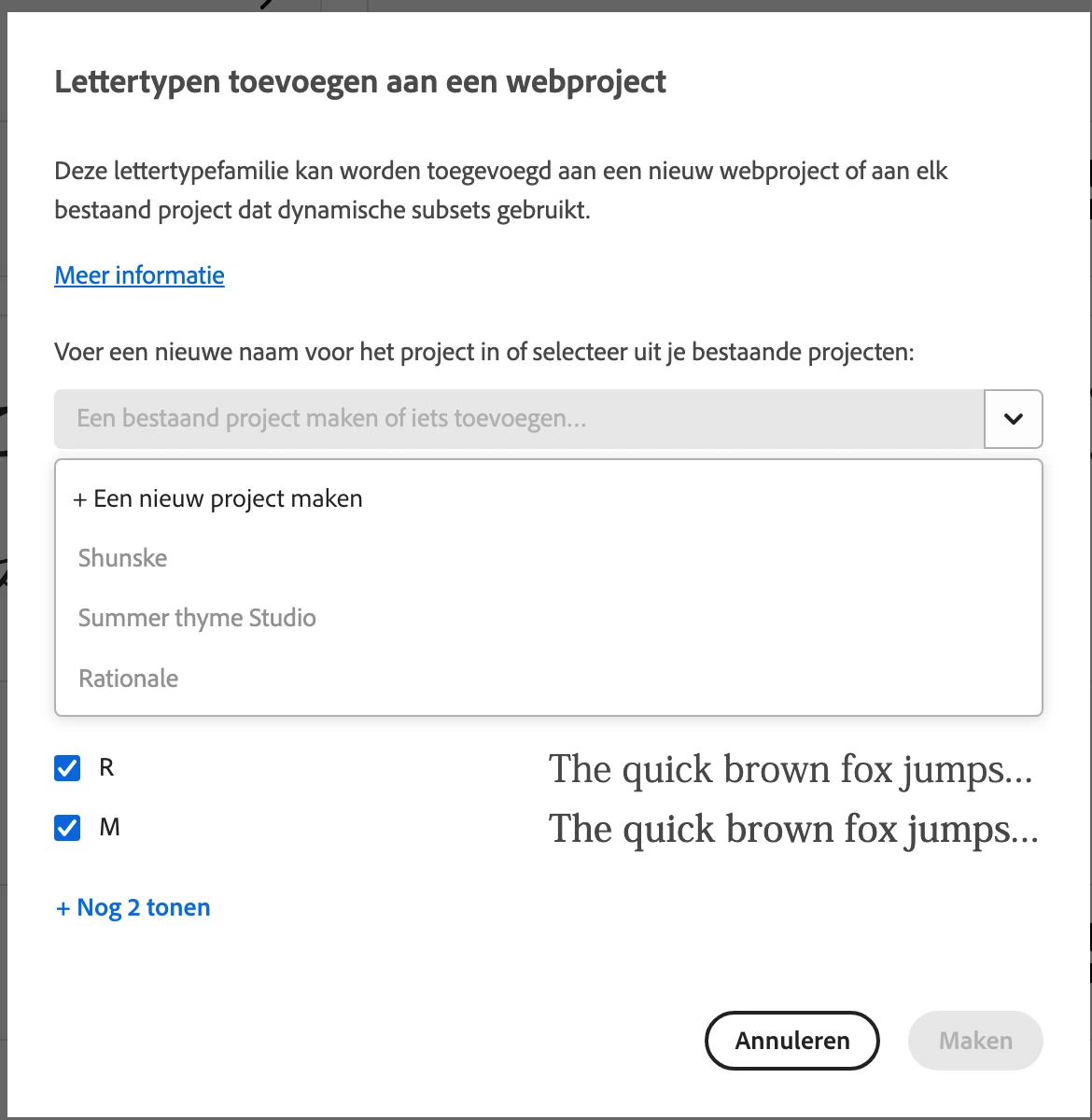
    Unfortunately, I already had checked all these resources. This is how my screen looks when trying to add the japanese font to my web project: all my projects are disabled. 

    Jake Giltsoff
    Adobe Employee
    Adobe Employee
    July 27, 2023

    Hi @Lucie290934995qme, Japanese fonts are delivered for web use via a special type of web project which uses dynamic subsetting to load the glyphs as needed. As such you can’t add a Japanese font to a regular web project, so unfortunately you’ll need to create a new one with that font and then add the previously used fonts in to that after. Note the message at the top of the screenshot with the link to more informaiton. You’ll need to click the top row of the drop down starting with the + to create a new dynamic web project.