
My Fonts Are Showing Up as Unavailable
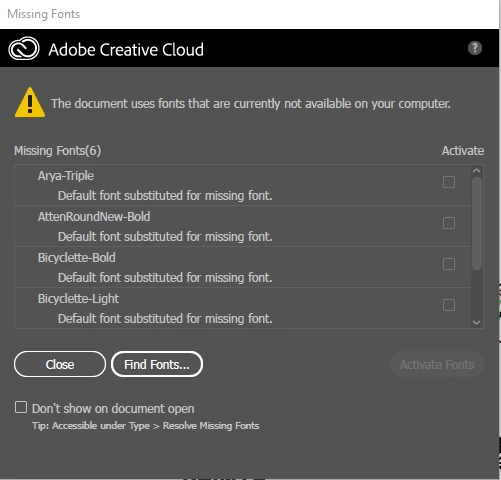
I'm a student, and I've been using Adobe Illustrator through my school acount for the past several months, and over that time I've downloaded quite a few fonts through Adobe Fonts. Just today I was working on a project in which I used some newly downloaded/activated fonts and some old ones as well. I stepped away for a little while and when I came back, there was a pink highlight around all of my text (across several other documents as well - I opened past ones to see if this was a recurring problem, and it seemed like it was) and a message saying "The document uses fonts that are currently not available on your computer." There's a little box that was below the message that allowed me to reactivate the fonts that I was apparently missing, but the checkbox wouldn't work. I closed and reopened the documents and the same problem kept occuring. I finally decided to check the Adobe Fonts website to see if the fonts were straight up removed, but there they were. However, this time there was a prompt that said "this font isn't included with your plan," even though I've been using some of these fonts for the past few months... I have no clue what's going on (and I'm a little frustrated), and if someone could please help I'd greatly appreciate it. Thanks 🙂



 AdChoices