Participating Frequently
June 29, 2019
Question

No Fonts

  • June 29, 2019
  • 2 replies
  • 605 views

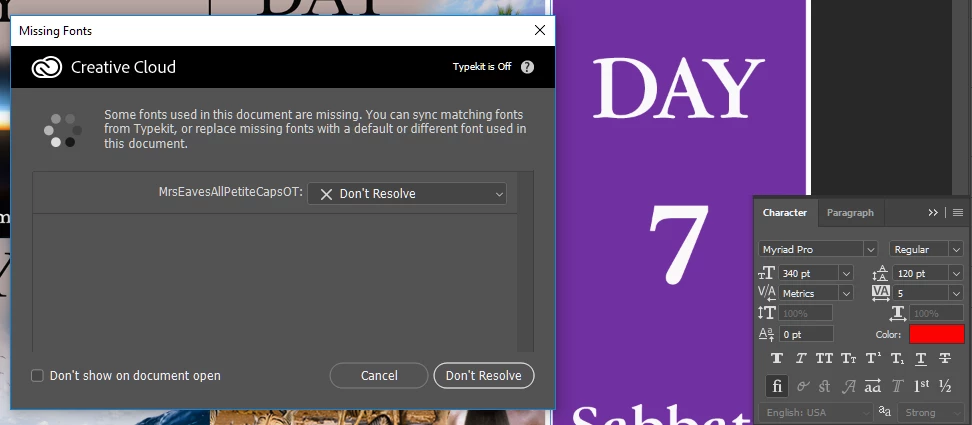
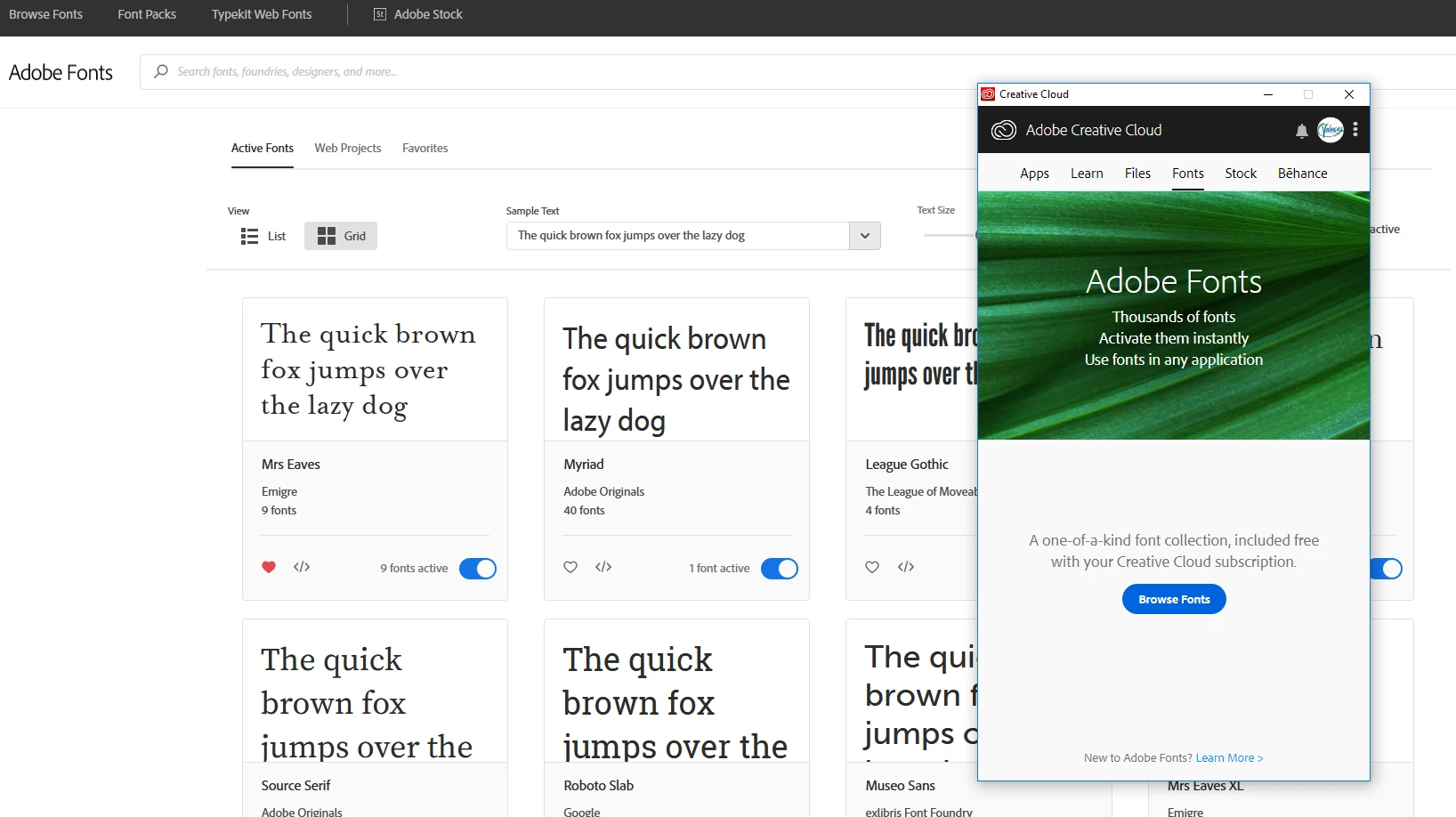
I have deselected and re-selected "Enable Adobe Fonts" in the preferences 3 times. I has gone through all the fixes for the fonts not syncing. Still I have no active fonts and I can't open previous art work where I used the fonts. Please note that I have active fonts marked but none show up in the cloud app.

Can this be fixed.
    This topic has been closed for replies.

    2 replies

    Abambo
    Community Expert
    Community Expert
    July 1, 2019

    Discussion successfully moved from Adobe Creative Cloud to Adobe Fonts (formerly Typekit)

    ABAMBO | Hard- and Software Engineer | Photographer
    Daniel E Lane
    Inspiring
    June 30, 2019

    Since the way the fonts work has changed, have you made sure you are on the latest version of CC and whatever application you are trying to work in?

    cValesaAuthor
    Participating Frequently
    June 30, 2019

    Thank  you for responding. Yes uninstalled-re-installed the cloud app. I also refreshed and closed all browsers and logged in and out of Adobe.