
Question
Please help - Adobe Fonts suddenly defaulting to fancy format - how to return to normal??
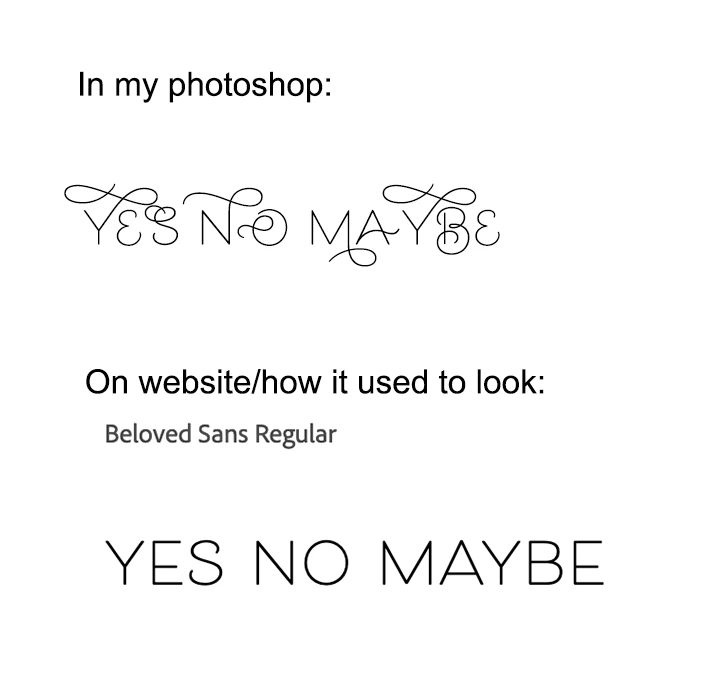
All of a sudden my installed Adobe fonts are defaulting to (apologies I don't know the right terms) the fancy format, with all most glyphed-out alternatives instead of the regular format. Pic below to explain better.
Any idea how to switch it back?? All I can seem to do is go into the Glyphs panel and choose alternatives for each letter! (Yes my Photoshop is up to date, and I even tried deactivating and reinstalling this font and it did the same thing.)


 AdChoices