Participant
July 7, 2022
Question

PostScript Type 1 fonts end of support

  • July 7, 2022
  • 3 replies
  • 293 views

Hello,

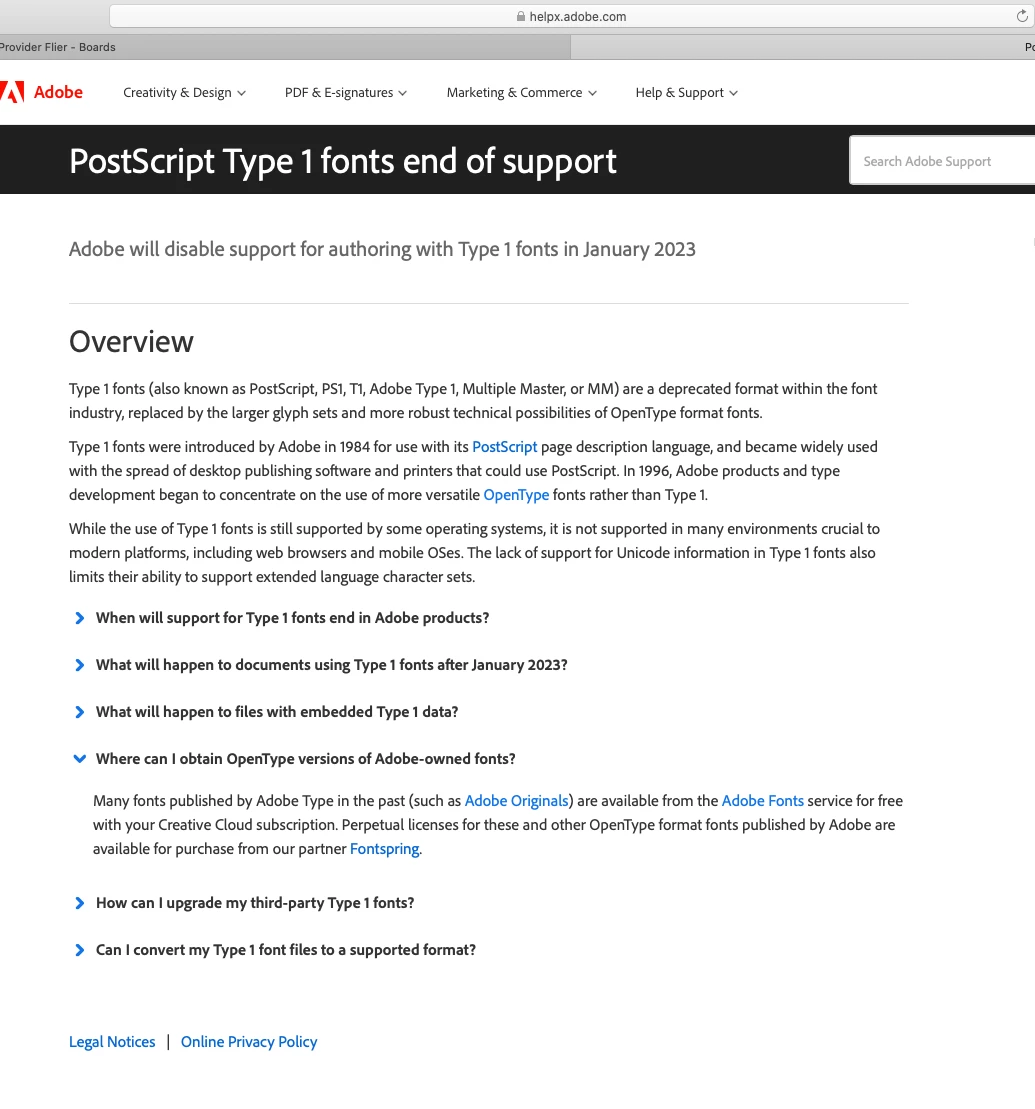
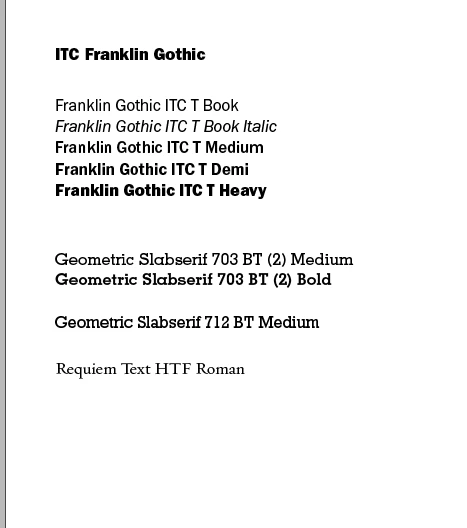
A few of my end users who are using Adobe Acrobat DC Pro on their Macs are seeing this notification. They use the fonts below for their publications.

Can some explain to me if my end users should be worried about this?

Is there something I can do as an IT assistance to workaround this end of support?
    This topic has been closed for replies.

    3 replies

    Legend
    July 15, 2022

    Type 1 fonts are dead and have reached end of support. This means that for most purposes, those fonts will no longer work in Adobe apps.

    You will need to remove them and get current OpenType fonts instead. Any documents that use Type 1 fonts will need to be updated. You can either:

    1. Find updated font files on Adobe Fonts

    2. Purchase fonts from a foundry

    3. Find substitute fonts from someplace like Google Fonts

    4. Buy a font editing package and (if the licenses allow it) convert existing Type 1 fonts to OpenType.)


    This change is already implemented in Photoshop. I have Type 1 fonts that I got legally as part of older Adobe software purchases that now simply don't work, and they are no longer available from Adobe, and licensing is $$$$$$$$. So I feel your pain.

    Tarun Saini
    Community Manager
    Community Manager
    July 11, 2022

    Hi there,


    I would like to let you know that any content in a secure document format will not be impacted, and if the previously written content is simply a PSD file or anything similar, it will be. However, as of the first of January 2023, users won't be allowed to create new material using this font.


    Regards,

    Tarun

    Phia5EA4Author
    Participant
    July 12, 2022

    Is there a way my end users can download a legacy of this type of font? If not what are the suggestions I can provide for my end users?

    Legend
    July 12, 2022

    For each type 1 font, you need to source a precise or suitable replacement and license it. The replacement will have a new name, and the user will need to update every document to use the new names instead.


    However, I still cannot understand the original question. I do not recognise what you describe as a message from Acrobat. Maybe from some other Adobe app. Please show a screen shot of the actual notification "There is a yellow triangle on the font and it directs them to the page that says Type 1 Font is no longer support after 2023." and tell us the actual app and version in use (not "latest" please).

    Legend
    July 11, 2022

    When do they see this first screen, exactly? What notification do they get? I've not see anything built into Acrobat to complain about type 1 fonts, indeed, type 1 fonts embedded in PDF will continue to work (but may not be editable).

    Phia5EA4Author
    Participant
    July 12, 2022

    Yes, so they use find and replace feature and cecks for type 1 fonts. There is a yellow triangle on the font and it directs them to the page that says Type 1 Font is no longer support after 2023.